214323 284 Revision B
1. Engage the separator and the header.
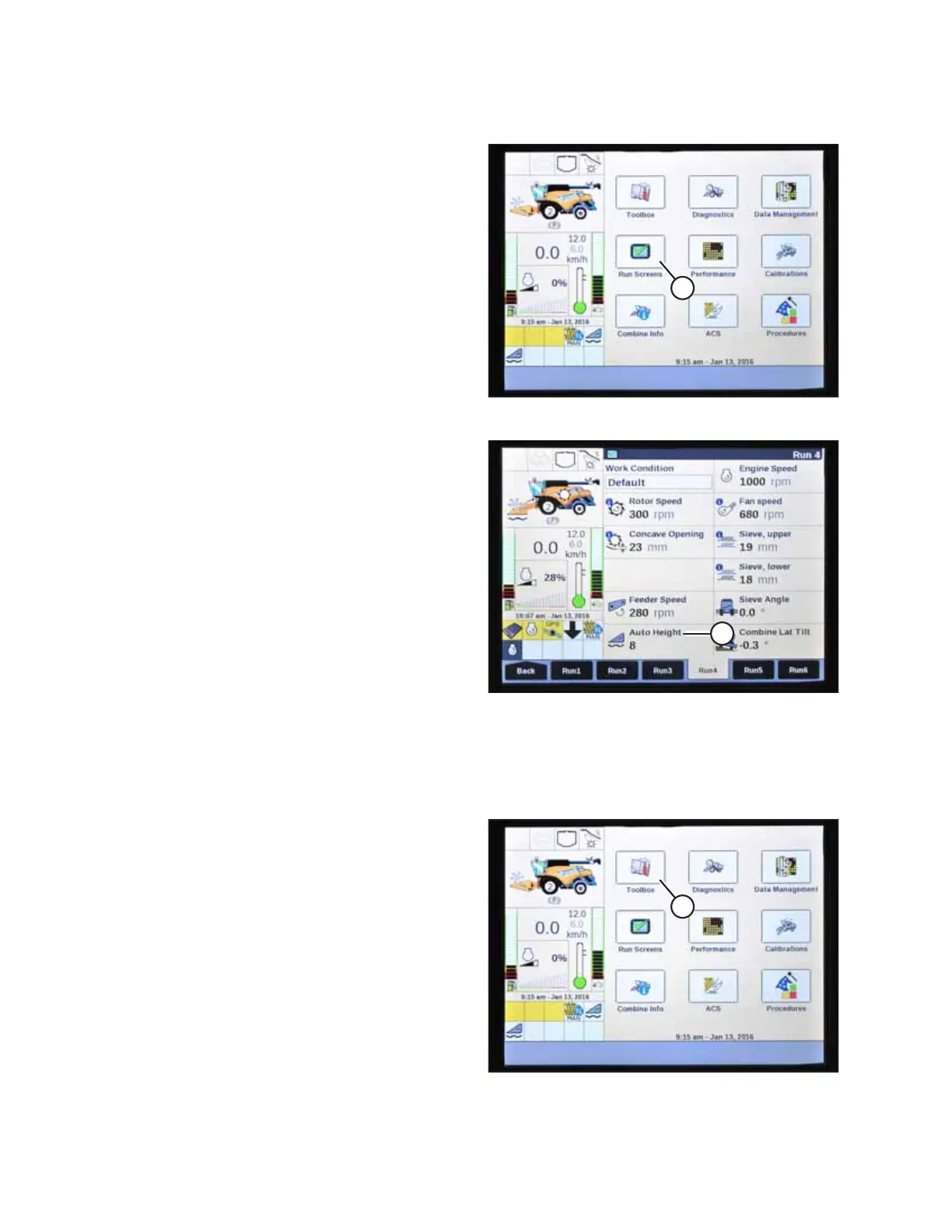
Figure 4.319: New Holland Combine Display
2. Select RUN SCREENS (A) on the main page.
Figure 4.320: New Holland Combine Display
3. Select the RUN tab that shows MANUAL HEIGHT.
NOTE:
The MANUAL HEIGHT field may appear on any of the RUN
tabs. When an auto height set point button is pressed, the
display will change to AUTO HEIGHT (A) as shown.
4. Lower the header to the ground.
5. Select one of auto height set point buttons shown in
Figure 4.318, page 283.
• Press SET 1 button for a light ground setting (1 on the
float indicator box)
• Press SET 2 button for a heavier ground setting (2 on
the float indicator box)
4.20.6 Setting Maximum Work Height – New Holland CR Series
This procedure applies only to 2015 and later CR models (6.80, 6.90, 7.90, 8.90, 9.90, and 10.90).
Figure 4.321: New Holland Combine Display
1. Select TOOLBOX (A) on main page. The TOOLBOX page
appears.
AUTO HEADER HEIGHT CONTROL








 To Next Page