214323 208 Revision B
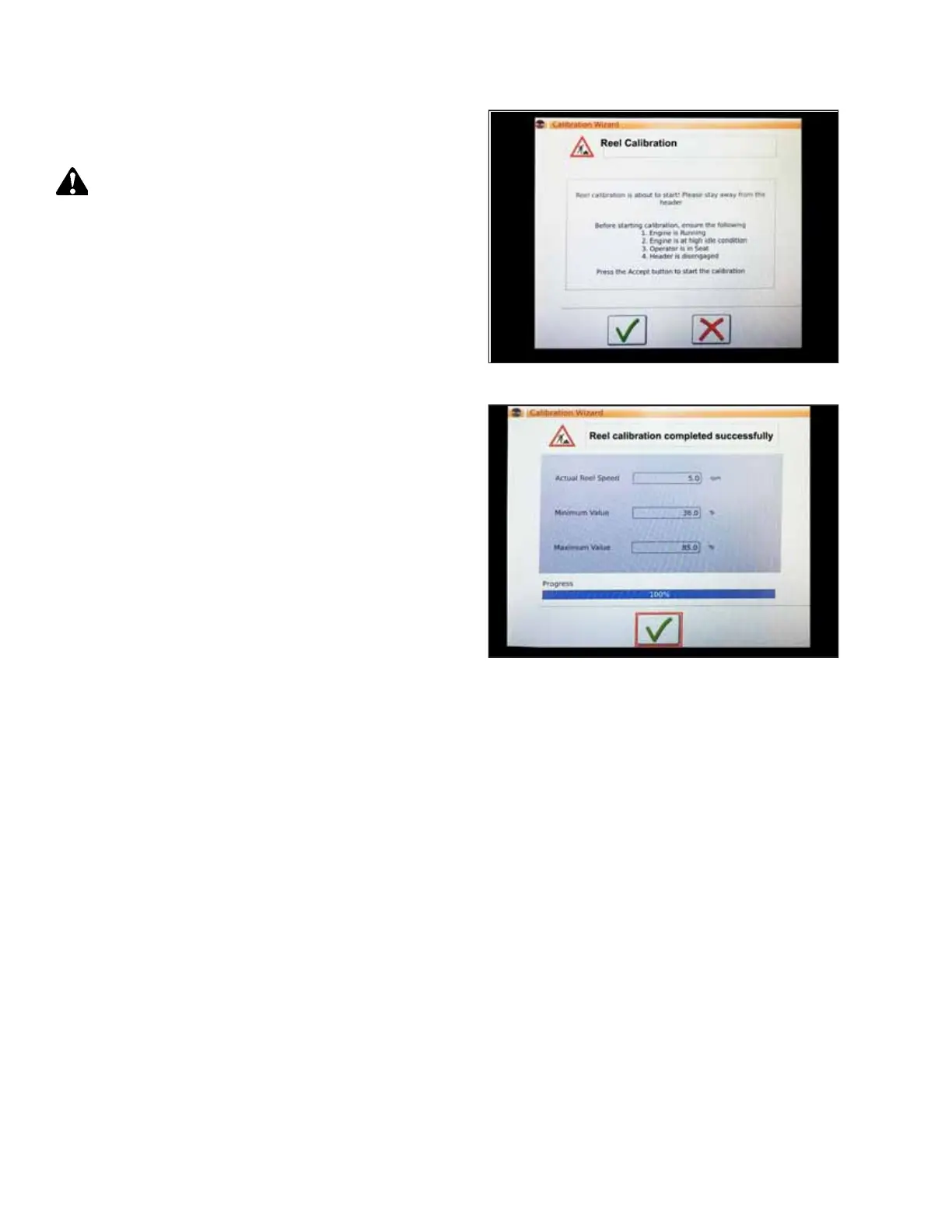
Figure 4.154: Calibration Wizard
4. The CALIBRATION WIZARD opens and displays a hazard
message.
DANGER
Never start or move the machine until you are sure all
bystanders have cleared the area.
5. Make sure that all the conditions listed on CALIBRATION
WIZARD warning page are met. Press the green check mark
and start the reel calibration procedure.
NOTE:
Pressing the red X at any time will cancel the calibration
procedure.
Figure 4.155: Calibration Progress
6. A message appears in the CALIBRATION WIZARD when the
reel calibration procedure has begun. The reel will begin
turning, slowly at first, and then faster and faster. A
progress bar will appear. Wait for a message saying that the
reel calibration procedure has completed successfully.
Touch the green check mark to save the calibrated settings.
4.13.3 Setting up Automatic Header Controls – Gleaner
®
S9 Series
The auto header height control (AHHC) functions are configured on the Gleaner
®
S9 Series’ HEADER SETTINGS page.
NOTE:
Changes may have been made to the combine controls or the display since this document was published. Refer to the
combine operator’s manual for the most up-to-date information.
AUTO HEADER HEIGHT CONTROL








 To Next Page