214323 161 Revision B
13. When all the calibration steps have been completed, the message CALIBRATION SUCCESSFUL is displayed on the page.
Exit the CALIBRATION menu by pressing the ENTER or ESC key.
NOTE:
If the float was changed to a heavier setting to complete the ground calibration procedure, readjust the float after the
calibration procedure is completed.
14. If the AHHC system still does not function properly, perform the combine’s maximum stubble height calibration
procedure.
4.7.6 Setting Preset Cutting Height – Case 7010/8010, 7120/8120/9120,
7230/8230/9230, 7240/8240/9240
Your Case IH 7, 8, or 9 series combine can have up to two auto header height control header height presets configured at
one time.
NOTE:
Changes may have been made to the combine controls or the display since this document was published. Refer to the
combine operator’s manual for updates.
DANGER
Check to be sure all bystanders have cleared the area.
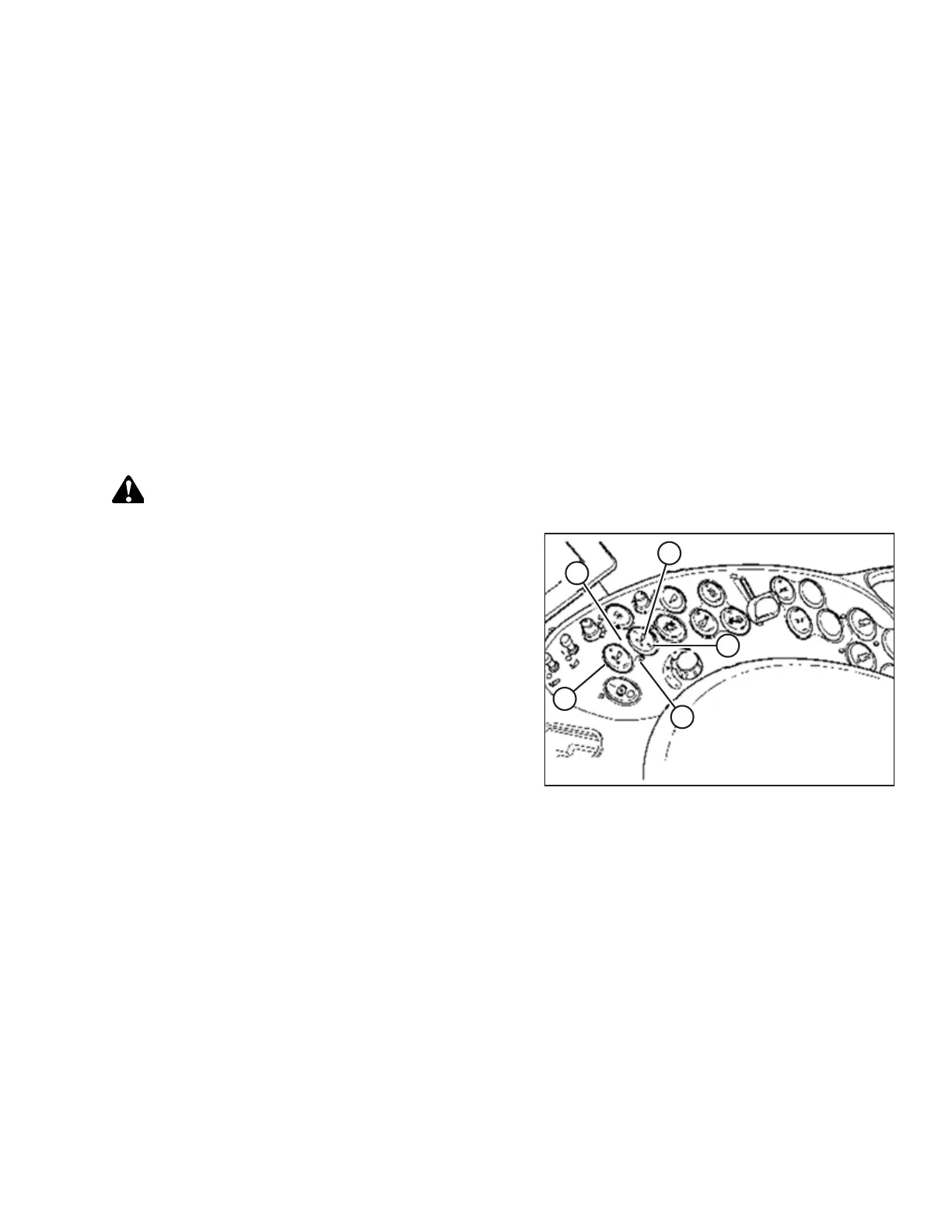
Figure 4.66: Case Combine Controls
A - Set #1 Switch B - Set #2 Switch
C - Header Height Mode Light D - Header Height Mode Light
E - Fine Adjust Switch
1. Engage the separator and the header.
2. Manually raise or lower the header to the desired cutting
height.
3. Press SET #1 switch (A). HEADER HEIGHT MODE light (C)
(next to SET #1 switch) turns on.
4. Manually raise or lower the header to a second desired
cutting height.
5. Press SET #2 switch (B). HEADER HEIGHT MODE light (D)
(next to SET #2 switch) turns on.
AUTO HEADER HEIGHT CONTROL








 To Next Page