214323 162 Revision B
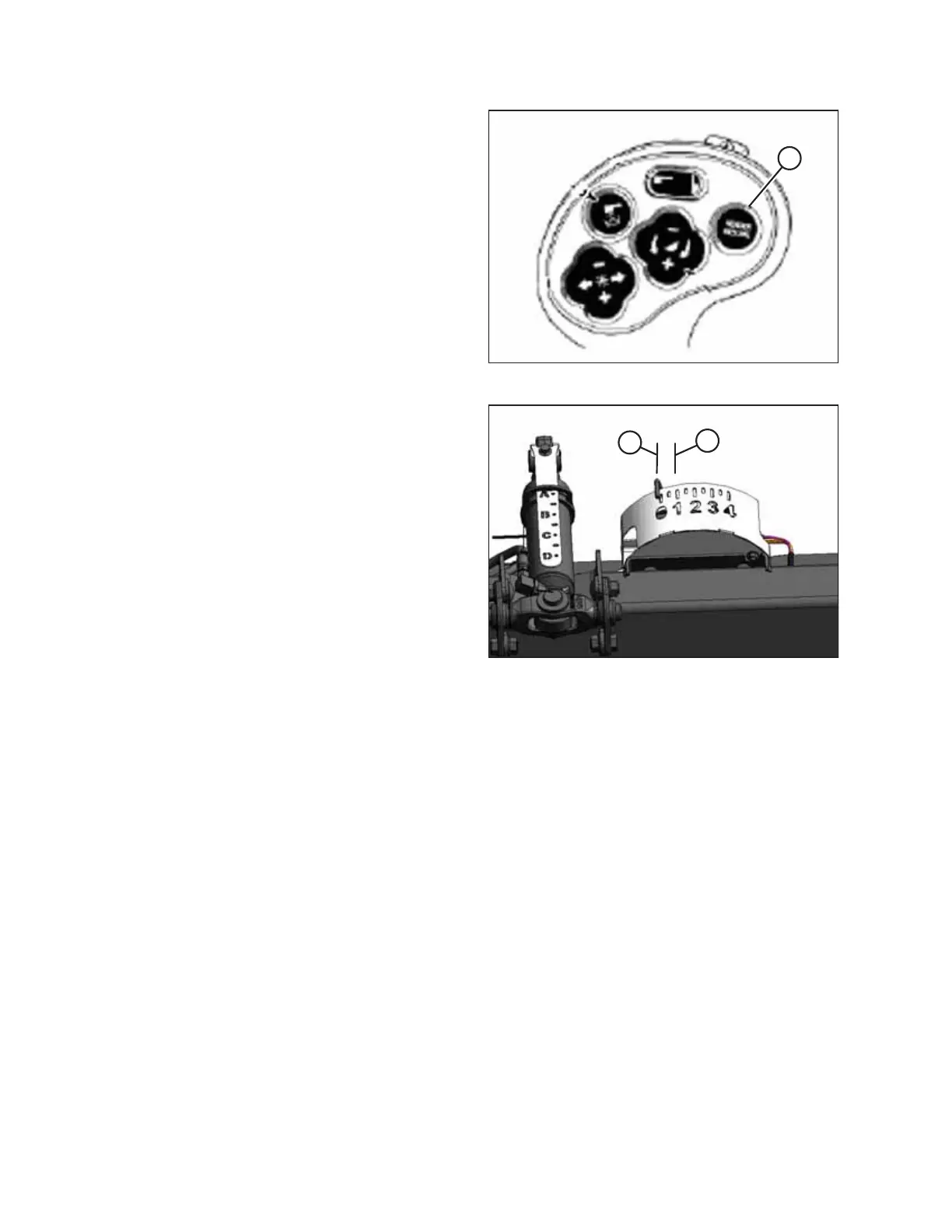
Figure 4.67: Case Combine Controls
6. To swap between these header height presets, press
HEADER RESUME (A).
7. To raise the header, press HEADER RESUME (A) twice. To
lower the header, press HEADER RESUME (A).
NOTE:
You can adjust these set points by using FINE ADJUST
switch (E) in Figure 4.66, page 161.
NOTE:
Pressing the HEADER RAISE/LOWER switch will disengage
AUTO HEIGHT mode. Press HEADER RESUME to re-engage
that mode.
Figure 4.68: Float Indicator Box
NOTE:
In most cases, the ideal ground pressure is one number (on
float indicator box) above the setting at which the header
is suspended off the ground. For example, if the float
indicator pointer is positioned at 0 (B) with the header
suspended off the ground, then the ideal ground pressure
will be achieved with the pointer positioned at 1 (A).
Operating the header with heavier pressures can wear out
the cutterbar wearplate quickly.
AUTO HEADER HEIGHT CONTROL








 To Next Page