214323 237 Revision B
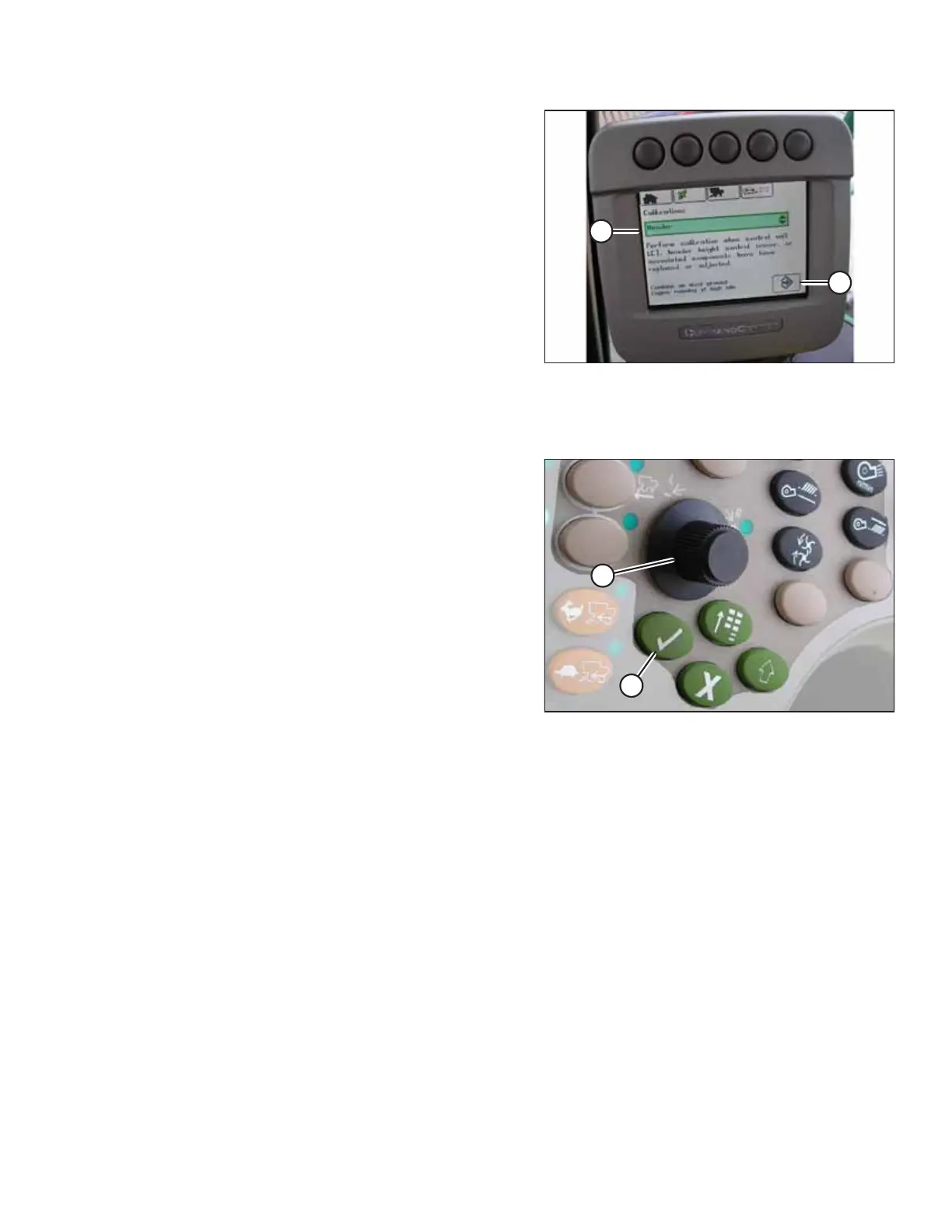
Figure 4.211: John Deere Combine Display
7. Use the scroll knob to scroll down to box (A) and select
HEADER. Press the check mark button.
NOTE:
The knob and the button are shown in Figure 4.212, page
237.
8. Scroll down to lower right icon (B). Press the check mark
button to select it.
9. Follow the steps listed on the combine display to perform
the calibration procedure.
NOTE:
If an error code appears on the display, then the height
sensors’ output voltage is not in the correct working range.
Refer to 4.16.1 Checking Voltage Range from Combine Cab
– John Deere 70 Series, page 233 to check and adjust
the range.
Figure 4.212: John Deere Combine Control Console
A - Scroll Knob B - Check Mark Button
4.16.4 Setting Sensitivity of Auto Header Height Control – John Deere 70 Series
Setting the sensitivity (sometimes called “dead-band adjustment”) of the auto header height control (AHHC) system on a
John Deere 70 Series combine affects how quickly the AHHC system changes the height of the header.
NOTE:
Changes may have been made to the combine controls or the display since this document was published. Refer to the
combine operator’s manual for updated information.
AUTO HEADER HEIGHT CONTROL








 To Next Page