214323 489 Revision B
Installing Reel Drive Cover
The reel drive cover protects the drive components from weather and debris.
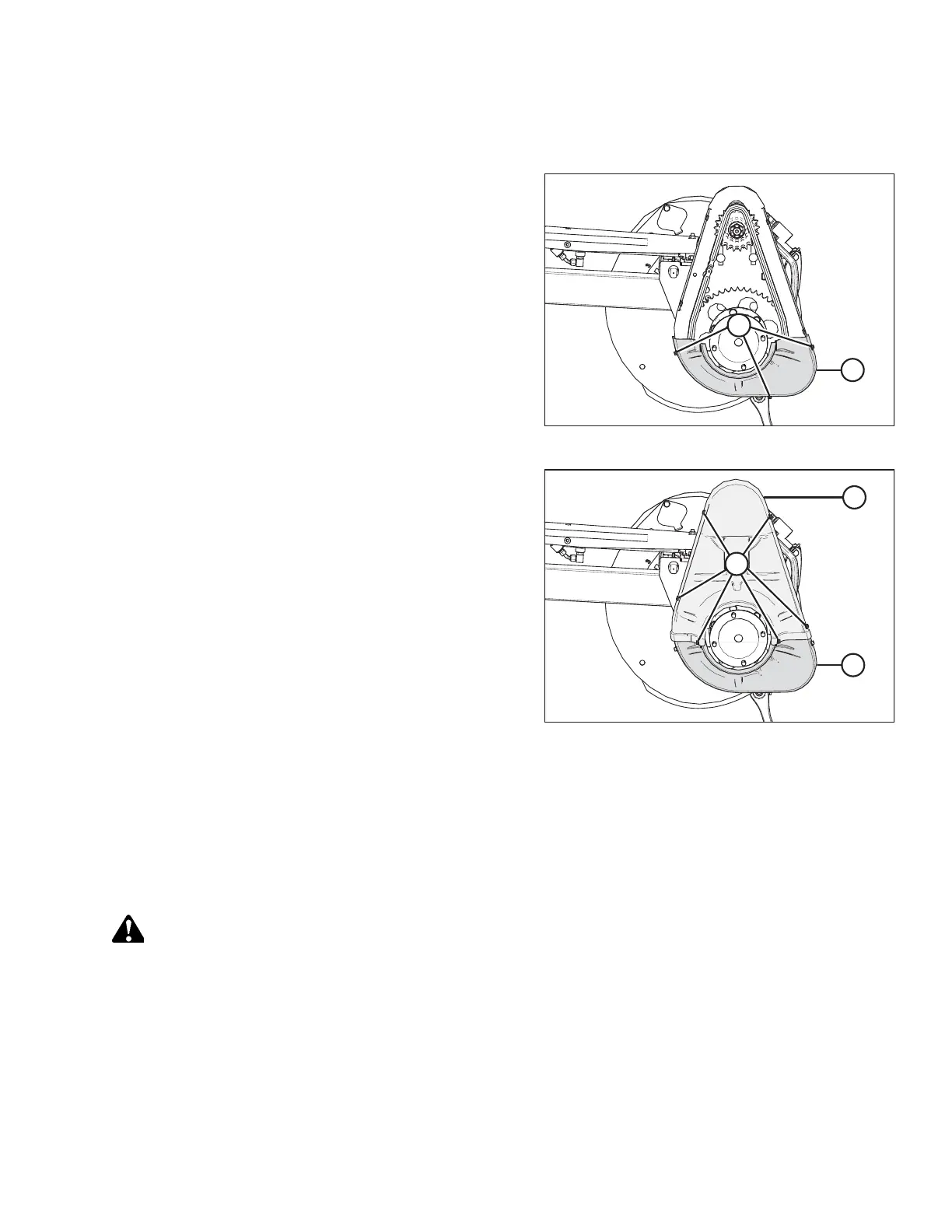
Figure 6.288: Drive Cover – Double Reel
1. Position lower drive cover (B) onto the reel drive (if
previously removed) and secure it with three bolts (A).
Figure 6.289: Drive Cover – Double Reel
2. Position upper drive cover (B) onto the reel drive and lower
cover (C), and secure it with six bolts (A).
6.14.2 Adjusting Reel Drive Chain Tension
The reel drive chain transfers power from the hydraulically driven reel motor to the sprockets that rotate the reels.
Loosening Reel Drive Chain
The tension on the reel drive chain can be loosened to allow access to reel drive components.
DANGER
To prevent bodily injury or death from the unexpected start-up or fall of a raised machine, always stop the engine and
remove the key from the ignition before making adjustments to the machine. NEVER climb onto or go underneath an
unsupported header.
1. Shut down the engine, and remove the key from the ignition.
2. Remove the drive cover. For instructions, refer to Removing Reel Drive Cover, page 488.
MAINTENANCE AND SERVICING








 To Next Page