214323 68 Revision B
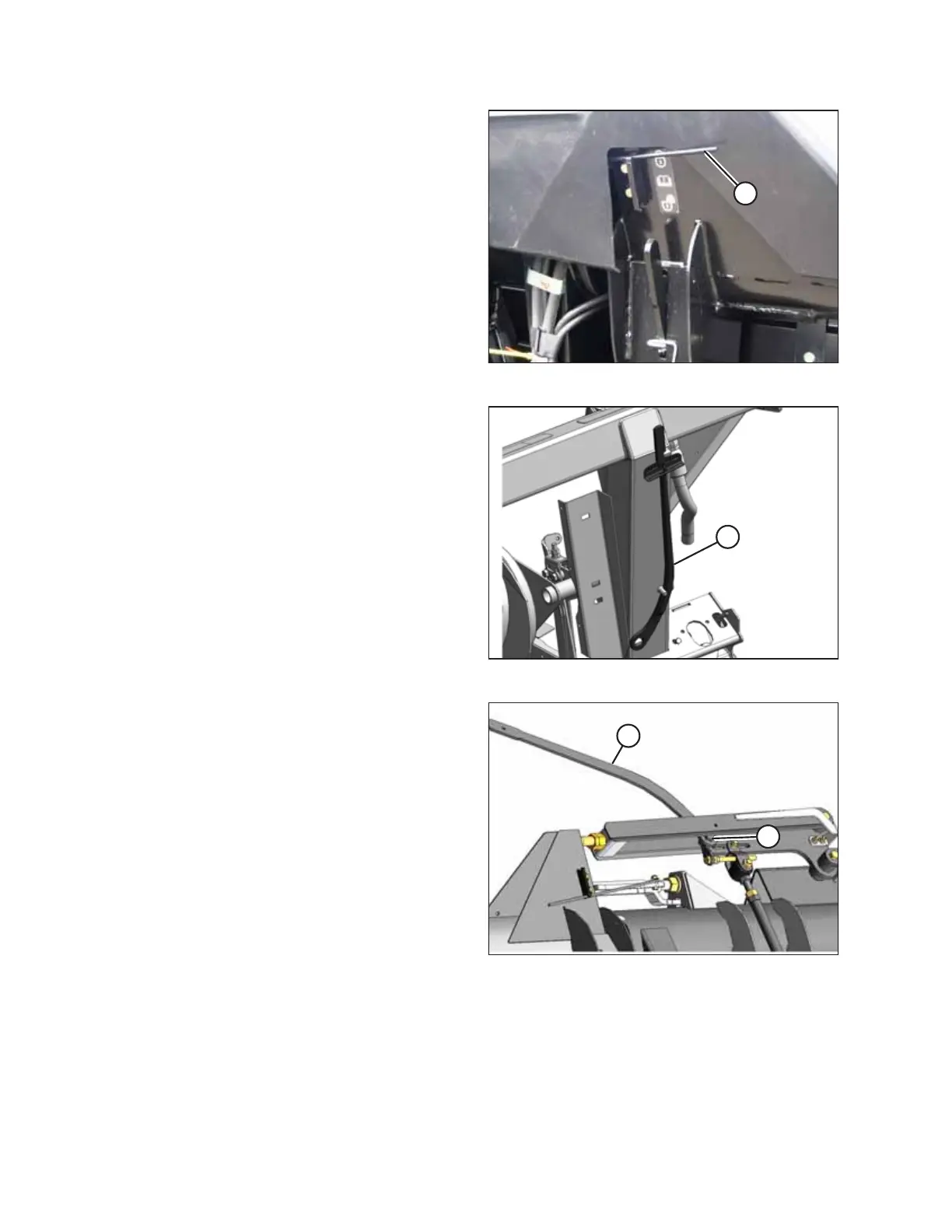
Figure 3.51: Wing Lock
1. Move spring handle (A) in the upper slot to lock the wing.
The locking should be audible.
2. If the lock link does not engage, move the wing by raising
and lowering the header, changing the header angle, or
driving the combine until it engages.
Figure 3.52: Torque Wrench
NOTE:
The following steps are only required if the above has not
worked.
3. Remove the linkage cover. Refer to Removing Linkage
Covers, page 38.
4. Retrieve the supplied torque wrench (A) that is stored on
the adapter frameon the right side.
Figure 3.53: Header Wing
5. Place torque wrench (A) on bolt (B) and use it to move the
wing until the lock engages.
6. Replace torque wrench (A) and reinstall the linkage cover.
NOTE:
The wings will not move relative to the header.
3.7.3 Checking and Adjusting Header Wing Balance
NOTE:
Before proceeding, the header float must be set properly. Refer to Checking and Adjusting Header Float, page 60.
OPERATION








 To Next Page