214323 493 Revision B
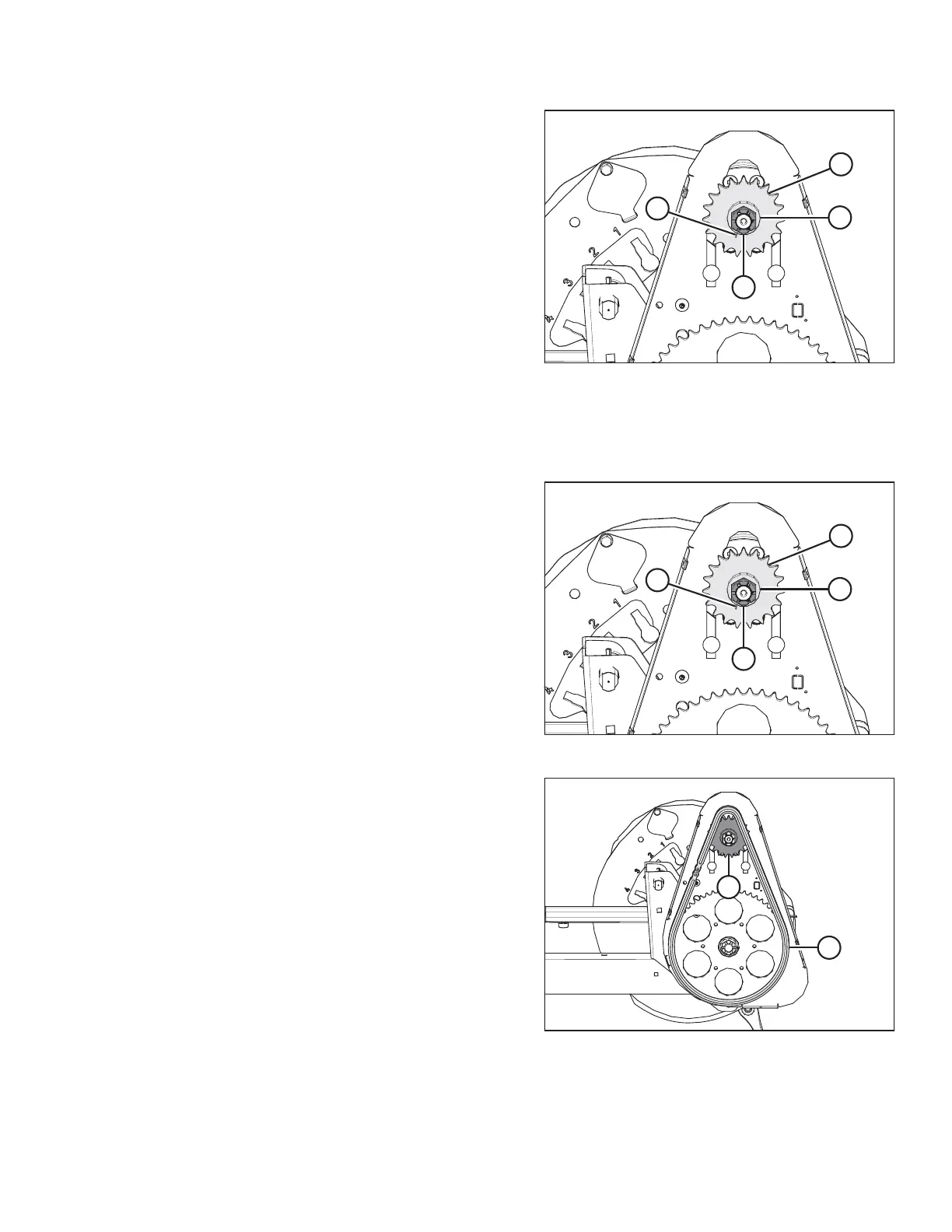
Figure 6.297: Reel Drive
4. Remove cotter pin (A), slotted nut (B), and flat washer (C)
from the motor shaft.
5. Remove drive sprocket (D). Ensure the key remains in
the shaft.
IMPORTANT:
To avoid damaging the motor, use a puller if the drive
sprocket does not come off by hand. Do NOT use a pry bar
and/or hammer to remove drive sprocket (D).
Installing Reel Drive Sprocket
The reel drive sprocket is attached to the reel drive motor.
Figure 6.298: Reel Drive
1. Align the keyway in sprocket (D) with the key on the motor
shaft, and slide the sprocket onto the shaft. Secure it with
flat washer (C) and slotted nut (B).
2. Torque slotted nut (B) to 54 Nm (40 lbf∙ft).
3. Install cotter pin (A). If necessary, tighten slotted nut (B) to
the next slot to install the cotter pin.
Figure 6.299: Reel Drive
4. Install drive chain (A) onto drive sprocket (B).
5. Tighten the drive chain. For instructions, refer to Tightening
Reel Drive Chain, page 490.
MAINTENANCE AND SERVICING








 To Next Page