214323 228 Revision B
4.15.2 Calibrating Auto Header Height Control – John Deere 60 Series
The auto header height control (AHHC) sensor output must be calibrated for John Deere 60 Series combines, or the AHHC
feature will not work properly.
NOTE:
Changes may have been made to the combine controls or the display since this document was published. Refer to the
combine operator’s manual for updated information.
To ensure the best performance of the AHHC system, perform these procedures with the center-link set to D. When the
setup and calibration procedures are complete, adjust the center-link back to the desired header angle. For instructions,
refer to 3.7.4 Header Angle, page 78.
DANGER
Check to be sure all bystanders have cleared the area.
1. Ensure that the center-link is set to D.
2. Rest the header on the down stops and unlock the adapter float.
3. Put the wings in the locked position.
4. Start the combine.
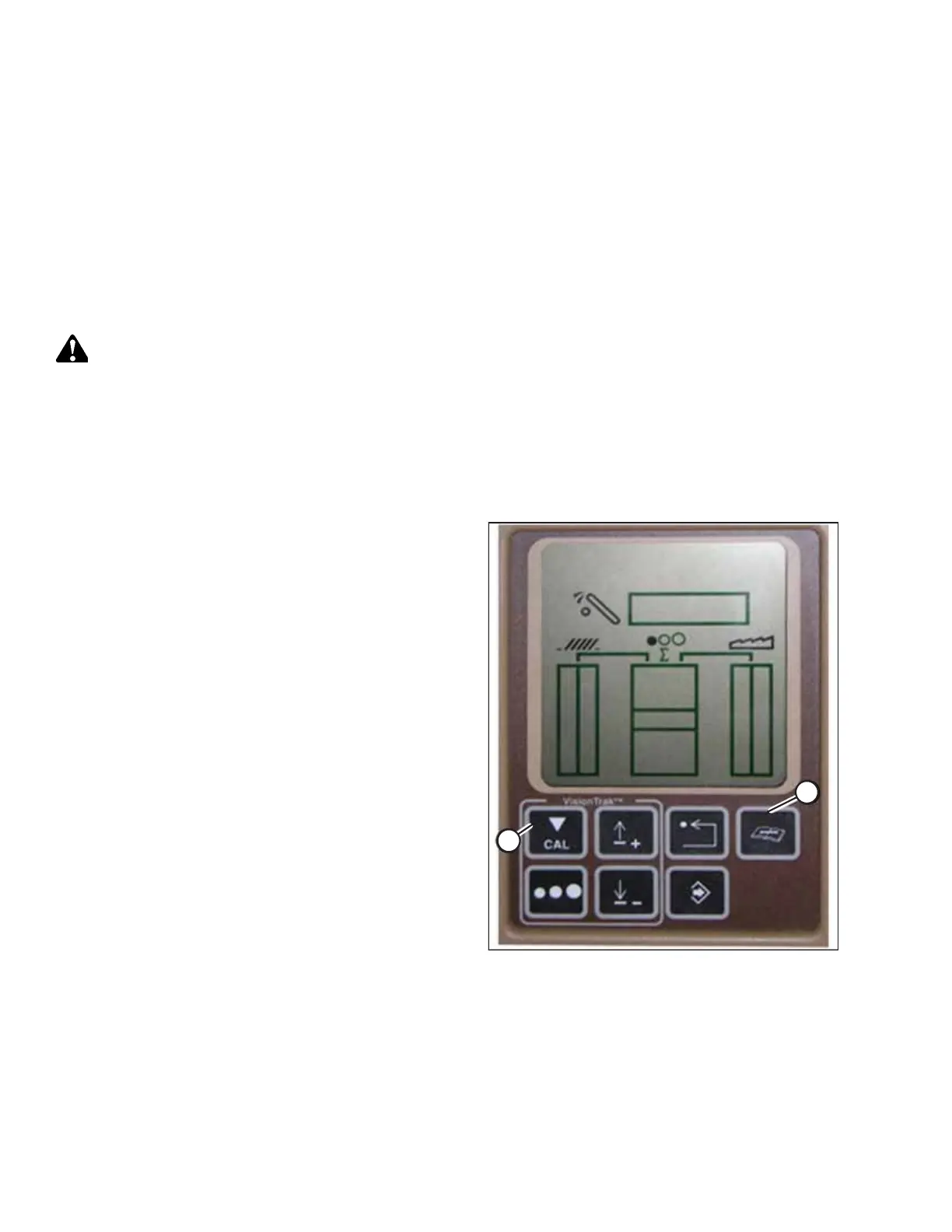
Figure 4.193: John Deere Combine Display
5. Press DIAGNOSTIC button (A) on the monitor. DIA appears
on the monitor.
6. Press CAL button (B). DIA-CAL appears on the monitor.
AUTO HEADER HEIGHT CONTROL








 To Next Page