214323 229 Revision B
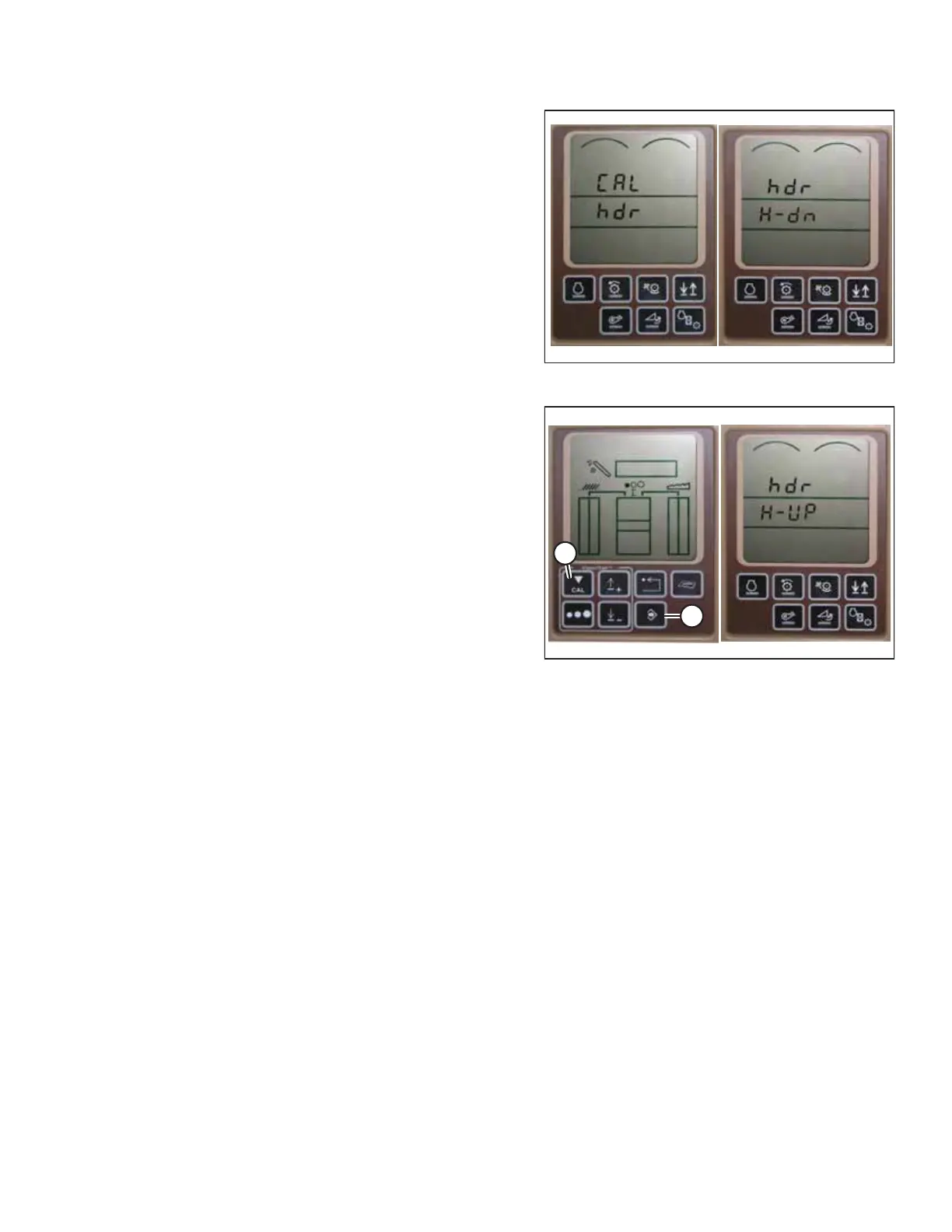
Figure 4.194: John Deere Combine Display
7. Press the UP or DOWN buttons until HDR appears on the
monitor.
8. Press the ENTER button. HDR H-DN appears on the monitor.
9. Fully lower the feeder house to the ground.
NOTE:
You may need to hold the HEADER DOWN switch for a few
seconds to ensure that the feeder house is fully lowered.
Figure 4.195: John Deere Combine Display
10. Press CAL button (A) to save the calibration of the header.
HDR H-UP appears on the monitor.
11. Raise the header 1 m (3 ft.) off of the ground, and press
CAL (A) button. EOC appears on the monitor.
12. Press ENTER button (B) to save the calibration of the
header. The AHHC system is now calibrated.
NOTE:
If an error code appears during calibration, the height
sensor output is out of the specified voltage range, and so
the height sensors must be adjusted. For instructions, refer
to 4.15.2 Calibrating Auto Header Height Control –
John Deere 60 Series, page 228.
AUTO HEADER HEIGHT CONTROL








 To Next Page