214323 249 Revision B
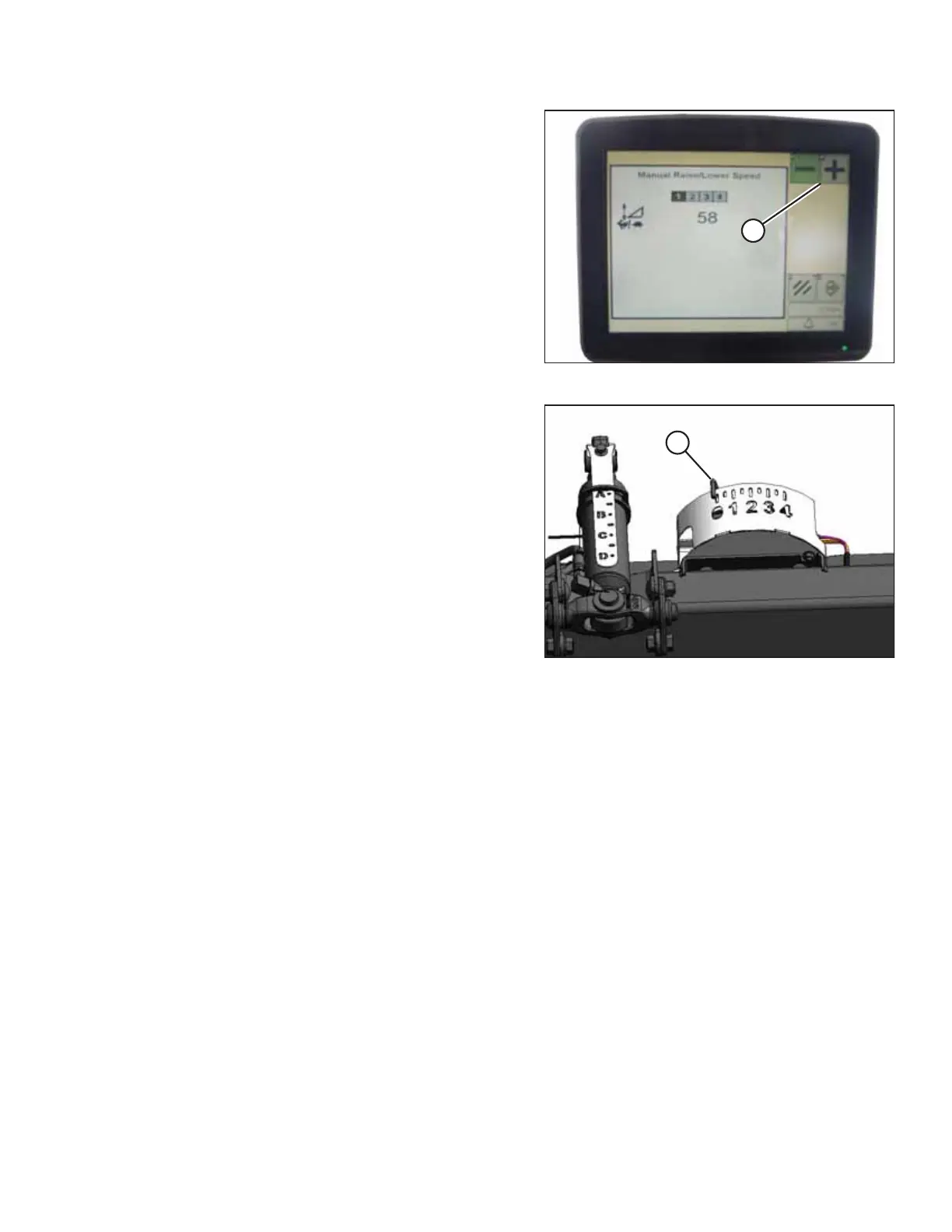
Figure 4.239: John Deere Combine Display
2. Press – or + icon (A) to adjust the manual raise/
lower speed.
NOTE:
The numbers depicted on the displays in these illustrations
are for reference purposes only; they are not intended to
represent specific settings for your equipment.
Figure 4.240: Float Indicator Box
NOTE:
In most cases, the ideal ground pressure is one number (on
the float indicator box) above the setting at which the
header is suspended off the ground. For example, if float
indicator pointer (A) is positioned at 0 and the header is
suspended off ground at that setting, then the ideal ground
pressure will be achieved with the pointer positioned at 1.
Operating the header with heavier pressures can wear out
the cutterbar wearplate prematurely.
4.17.6 Setting Preset Cutting Height – John Deere S and T Series
You will need to configure both preset header heights on your John Deere S or T Series combine to use the auto header
height control (AHHC) system with your header.
NOTE:
Changes may have been made to the combine controls or the display since this document was published. Refer to the
combine operator’s manual for updated information.
AUTO HEADER HEIGHT CONTROL








 To Next Page