214323 213 Revision B
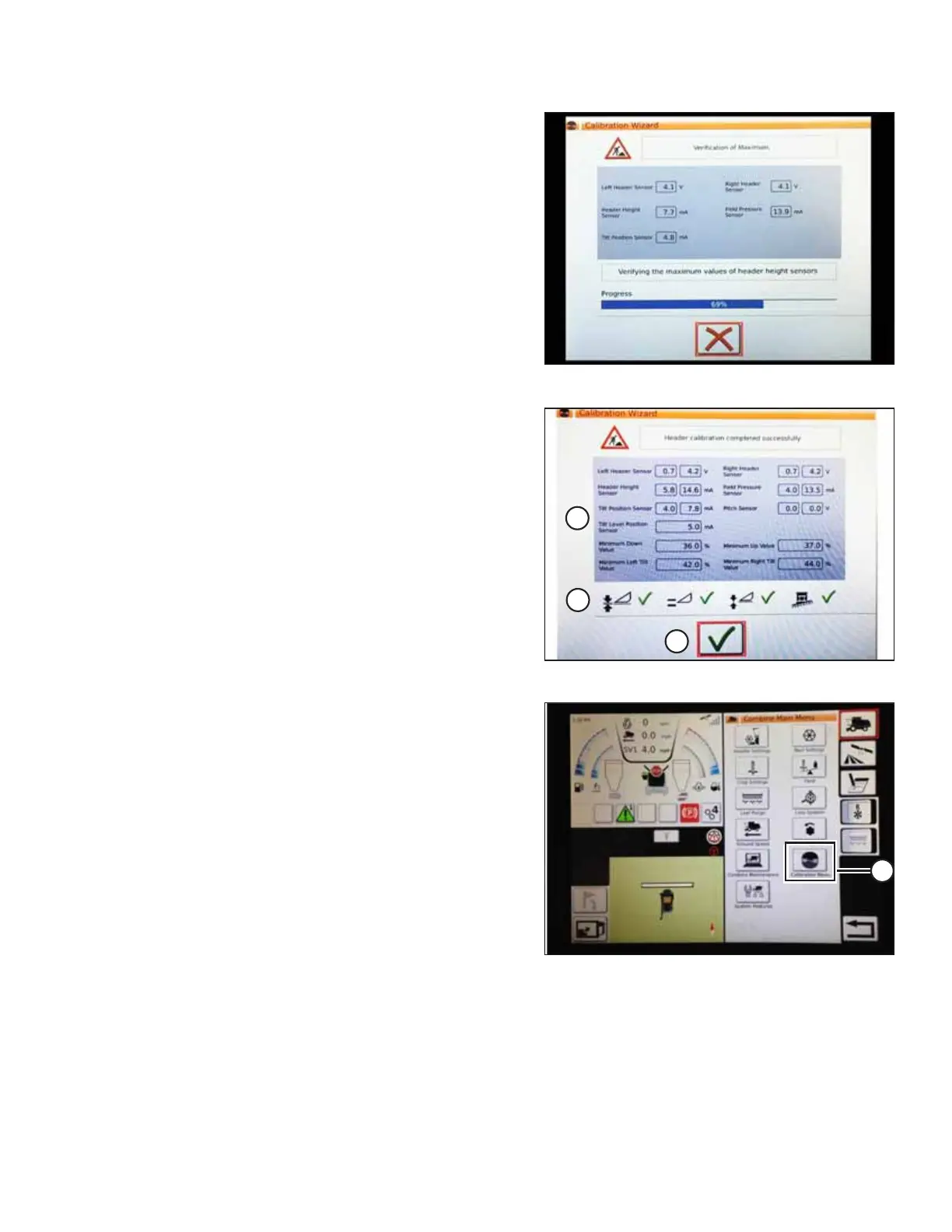
Figure 4.166: Calibration In Progress
A progress bar will appear. The calibration wizard can be
stopped at any time by touching the red X. The header
moves automatically during this process.
Figure 4.167: Completed Calibration Page
7. When the calibration procedure is complete, a message
summary information (A) page will appear. A green check
mark on row (B) confirms that a particular function has
been calibrated. Touch bottom green check mark (C) to
save these settings.
Figure 4.168: Direct Calibration Menu
NOTE:
On the COMBINE MAIN MENU page, touching CALIBRATION
icon (A) opens a general CALIBRATION menu where settings
such as header and reel calibration can be selected.
AUTO HEADER HEIGHT CONTROL








 To Next Page