214323 194 Revision B
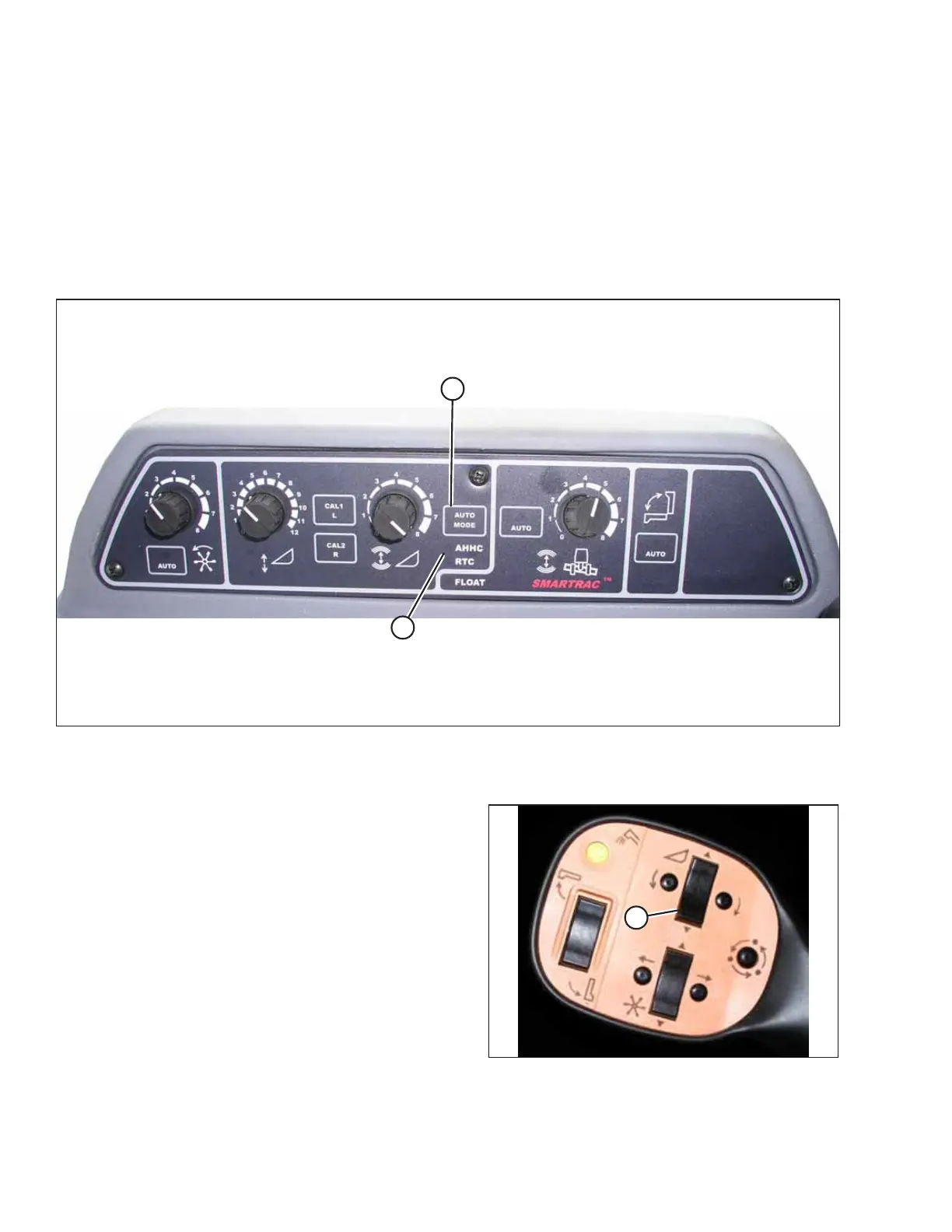
1. The following system components are required for the auto header height control (AHHC) to work:
• The main module (PCB board) and header driver module (PCB board) mounted in the card box in the fuse panel
module (FP)
• The multifunction control handle operator inputs
• The operator inputs mounted in the control console module (CC) panel
NOTE:
The electro-hydraulic header lift control valve is also an integral part of the system.
Figure 4.132: Combine Auto Header Height Controls
2. Press AUTO MODE button (A) until AHHC LED light (B) begins flashing. If the RTC light is flashing, press AUTO MODE
button (A) again until the AHHC system is activated.
Figure 4.133: Control Handle
3. Briefly press button (A) on the control handle. The AHHC
light should change from flashing to solid and the header
should drop toward the ground. The AHHC is now engaged
and the height and sensitivity settings can be adjusted.
AUTO HEADER HEIGHT CONTROL








 To Next Page