214323 206 Revision B
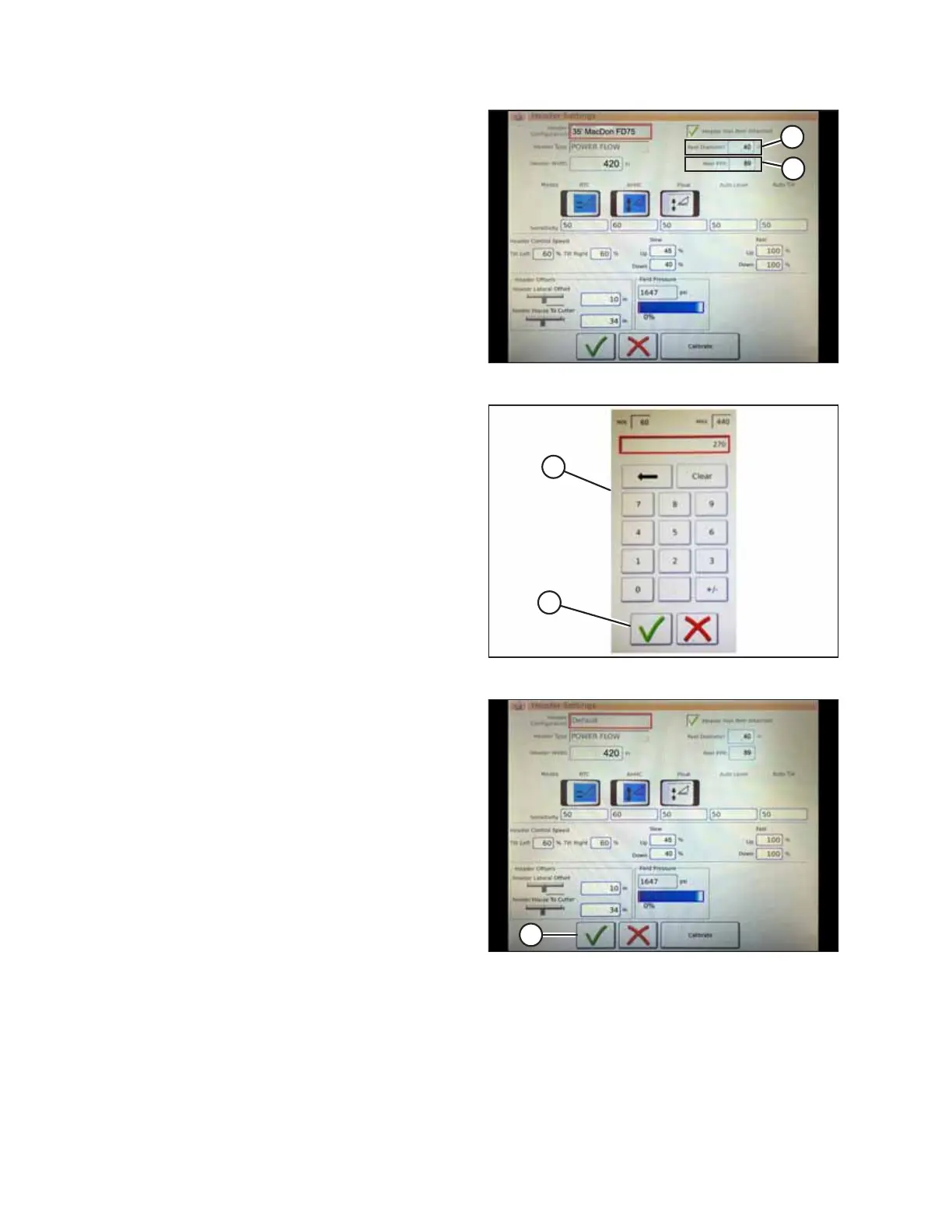
Figure 4.149: Header Settings
7. Touch REEL DIAMETER field (A). A numeric keypad will
appear. Enter 40 for the MacDon reel diameter.
8. Touch REEL PPR (speed pulses per revolution) field (B) and
enter 30.
NOTE:
PPR is the number of teeth on the reel speed sprocket.
AGCO-configured MacDon headers have 30 teeth on the
sensor pick-up reel.
Figure 4.150: Numeric Keypad
9. Touch green check mark (B) at the bottom of numeric
keypad (A).
Figure 4.151: Header Settings Page
10. Touch green check mark (A) at the bottom of the HEADER
SETTINGS page.
AUTO HEADER HEIGHT CONTROL








 To Next Page