214323 221 Revision B
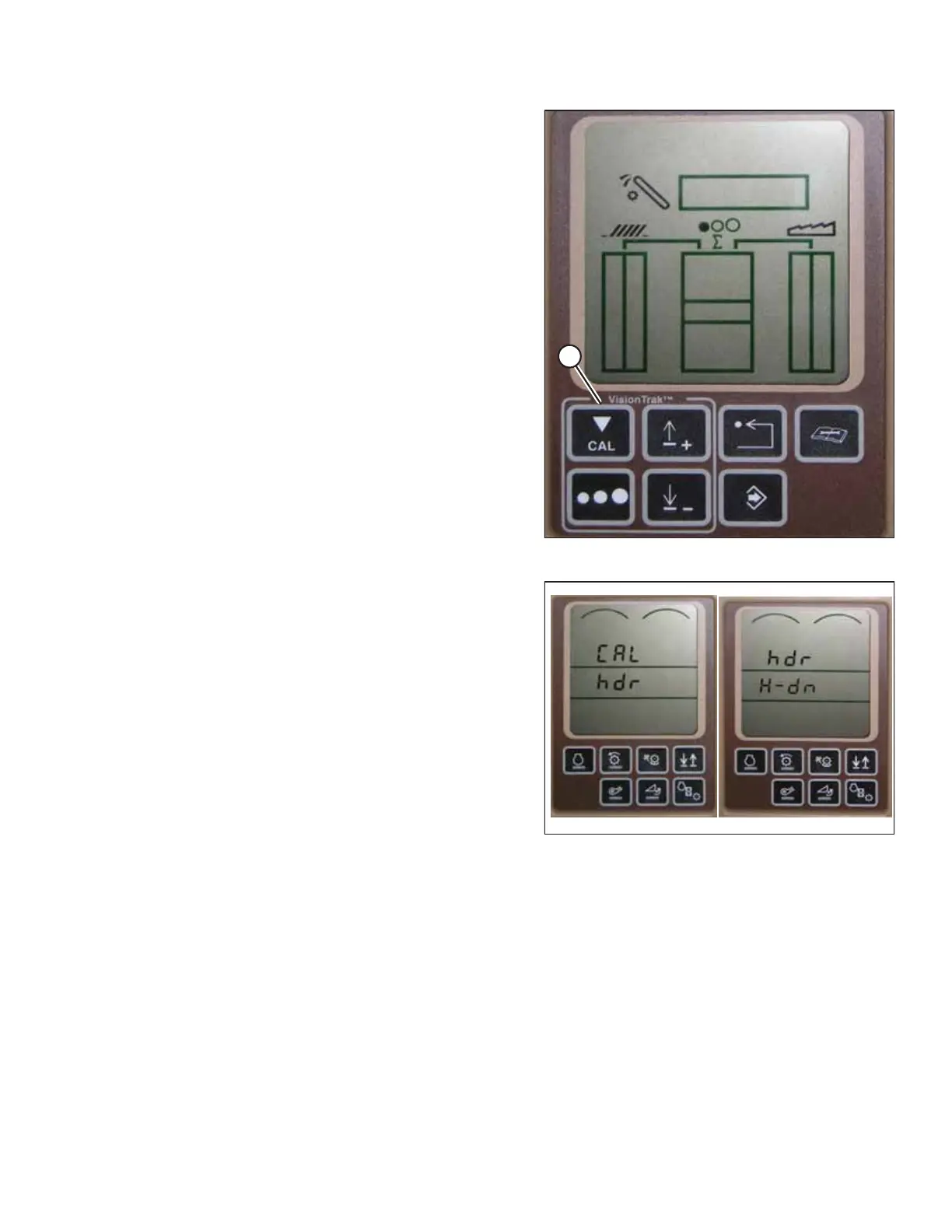
Figure 4.180: Combine Display
5. Press CAL button (A)—dIA-CAL appears on the monitor.
Figure 4.181: Combine Display
6. Press UP or DOWN buttons until hdr appears on the
monitor.
7. Press ENTER button—hdr H-dn appears on the monitor.
8. Fully lower the feeder house to the ground.
NOTE:
Hold the HEADER DOWN switch for 5–8 seconds to ensure
the feeder house is fully lowered.
AUTO HEADER HEIGHT CONTROL








 To Next Page