214323 241 Revision B
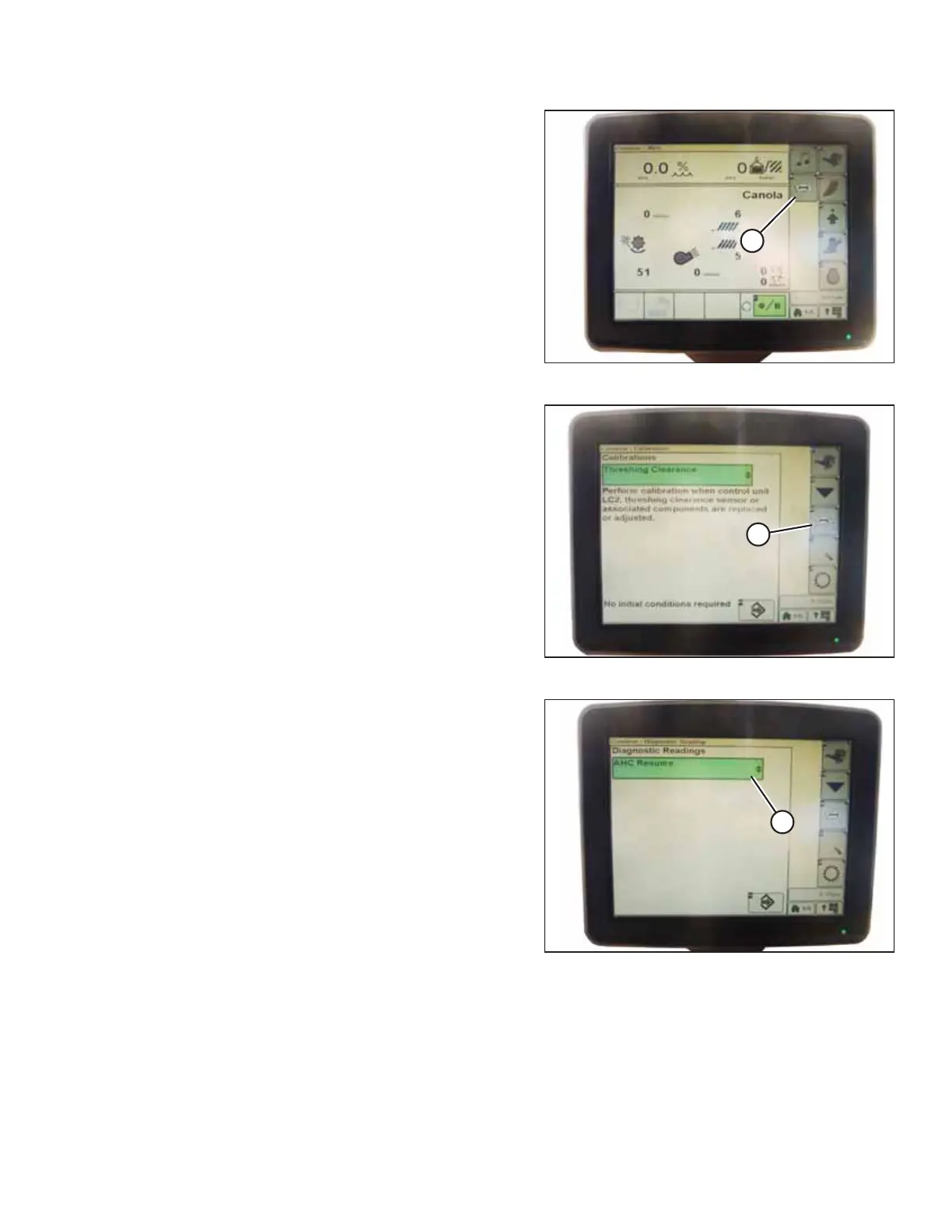
Figure 4.219: John Deere Combine Display
4. Press CALIBRATION icon (A) on the main page of the
combine display. The CALIBRATION page appears.
Figure 4.220: John Deere Combine Display
5. Press DIAGNOSTIC READINGS icon (A) on the CALIBRATION
page. The DIAGNOSTIC READINGS page appears. This page
provides access to calibration procedures, header options,
and diagnostic information.
Figure 4.221: John Deere Combine Display
6. Select AHHC RESUME (A). A list of calibration options
appears.
AUTO HEADER HEIGHT CONTROL








 To Next Page