214323 280 Revision B
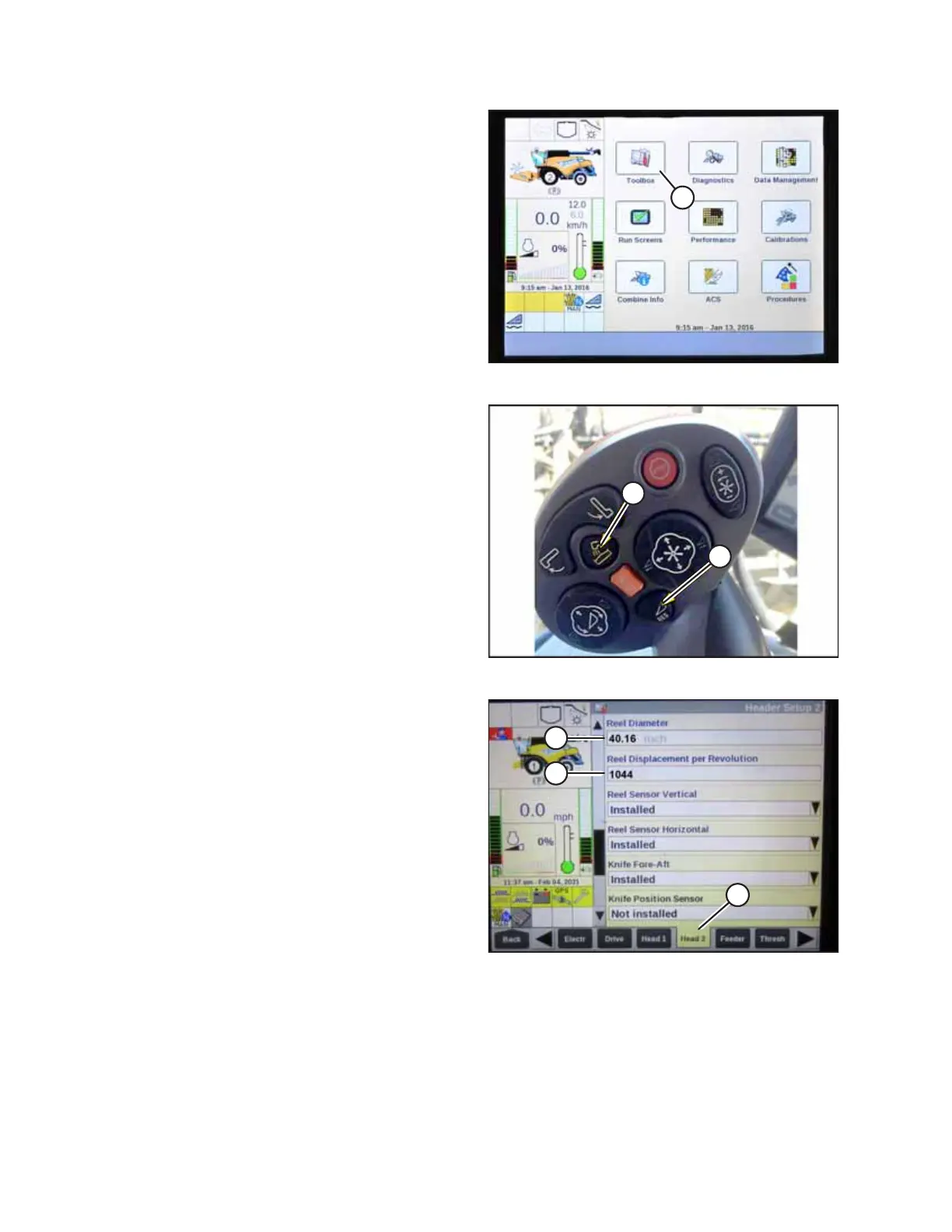
Figure 4.310: New Holland Combine Display
4. Ensure the center-link is set to D.
5. Select TOOLBOX (A) on the main page. The TOOLBOX page
appears.
Figure 4.311: New Holland Combine Controls
6. Access Dealer mode by simultaneously pressing
UNLOAD (A) and RESUME (B) buttons on the control handle
for approximately 10 seconds. The DEALER SETTING page
should appear and is required to change the REEL
DIAMETER and REEL DISPLACEMENT PER REVOLUTION
settings.
Figure 4.312: New Holland Combine Display
7. Select HEAD 2 (A). The HEADER SETUP 2 page appears.
8. Select REEL DIAMETER (B) and enter 102 cm (40.16 in).
9. Select REEL DISPLACEMENT PER REVOLUTION (C) and enter
the appropriate value according to the reel drive
configuration according to the following table.
AUTO HEADER HEIGHT CONTROL








 To Next Page