214323 286 Revision B
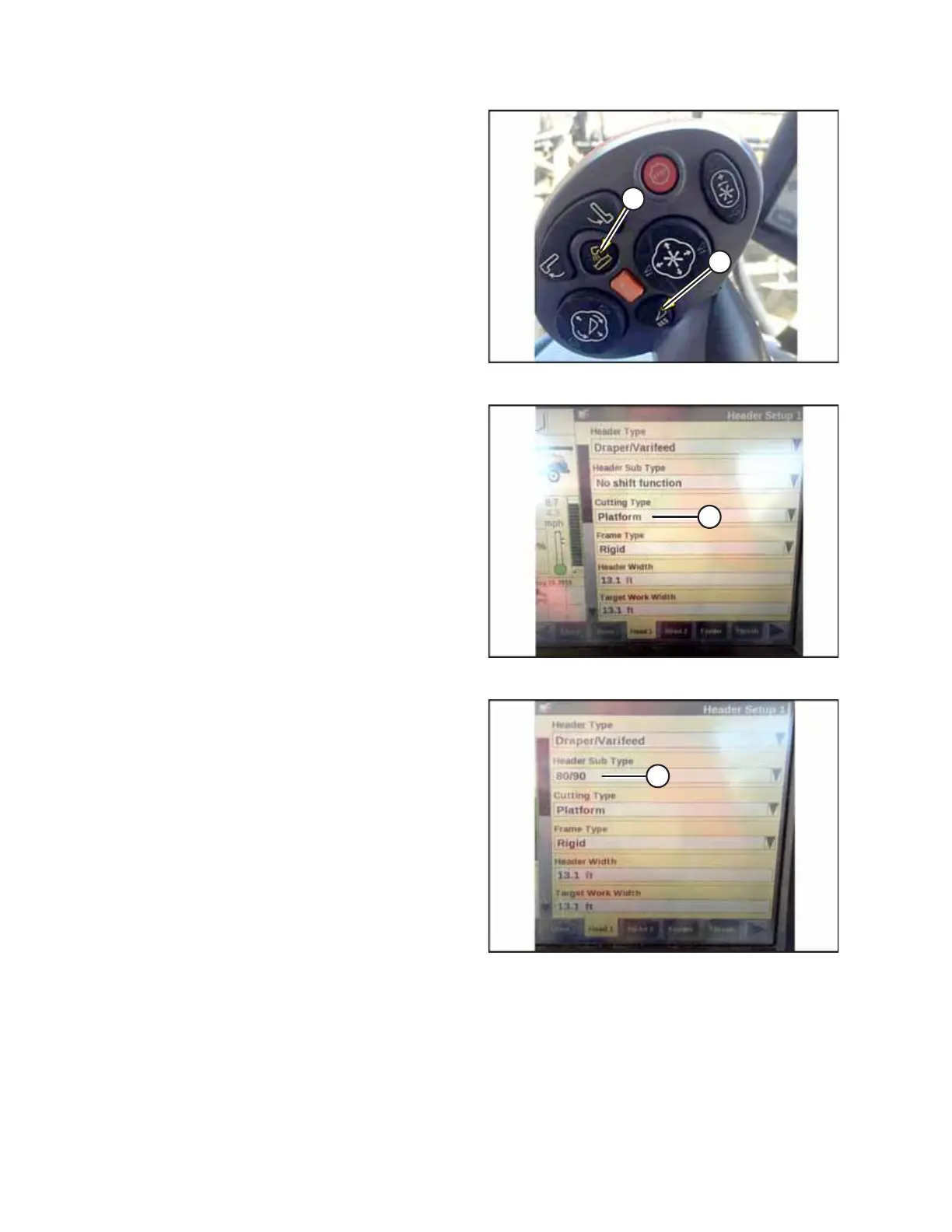
Figure 4.324: New Holland Combine Controls
1. Simultaneously press both UNLOAD (A) and RESUME (B)
buttons on the hydro handle.
Figure 4.325: New Holland Combine Display
2. On the HEAD 1 page, change the CUTTING TYPE from FLEX
to PLATFORM (A).
Figure 4.326: New Holland Combine Display
3. On the HEAD 2 page, change the HEADER SUB TYPE from
DEFAULT to 80/90 (A).
AUTO HEADER HEIGHT CONTROL








 To Next Page