214323 502 Revision B
1. Shut down the combine, and remove the key from the ignition.
2. Remove the drive cover. Refer to Removing Reel Drive Cover, page 488.
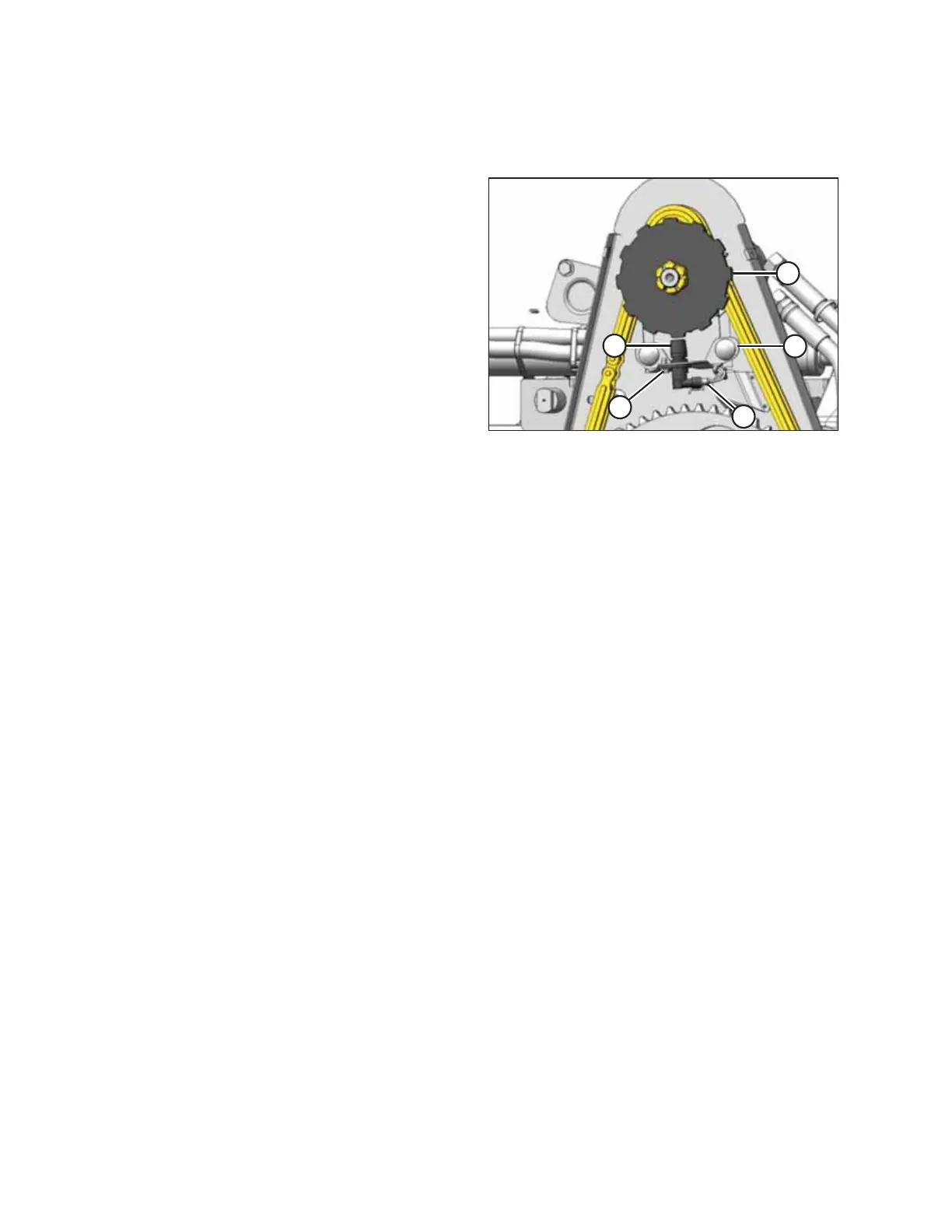
Figure 6.318: Speed Sensor
3. Disconnect electrical connector (C).
4. Remove screw (D) and remove sensor (B).
5. Position the new sensor into the support. Secure with
screw (D).
6. Adjust the gap between sensor disc (A) and sensor (B) to 3
mm (1/8 in.) by bending support (E).
7. Connect to harness at location (C).
IMPORTANT:
Ensure the sensor electrical harness does NOT contact the
chain or sprocket.
8. Reinstall the drive cover. Refer to Installing Reel Drive
Cover, page 489.
MAINTENANCE AND SERVICING








 To Next Page