Hardware
367
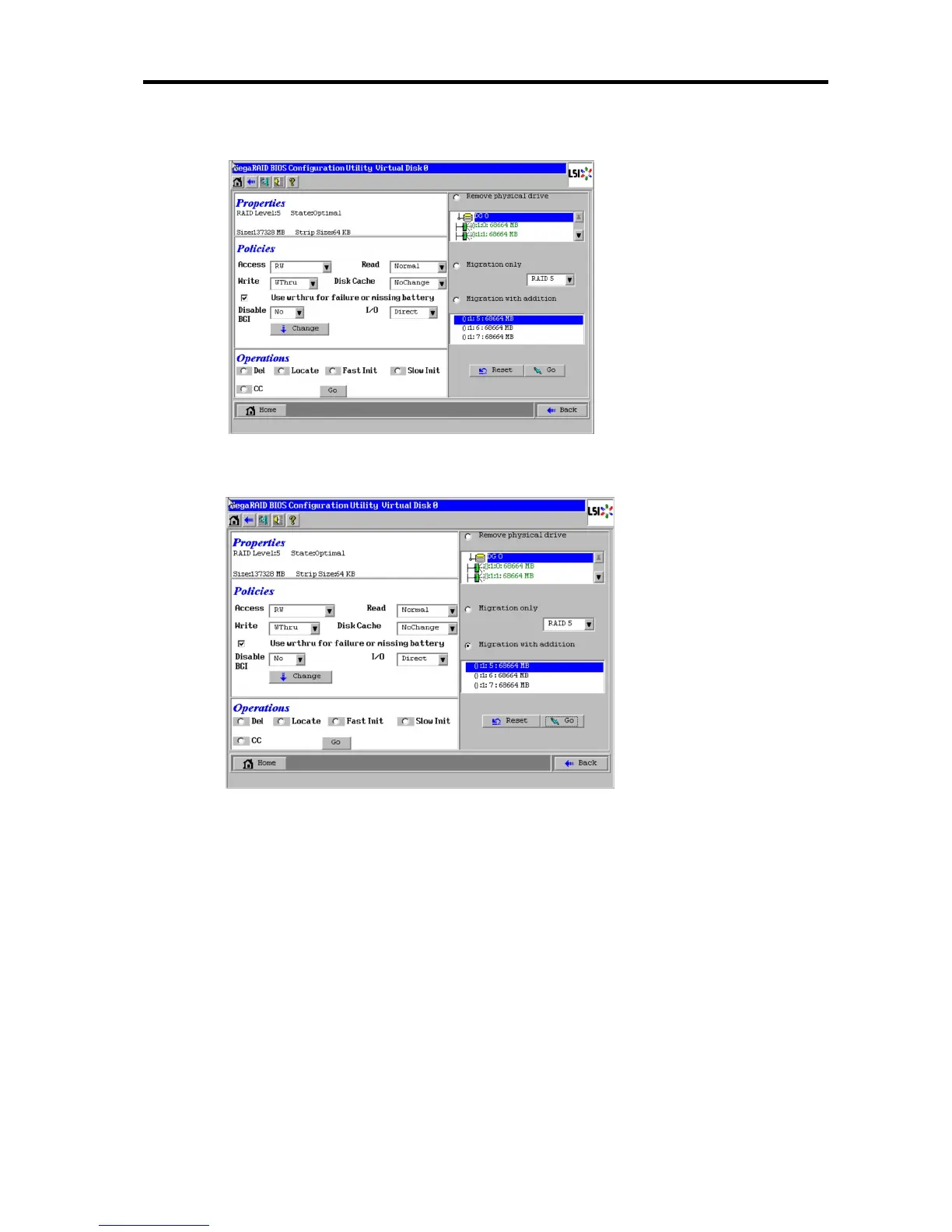
3. Setting menu for VD 0 is displayed.
4. On the right side of the screen, items required for reconstruction are displayed.
5. Select "Migration with addition".
6. Specify the RAID level used after reconstruction.
7. Select a HDD to be added.
8. When you finished steps 5 to 7, select [Go] at the lower right of the screen and press Enter.
9. The progress of reconstruction is displayed on the lower left of the screen. Select [Home] at
the lower left of the screen and press Enter to return to the WebBIOS Home Menu.
Information of DGs and PDs in
which a VD is defined.
Select RAID level used after
reconstruction
Select "Migration with
addition" and a PD to be
added.





 To Next Page