Page | 145
OUTPUTS 1 AND 2
The first tab, labeled Output, provides control over all of TriCaster’s Output channels.
Each of these is in some ways unique. Outputs 1 and 2 are of particular interest, for
several reasons:
Of all of TriCaster’s outputs,
Outputs 1 and 2 support the most
diverse range of optional video
sources.
The other outputs can be
assigned to ‘follow’ the audio and
video source selections of either
Output 1 or Output 2, or show
certain other sources.
Uniquely, Output 2 can be tasked
with sending an alpha channel
matte to downstream systems.
Let’s consider the optional settings provided by these two important outputs:
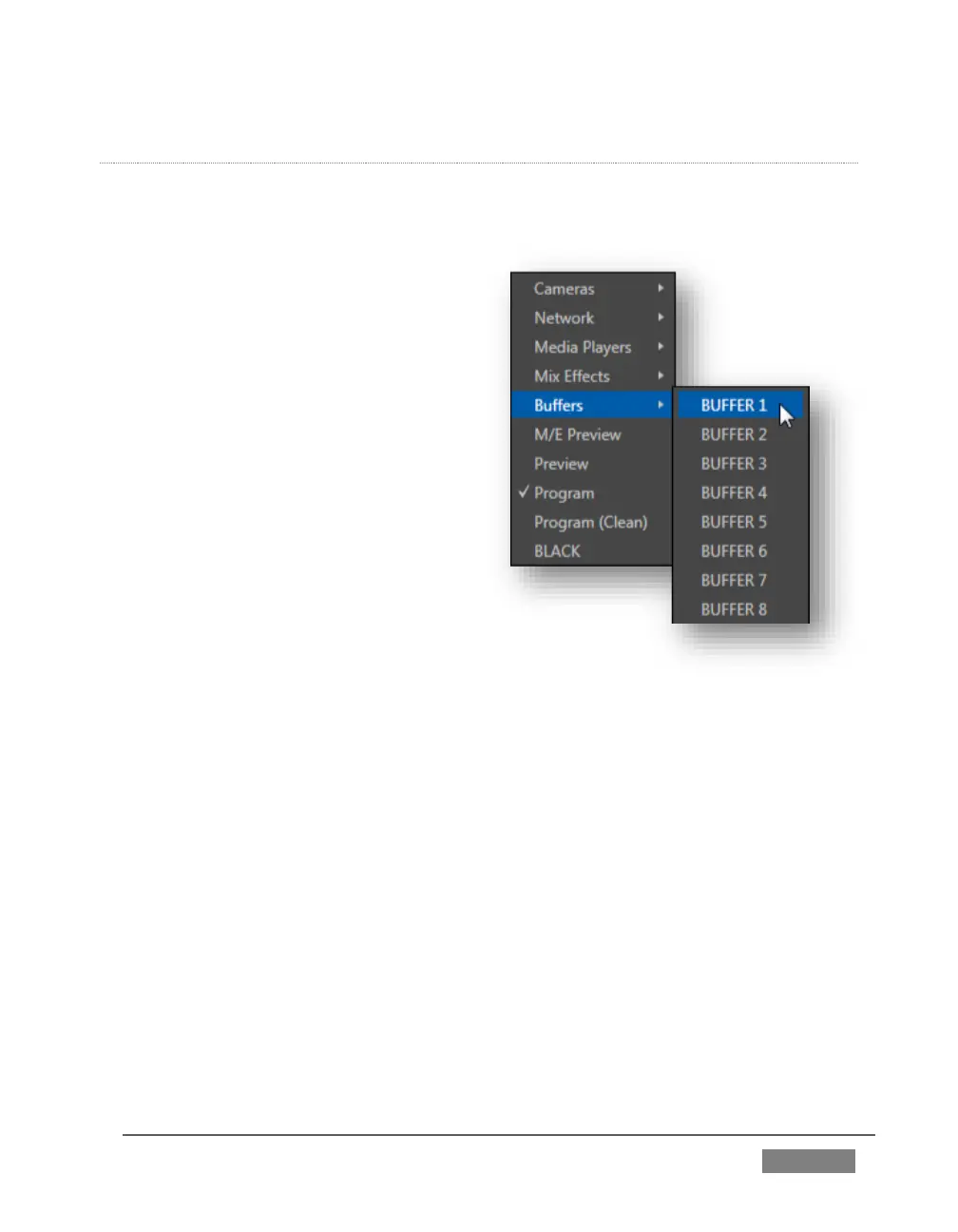
Video menu (Figure 123) – assign any source from the following list to either
Output 1 or Output 2:
o Cameras 1-(4 or 8)
o Network 1 or 2
o Media Players
DDR 1
DDR 2
GFX 1
GFX 2
o Any single Buffer
o Output from M/E 1- (4 or 8)
o M/E Preview
o Preview (look ahead)









 To Next Page