Using the BayStack 450 10/100/1000 Series Switch
2-6 309978-D Rev 01
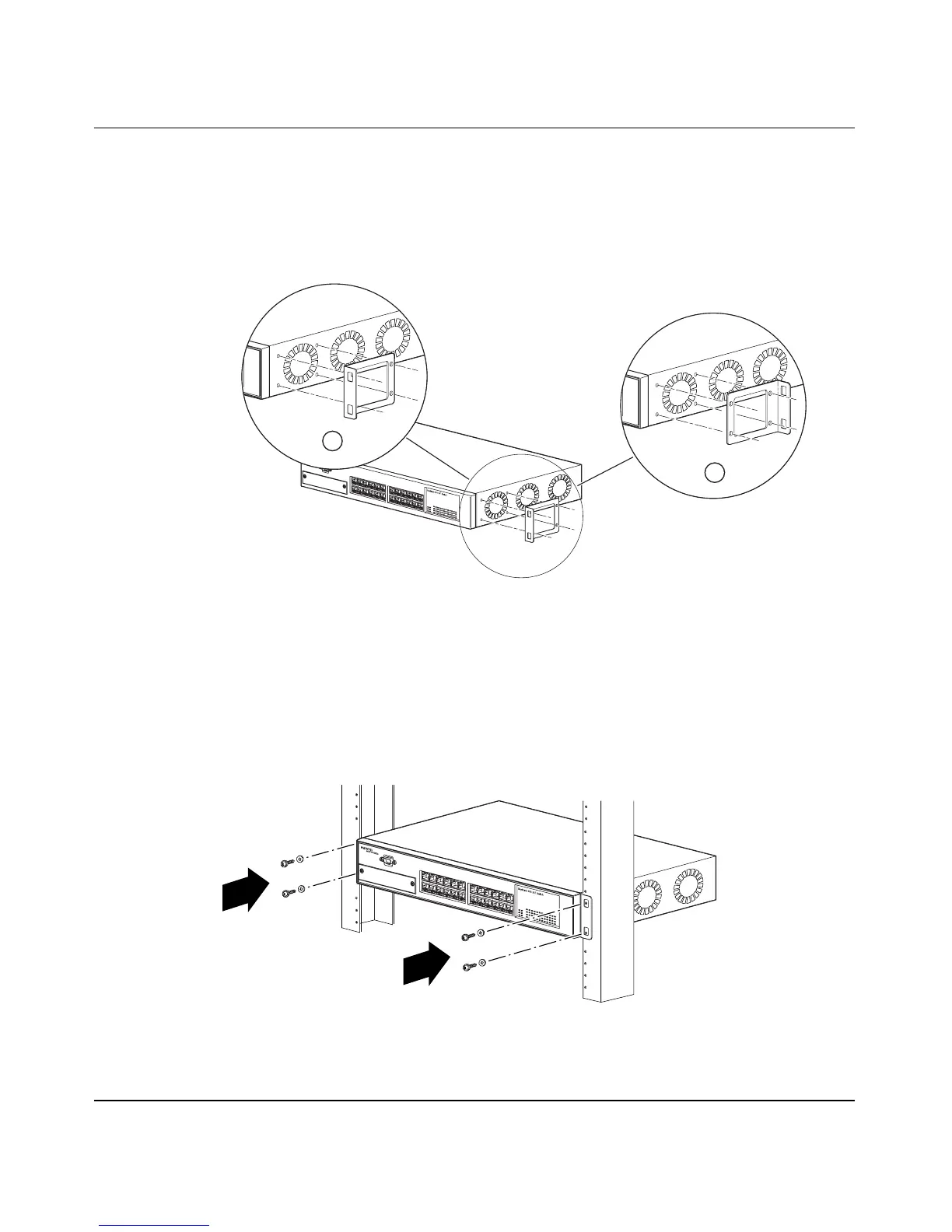
You can install the switch flush to the rack or extended from the rack,
depending on the orientation of the mounting brackets.
2. Using a Phillips screwdriver, attach a mounting bracket to each side of
the switch using the supplied screws (
Figure 2-3).
Figure 2-3. Attaching Mounting Brackets
3. Position the switch in the rack and align the holes in the mounting
bracket with the holes in the rack (see
Figure 2-4).
Figure 2-4. Installing the BayStack 450 Switch in an Equipment Rack
BS45036A
1 = Flush with rack
2 = Extended from rack
2
1
BS45037A













 To Next Page