BayStack 450 10/100/1000 Series Switches
309978-D Rev 01 1-47
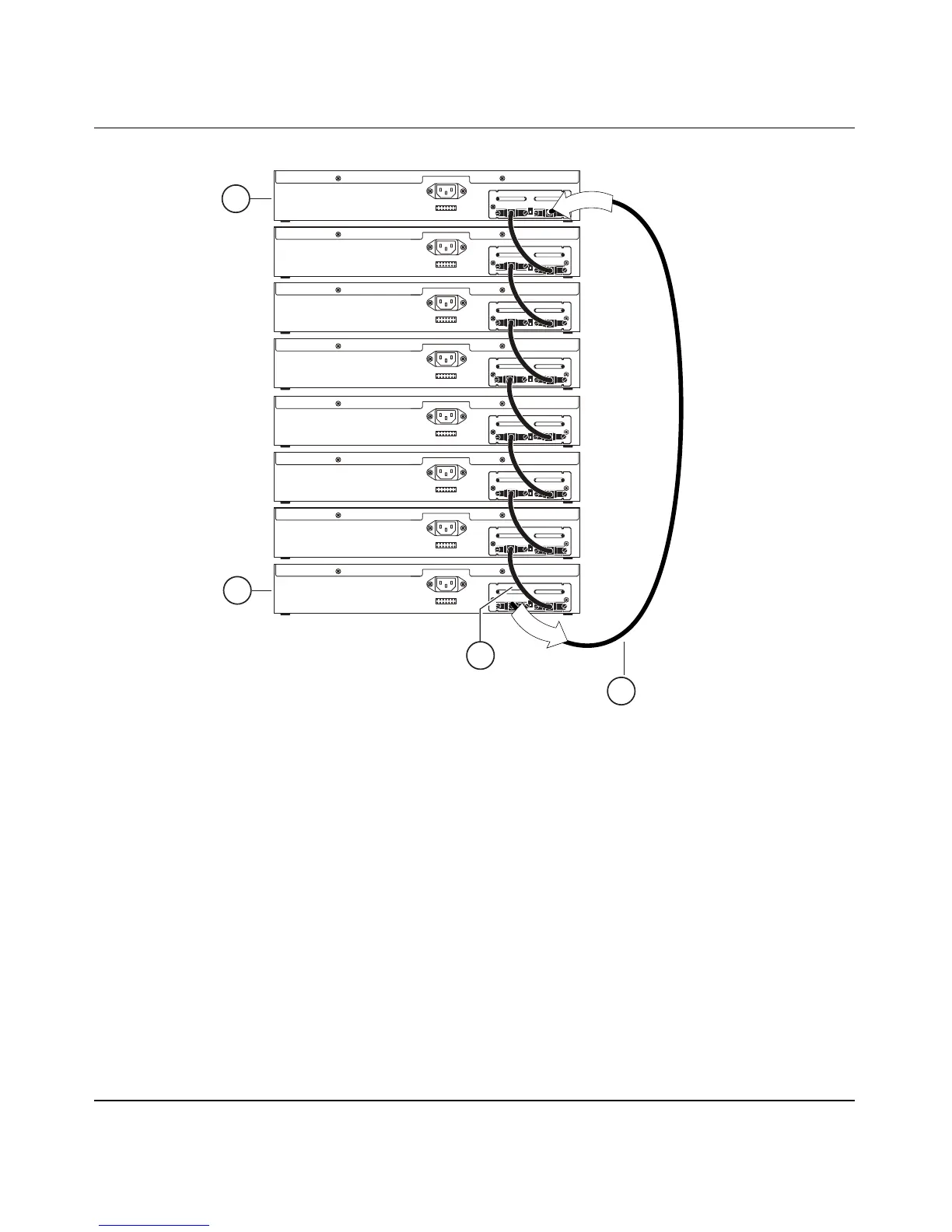
Figure 1-20. Stack Down Configuration Example
Certain network management station (NMS) applications assume a stack down
configuration for the graphical user interface (GUI) that represents the stack (see
Figure 1-20). For this reason, Nortel Networks recommends that you always
configure the top unit in the stack as the base unit.
In any stack configuration, the following applies:
• When you apply power to the stack, the base unit initializes and the entire
stack powers up as a single logical unit within 30 seconds.
• You can attach an RS-232 communications cable to the Console/Comm port
of any switch in the stack.
Unit 2
1 = Base unit
2 = Last unit
3 = Cascade cable (PN 303978-A)
4 = Cascade max-return cable (PN 303979-A)
BS0034B
Unit 1
Unit 4
Unit 3
Unit 6
Unit 5
Unit 8
Unit 7
2
1
I
n
O
u
t
4
3













 To Next Page