Quick Steps to Features
309978-D Rev 01 E-9
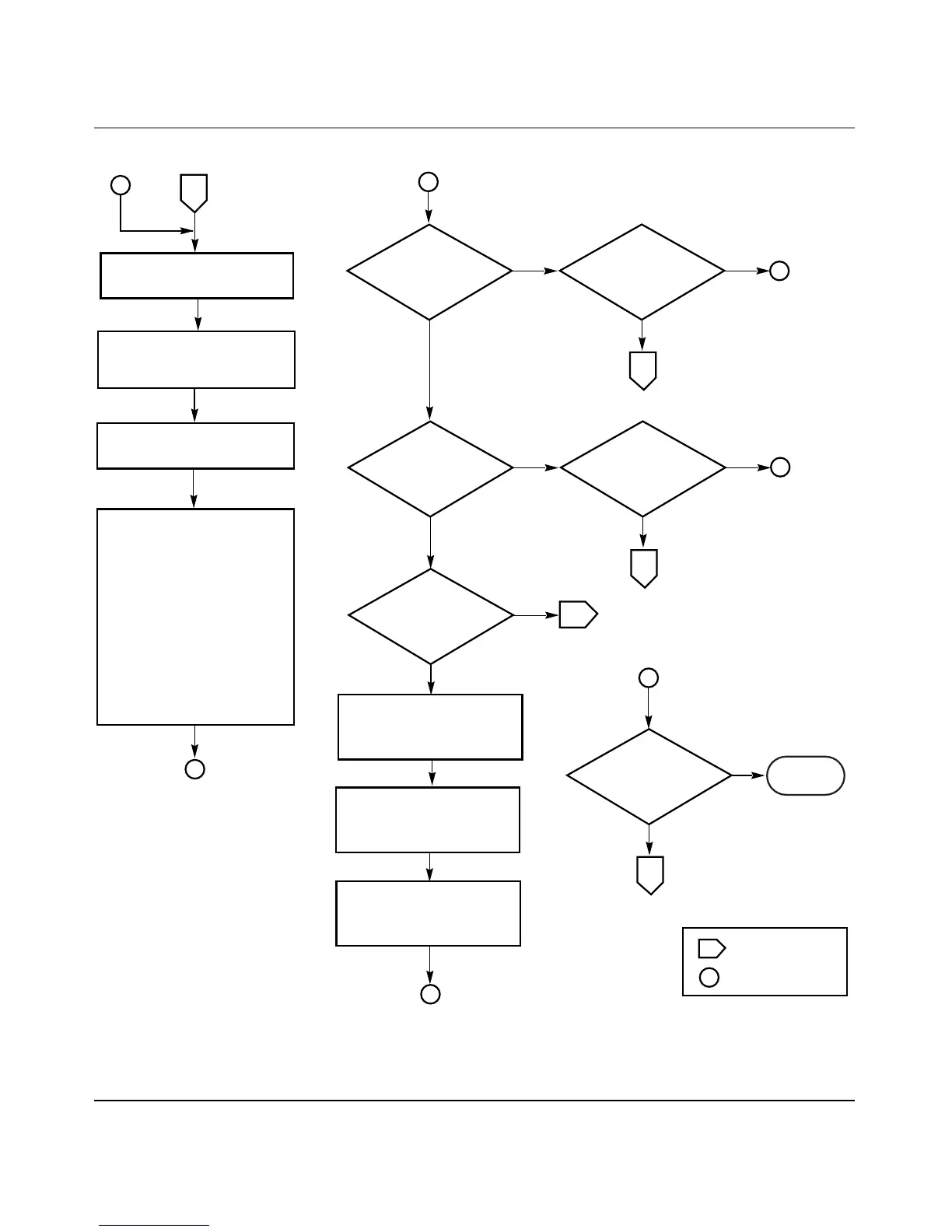
Figure E-8. RADIUS-Based Security (1 of 5)
BS450107A
Off-page reference
On-page reference
Key
Yes
No
A
4
Go to the Console/Comm Port
Configuration screen.
Configure the following
screen fields (as described in
"Console/Comm Port
Configuration" in Chapter 3):
o Primary RADIUS Server
o Secondary RADIUS Server
o RADIUS UDP Port
o RADIUS Shared Secret
A
Console/Comm Port
Configuration screen
Review "RADIUS-Based
Security" in Chapter 1.
Yes
No
Set
console password
protection?
Set
TELNET password
protection?
5
Yes
No
Yes
No
Set
local password?
Set
RADIUS
authentication?
Yes
No
Standalone
switch?
Set the Console Switch
Password Type field value
to Local Password.
Set the Console Read-Only
Switch Password field
value, as required.
Set the Console Read-Write
Switch Password field
value, as required.
C
7
8
Yes
No
Set
TELNET password
protection?
5
C
Done
B
B
B













 To Next Page