8.2
SEL-2414 Transformer Monitor Instruction Manual Date Code 20130214
Front-Panel Operations
Human-Machine Interface
Human-Machine Interface
Front-Panel
Automatic Messages
The device displays automatic messages (type of latest failure) when detecting
any failure (see Section 10: Testing and Troubleshooting).
Display Points
Configure the digital (Boolean) and analog information you want to view on the
2x16 LCD screen by setting Display Points. Although the LCD displays a maxi-
mum of 16 characters at a time, you can enter up to 60 valid characters. For text
exceeding 16 characters, the LCD displays the first 16 characters, then scrolls
through the remaining text.
When your SEL-2414 arrives, two display points are already configured with
defaults, the results of these defaults are shown in Figure 8.2.
Boolean Display Point
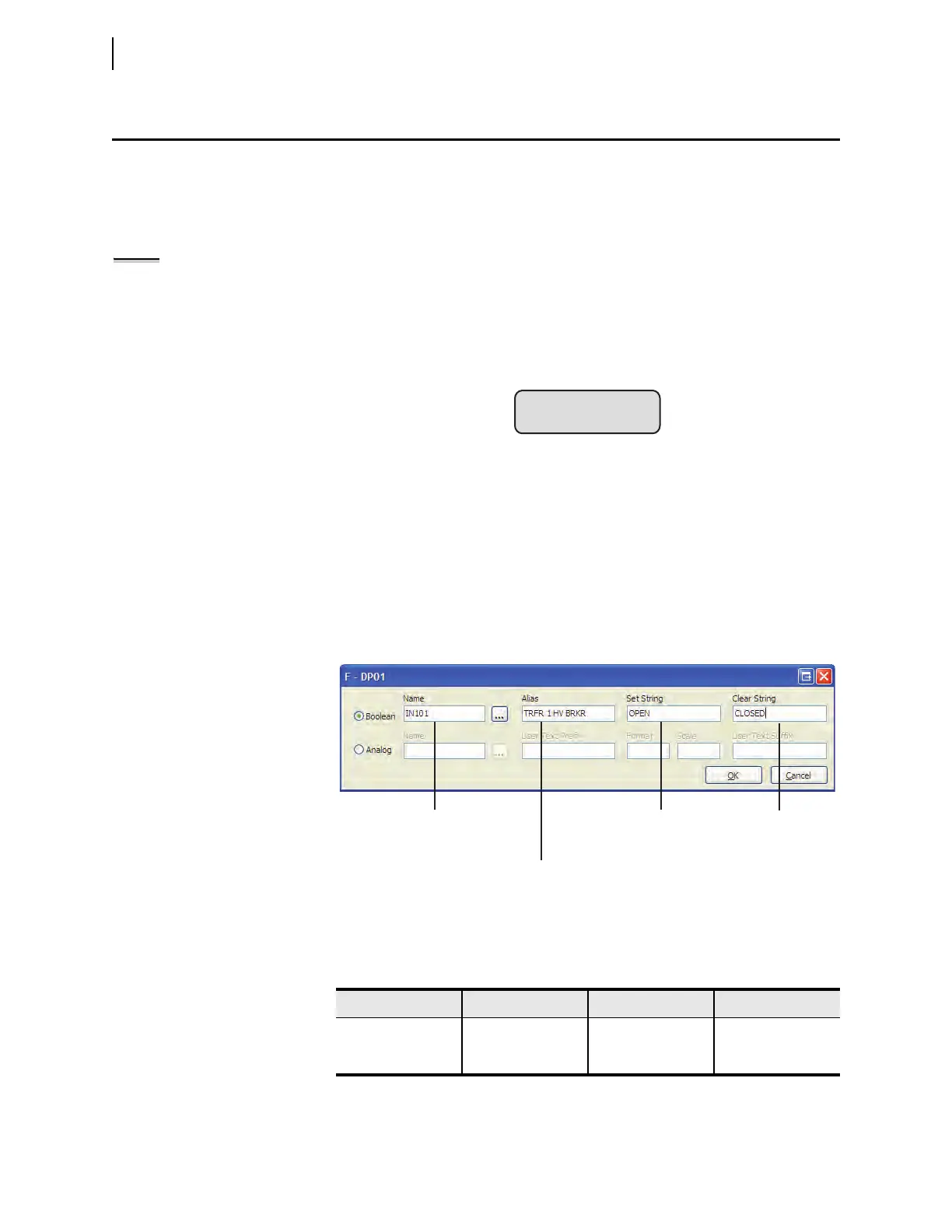
Boolean information is the status of Device Word bits (see Appendix H: Device
Word Bits). Create a Boolean Display Point with
ACSELERATOR QuickSet
®
SEL-5030 Software as shown in Figure 8.3 or the SET F command. In general,
the SET F syntax for Boolean display points consists of the following four fields
or strings, separated by commas:
Device Word Bit Name, “Alias”, “Set String”, “Clear String”
Examples using the settings in Table 8.1 are shown in Figure 8.4 and Figure 8.5.
Figure 8.2 LCD Default Display
NOTE: Valid string characters are
0-9, A–Z, -, /, ", {, }, space.
Figure 8.3 Quickset—Settings for an Device Word bit (Boolean)
Table 8.1 Entries for the Four Strings
Name Alias Clear String Set String
IN101 TRFR 1 HV BRKR OPEN
a
a
When the circuit breaker is closed the form a [normally open] status output closes, which sets or
asserts Device Word bit IN101.
CLOSED
b
b
When the circuit breaker is open the form a [normally open] status output opens, which clears or
deasserts Device Word bit IN101.
IN102 TRFR 1 LV BRKR OPEN CLOSED
Device Word bit name,
which occupies one line
on the front-panel LCD.
State what should be
displayed on the LCD
when the Device Word
bit is asserted.
A more descriptive name
for the Device Word bit.
State what should be
displayed on the LCD
when the Device Word
bit is deasserted.



 To Next Page