8.12
SEL-2414 Transformer Monitor Instruction Manual Date Code 20130214
Front-Panel Operations
Operation and Target LEDs
Status
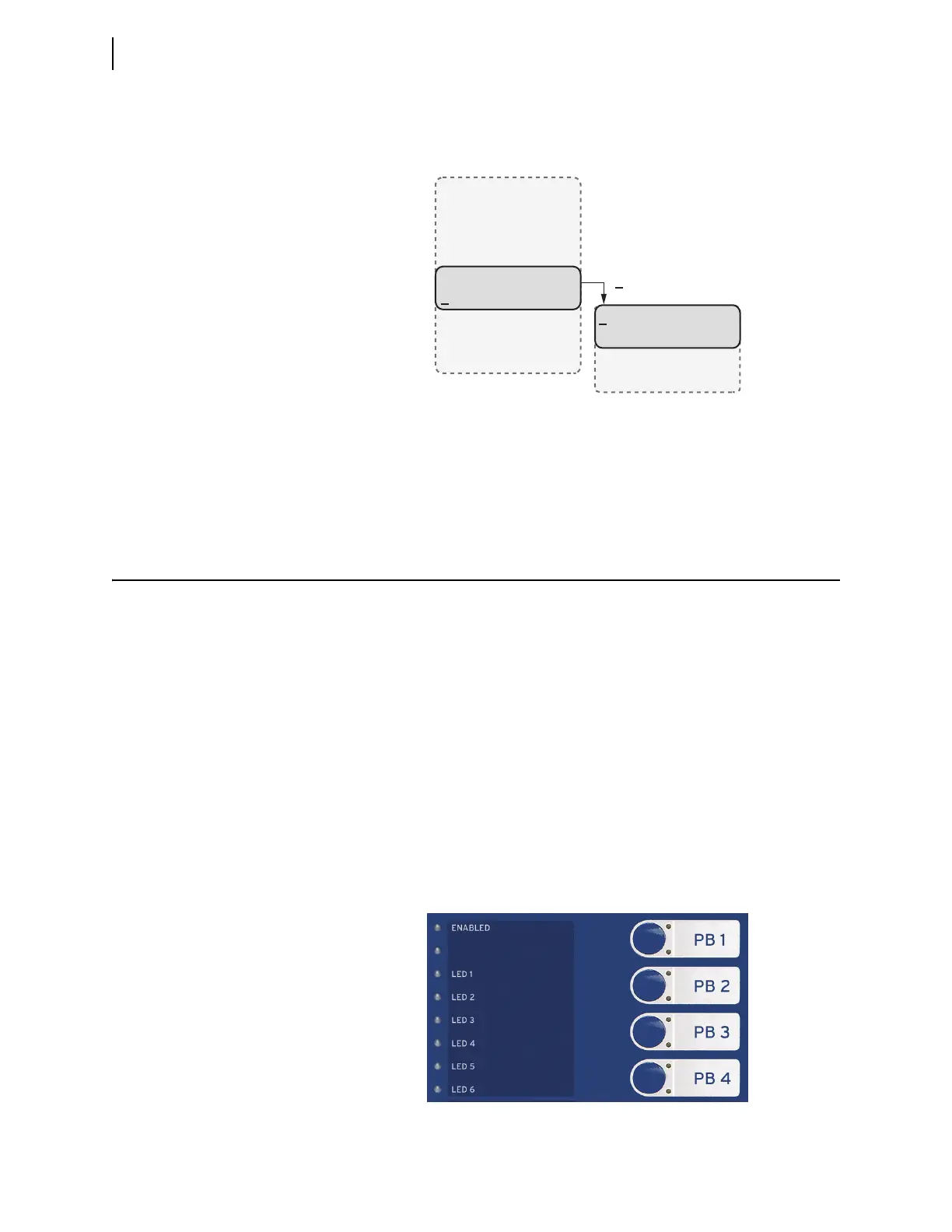
Display SEL-2414 status indicators or reboot the device as shown in Figure 8.20.
Quit
Exit the present access level and return to Access Level 1.
Operation and Target LEDs
Enabled LED
An illuminated ENABLED LED indicates that the supply voltage is present, the
device is healthy, and processing is enabled. When the ENABLED LED is not illu-
minated, one of the following could be the cause:
➤ Supply voltage absent
➤ Firmware upload or download
➤ Self-test failure
When the ENABLED LED is not illuminated, the device displays a message on the
LCD describing why the LED is not illuminated.
Programmable LEDs
The SEL-2414 provides quick confirmation of device conditions via eight push-
button and seven target LEDs. You can use SEL
OGIC
®
control equations to pro-
gram all 15 LEDs. Target LEDs differ from the other LEDs in that they also
include a latch function. Figure 8.21 shows this region with factory default text
on the front-panel configurable labels.
Figure 8.20 Main Menu and Status Submenu
STATUS
Device Status
Reboot Device
SELogic Status
Meter
Events
Targets
Control
Set/Show
Status
Quit
(Status selected)
Figure 8.21 Factory Default Front-Panel LEDs



 To Next Page