Date Code 20130214 Instruction Manual SEL-2414 Transformer Monitor
Section 3
Instruction Manual
Getting Started
Overview
Section 2: Installation describes how to configure and connect the hardware of
the device; which might be necessary before getting started operating the device.
This section presents the fundamental knowledge you need to operate the
SEL-2414, organized by task. These tasks help you become familiar with the
device and include the following:
➤ Connecting the device
➤ Matching device connection parameters
➤ Checking device status
➤ Editing device settings
Connecting the
Device
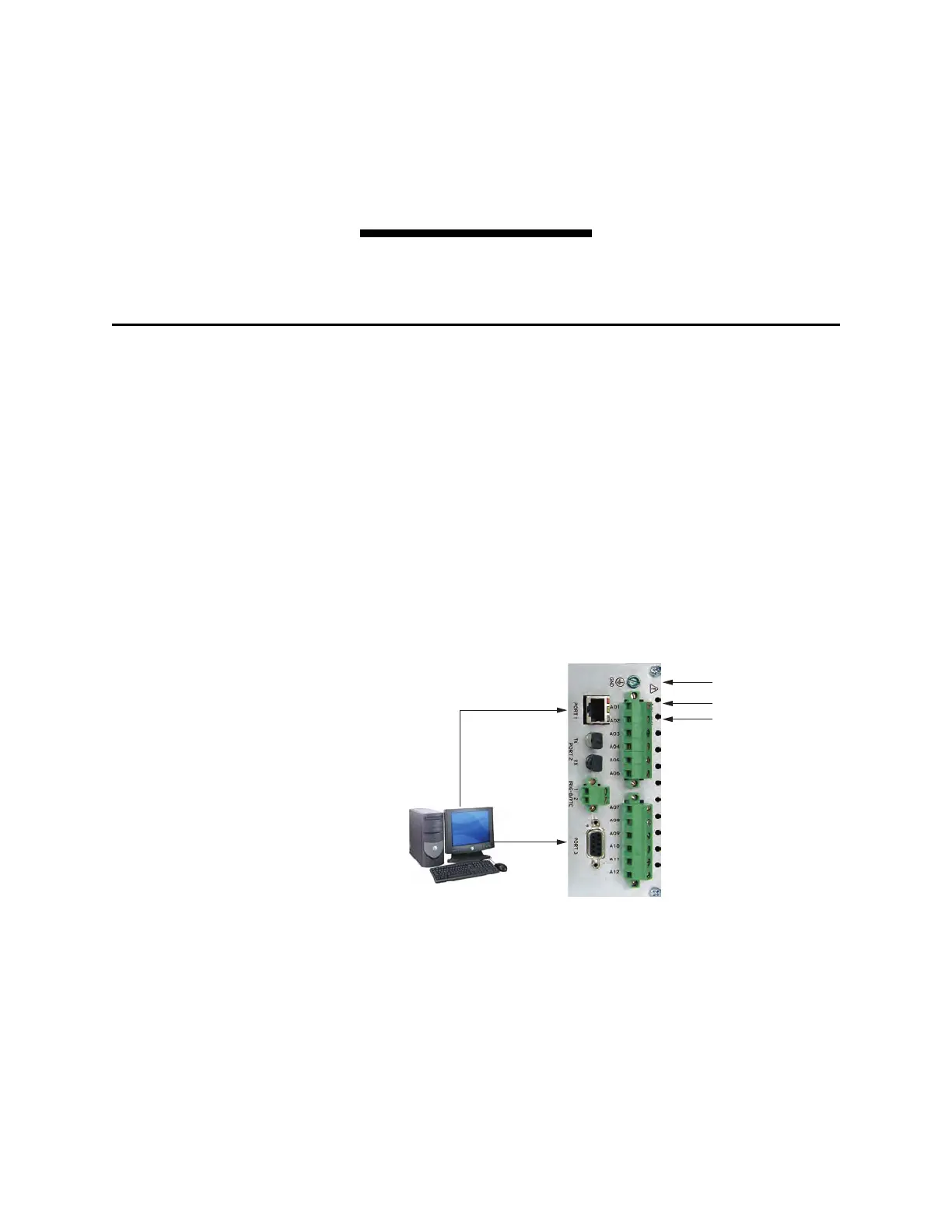
Connect the power, ground, and communications as shown in Figure 3.1. For
more details, see Power Connections on page 2.15 and Grounding (Earthing)
Connections on page 2.15. Once connected to power, the device does an internal
self-check and the ENABLED LED illuminates.
Figure 3.1 Power, Ground, and Communications Connections
Ethernet
Serial
Ground
1
2
C234A
DC or AC
Power Source
C627
3
+
-



 To Next Page