D.2
SEL-2414 Transformer Monitor Instruction Manual Date Code 20130214
DNP3 Communications
DNP3 in the SEL-2414
DNP3 in the SEL-2414
The Transformer Monitor is a DNP3 Level 2 Outstation device. See DNP3 Com-
munications for additional documentation describing DNP3.
Data Access
Table D.2 lists DNP3 data access methods along with corresponding Transformer
Monitor settings. You must select a data access method and configure each DNP3
master for polling as specified.
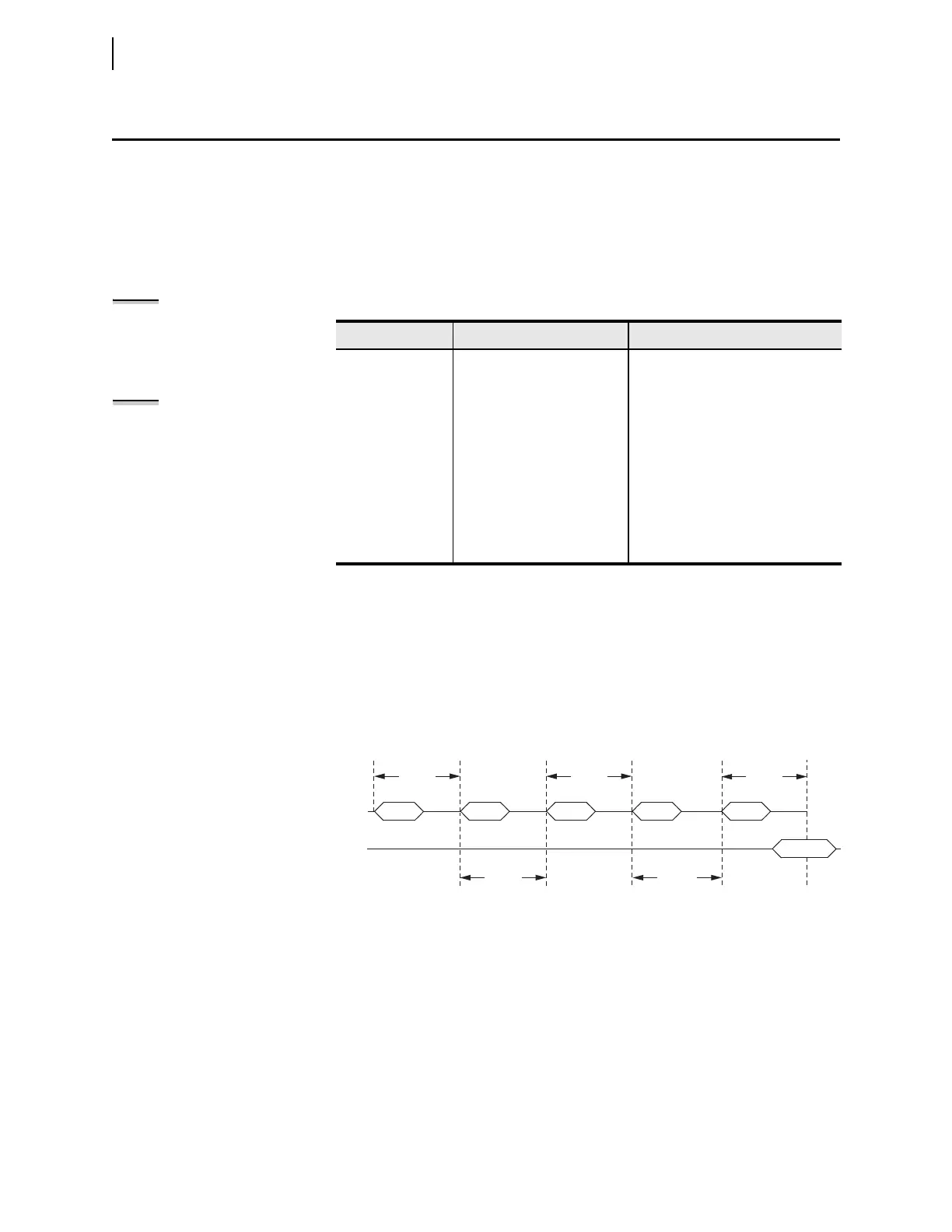
If the master does not acknowledge the unsolicited data with an Application
Confirm, the device will resend the data until it is acknowledged. It will wait for
ETIMEOn seconds and then repeat the unsolicited message. In order to prevent
clogging of the network with unsolicited data retries, the Transformer Monitor
uses the URETRYn and UTIMEOn settings to increase retry time when the
number of retries set in URETRYn is exceeded. After URETRYn has been
exceeded, the Transformer Monitor pauses UTIMEOn seconds and then
transmits the unsolicited data again. Figure D.1 provides an example with
URETRYn = 2.
Collision Avoidance
If your application uses unsolicited reporting on a serial network, you must select
a half-duplex medium or a medium that includes carrier detection to avoid data
collisions. EIA-485 two-wire networks are half-duplex. EIA-485 four-wire net-
works do not provide carrier detection, while EIA-232 systems can support car-
rier detection. DNP3 LAN/WAN uses features of the IP suite for collision
avoidance.
The Transformer Monitor uses Application Confirmation messages to guarantee
delivery of unsolicited event data before erasing the local event data buffer. Data
collisions are typically resolved when messages are repeated until confirmed.
Tab le D.2 DN P3 Acce s s Me th od s
Access Method Master Polling SEL-2414 Settings
Polled static Class 0 Set ECLASSBn, ECLASSCn,
ECLASSAn to 0; UNSOLn to No
Polled report-by-
exception
Class 0 occasionally, Class 1,
2, 3 frequently
Set ECLASSBn, ECLASSCn,
ECLASSAn to the desired event
class; UNSOLn to No
Unsolicited report-
by-exception
Class 0 occasionally, optional
Class 1, 2, 3 less frequently;
mainly relies on unsolicited
messages
Set ECLASSBn, ECLASSCn,
ECLASSAn to the desired event
class; set UNSOLn to Yes and
PUNSOLn to Yes or No
Quiescent Class 0, 1, 2, 3 never; relies
completely on unsolicited
messages
Set ECLASSBn, ECLASSCn,
ECLASSAn to the desired event
class; set UNSOLn and PUNSOLn to
Yes.
Figure D.1 Application Confirmation Timing With URETRY
n
= 2
NOTE: Because unsolicited
messaging is problematic in most
circumstances, SEL recommends
using the polled report-by-exception
access method to maximize
performance and minimize risk of
configuration problems.
NOTE: In the settings below, the
suffix n represents the DNP3 session
number from 1 to 3. All settings with
the same numerical suffix comprise
the complete DNP3 session
configuration.
RX DATA
(Event Data Confirmation)
TX DATA
ETIMEOn
Retry #2Retry #1
Confirmation
Retry #1
ETIMEOn
UTIMEOnETIMEOn
Retry #2
UTIMEOn



 To Next Page