B.2
SEL-2414 Transformer Monitor Instruction Manual Date Code 20130214
Firmware Upgrade Instructions
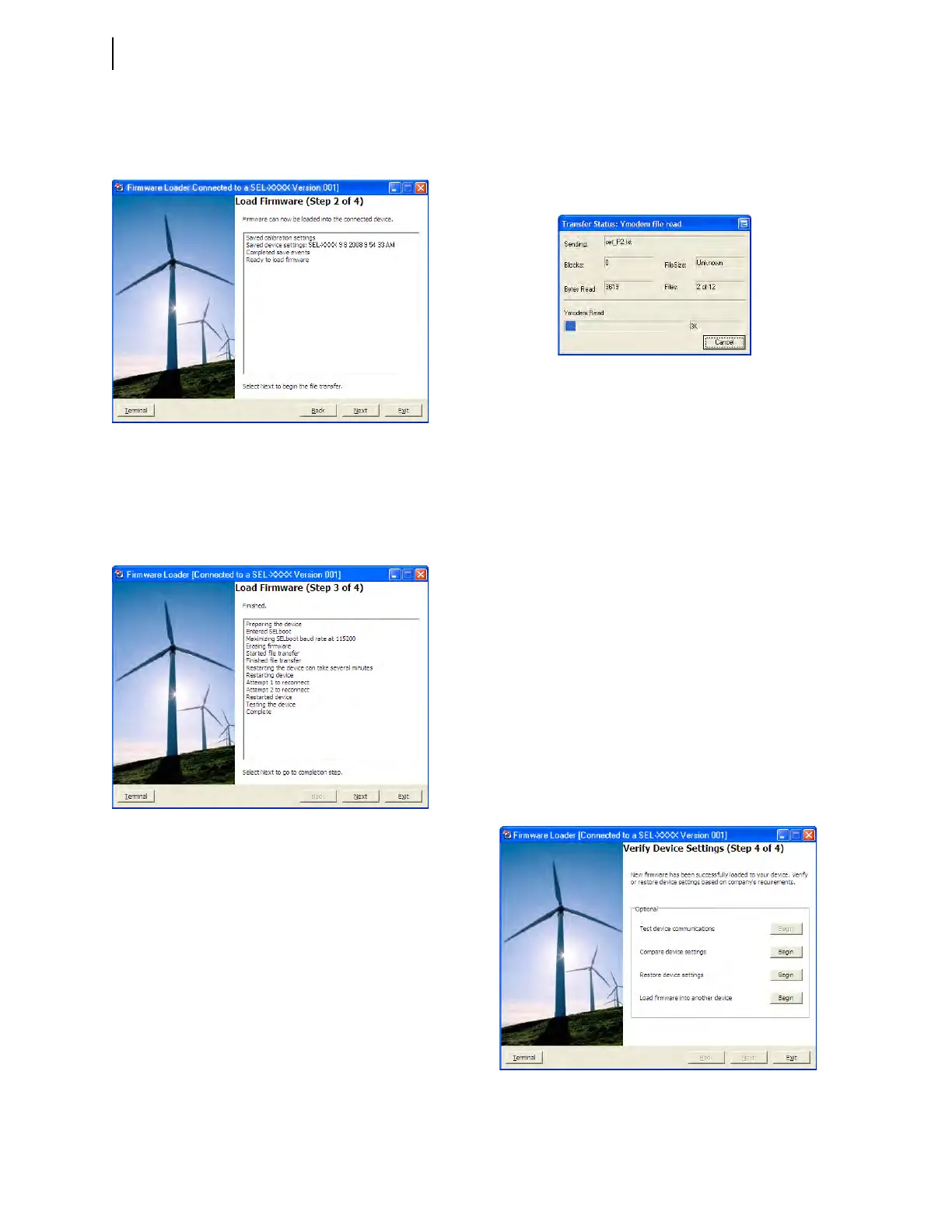
Step 2: Transfer Firmware
Click Next to begin the firmware transfer.
The Transfer Status: Ymodem file read window shows
the transfer progress of the firmware file. Clicking
Cancel will stop the transfer.
Step 3: Prepare Device
During this step, the device will be put in SELBOOT. The
transfer speed will be maximized and the firmware
transfer begun.
Step 4: Verify Device
Four verification options are provided and when enabled
these options perform as follows.
Test Device Communications. If the device cannot be
restarted then device power should be cycled and the
device reset. Once the device is enabled, this option will
reconnect and re-initialize the device.
Compare Device Settings. This option verifies set-
tings by reading them from the device and comparing
them with settings saved to the database.
Restore Device Settings. This option restores set-
tings by writing settings saved to the database to the
device, settings will be converted automatically if
needed.
Load Firmware into Another Device. Returns the
wizard to Step 1: Prepare Device to repeat the firmware
loading process with another device.



 To Next Page