2.4
SEL-2414 Transformer Monitor Instruction Manual Date Code 20130214
Installation
Card Configuration
CPU Card
Communications
Ports
Required in Slot B, this card provides as many as three serial ports. Select the
communications ports necessary for your application from those shown in
Table 2.2. Table 7.5 shows the protocols supported by serial ports and Table 7.6
shows the protocols supported by Ethernet ports.
Communications Card
(SELECT EIA-232/
EIA-485)
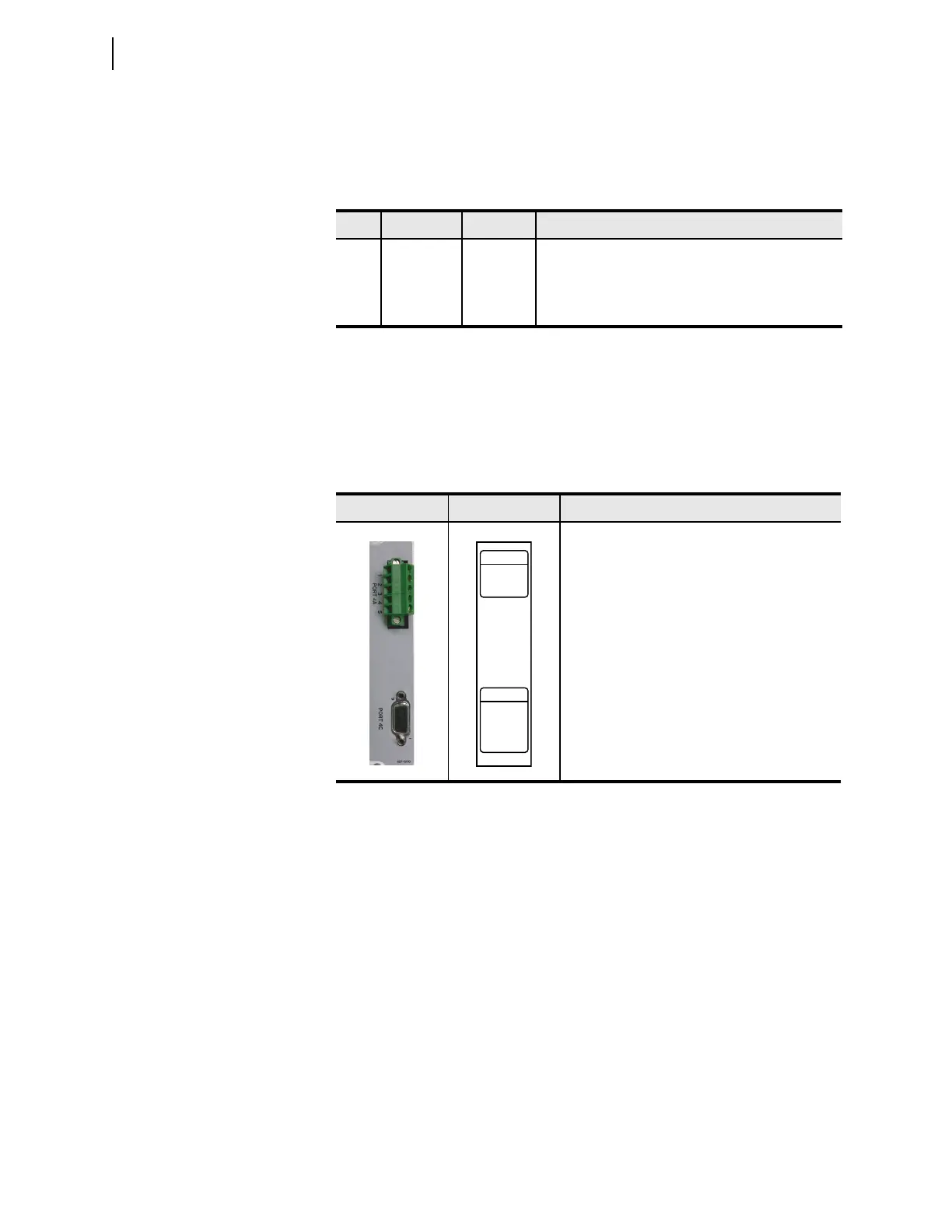
Supported in Slot C only, this card provides one serial port with two serial port
interfaces. Select either EIA-232 or EIA-485 functionality (not both) by means of
a jumper on the card. Table 2.3 shows the port number, interface, and type of con-
nector for the two protocols. Table 7.5 shows the protocols supported by serial
ports and Table 7.6 shows the protocols supported by Ethernet ports.
Table 2.2 Communications Ports
Port Location Feature Description
1 Rear Panel Optional One or Two (Failover) Rear Ethernet Ports
2 Rear Panel Optional Isolated multimode fiber-optic port with ST connectors
compatible with SEL-2812
3 Rear Panel Standard Nonisolated EIA-232 serial port
Table 2.3 Communications Card (SELECT EIA-232/485) Interfaces and
Connectors
Term i n a l s Label Description
Port 4A, an isolated EIA-485 serial port interface
on a 5-pin Euro connector
Port 4C, a nonisolated EIA-232 serial port inter-
face, supporting the +5 Vdc interface on a D-sub
connector
PORT 4C
EIA–232
1
+5 Vdc
RXD
2
N/C
4
TXD
3
GND
5,9
N/C6
RTS7
CTS
8
PORT 4A
EIA–485
+TX
1
–T X
2
+RX
3
–RX
4
SHLD
5



 To Next Page