3.7
Date Code 20130214 Instruction Manual SEL-2414 Transformer Monitor
Getting Started
ACSELERATOR QuickSet
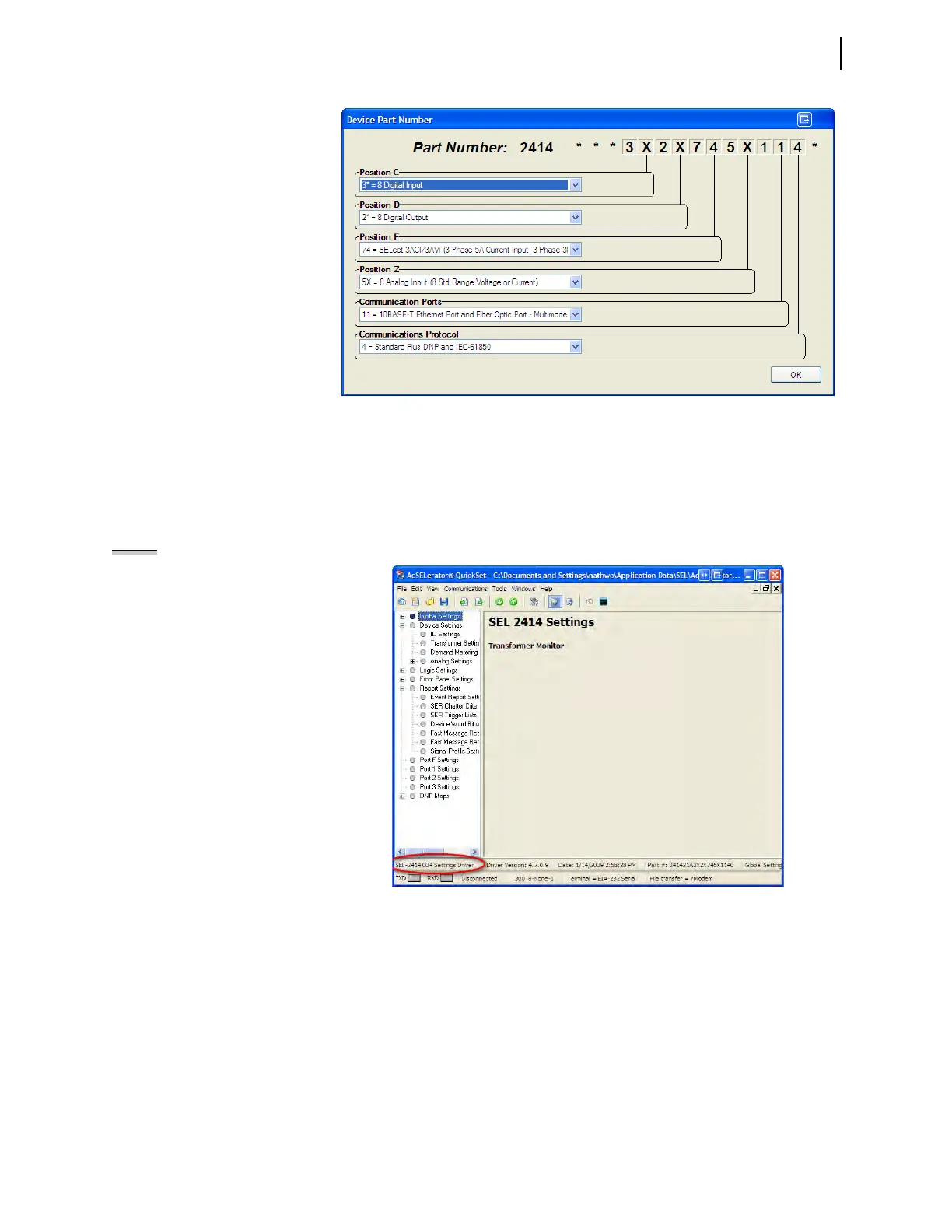
Figure 3.8 shows the Settings Editor screen. View the bottom of the Device Edi-
tor window to check the Settings Driver number. Compare the
ACSELERATOR
QuickSet Settings Driver number and the first portion of the Z number in the FID
string (this can found by selecting HMI > Meter & Control > Status). These
numbers must match.
ACSELERATOR QuickSet uses this first portion of the Z
number to determine the correct Device Editor to display.
NOTE: Compare the ACSELERATOR
QuickSet Settings Driver number and
the first portion of the Z number in
the FID string.
File > Open
The Open menu item opens an existing device from the active database folder.
ACSELERATOR QuickSet prompts for a device to load into the Device Editor.
File > Read
When the Read menu item is selected, ACSELERATOR QuickSet reads the device
settings from a connected device. As
ACSELERATOR QuickSet reads the device, a
Transfer Status window appears.
ACSELERATOR QuickSet uses serial protocols
to read settings from SEL devices.
Figure 3.7 Update Part Number
Figure 3.8 New Setting Screen



 To Next Page