EasyManua.ls Logo

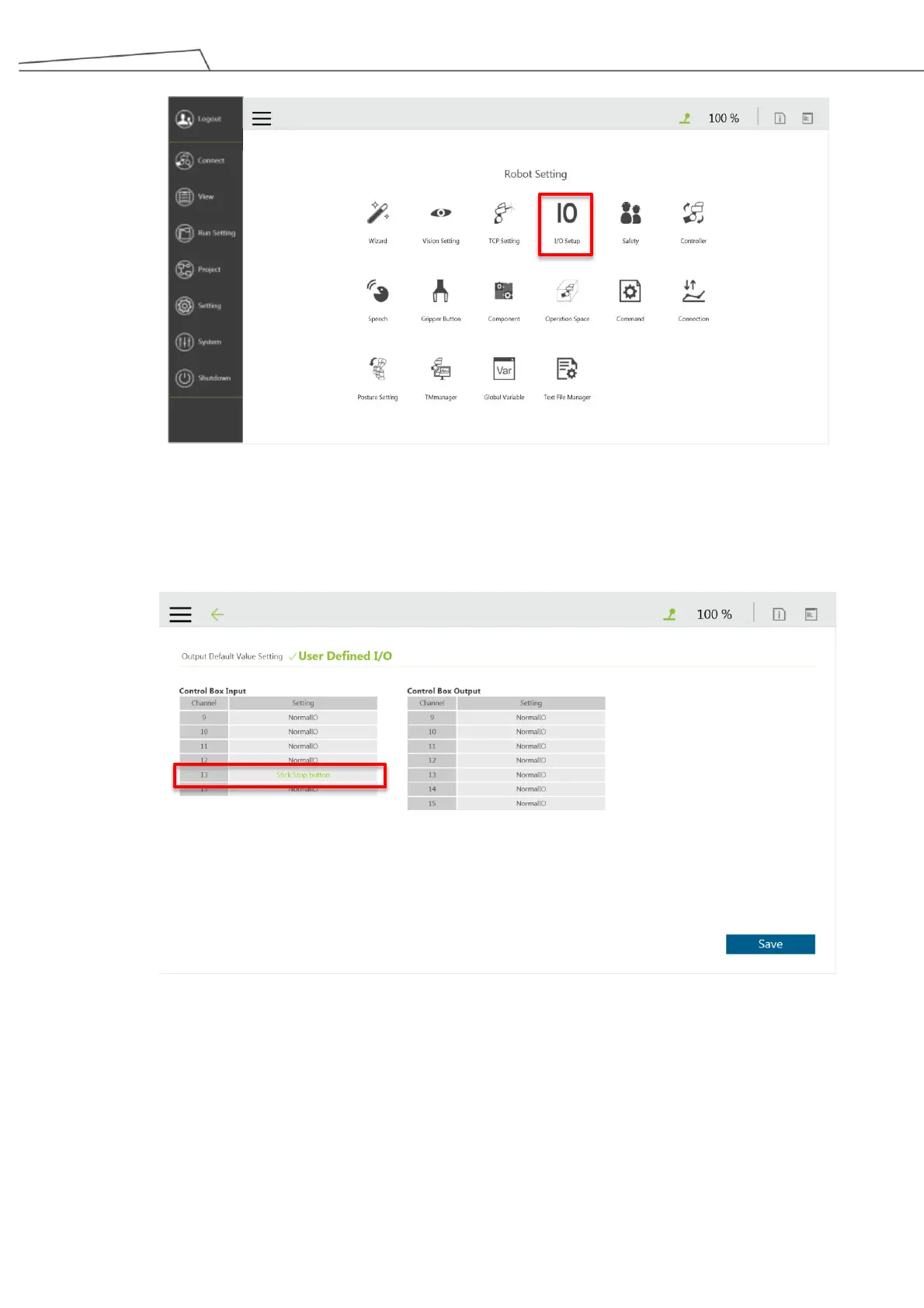
Techman Robot TM Palletizing Operator - Figure 82: I;O Setup for Pendant; Figure 83: Setting in User Defined I;O

Default Icon
176 pages
Print Icon
To Next Page IconTo Next Page
To Previous Page IconTo Previous Page
Loading...
TM Palletizing Operator User’s Manual Product Version: 1.0 / Document Version: 1.0 105
Figure 82: I/O setup for Pendant
2. Click User Defined I/O and then 13
th
channel setting under Control Box Input to set Stick Stop
button. Then click Save.
Figure 83: Setting in User Defined I/O

Table of Contents

Related product manuals