TM Palletizing Operator User’s Manual Product Version: 1.0 / Document Version: 1.0 106
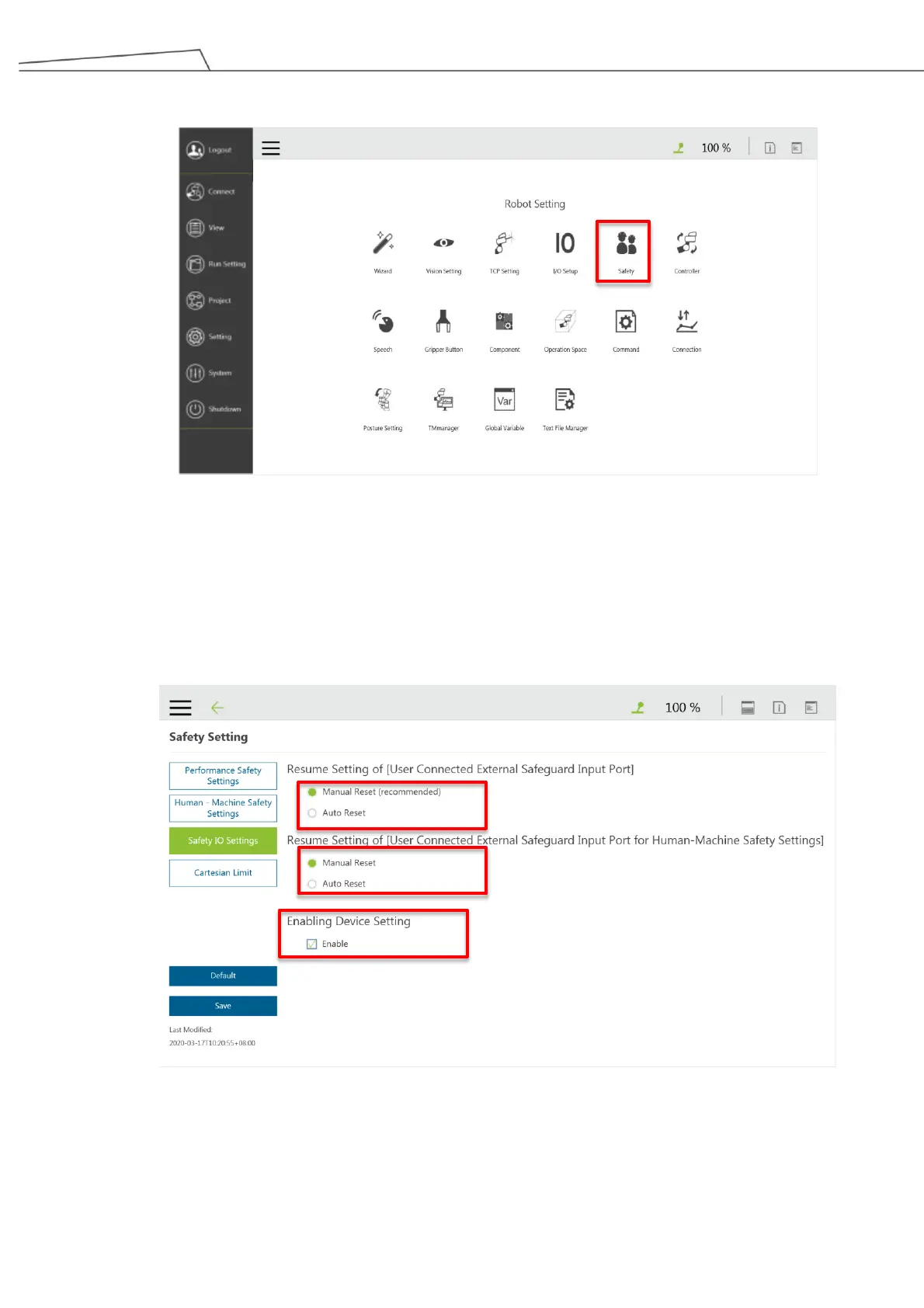
3. Go to “Setting Safety”.
Figure 84: Go to “Safety” setting
4. In “Safety Setting”, click “Safety IO Setting” and tick “Enabling Device Setting”. Make sure that
“Manual Reset’ has been ticked in both “Resume Setting of [User Connected External Safeguard Input
Port” and “Resume Setting of [User Connected External Safeguard Input Port for Human-Machine
Safety Settings]”. Then click “Save”.
Figure 85: Enable device setting



 To Next Page