TM Palletizing Operator User’s Manual Product Version: 1.0 / Document Version: 1.0 113
6.3 Downloading TM Palletizing Operator Software Package
The software installation can be performed in your personal computers, and save the generated file
1. Download the TM Palletizing Operator Software Packages.zip from Techman Robot official website.
2. Unzip the downloaded file.
3. Go to “TM Palletizing Operator Software Packages” “TM Palletizing Operator Software
Packages” “TM_Export”.
4. Save “TM_Export” file into a USB drive.
The USB drive must have been named “TMROBOT” in Windows operating system so that the
robot system can detect the device.
The file location TM_Export\TMPLTZOP\TextFiles will be used to store palletizing layout text file
generated in TMstudio.
6.4 Setting Palletizing Application under Palletizing Wizard
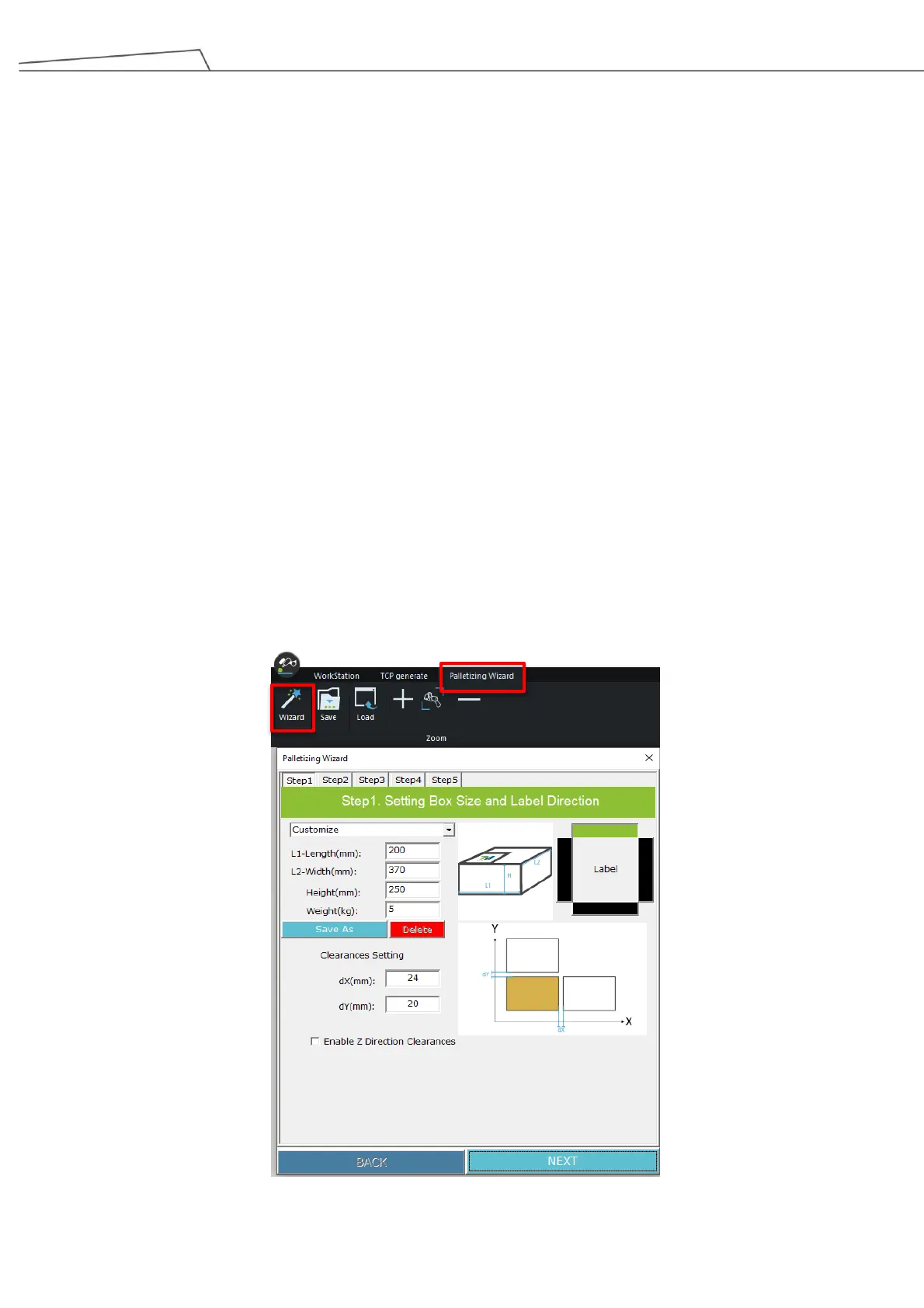
Palletizing Wizard is a simulation software program of TMstudio. This graphical wizard enables users to
self-define their preferred palletizing mode. The simulation function of Palletizing Wizard can also detect potential
errors. The following will provide a walkthrough of how to navigate Palletizing Wizard.
To start, click or tap the tab Palletizing Wizard and click or tap on [Wizard] to create your palletizing project in
TMstudio. The wizard allows users to set various parameters for their palletizing applications.
Figure 96: Launch Palletizing Wizard



 To Next Page