TM Palletizing Operator User’s Manual Product Version: 1.0 / Document Version: 1.0 118
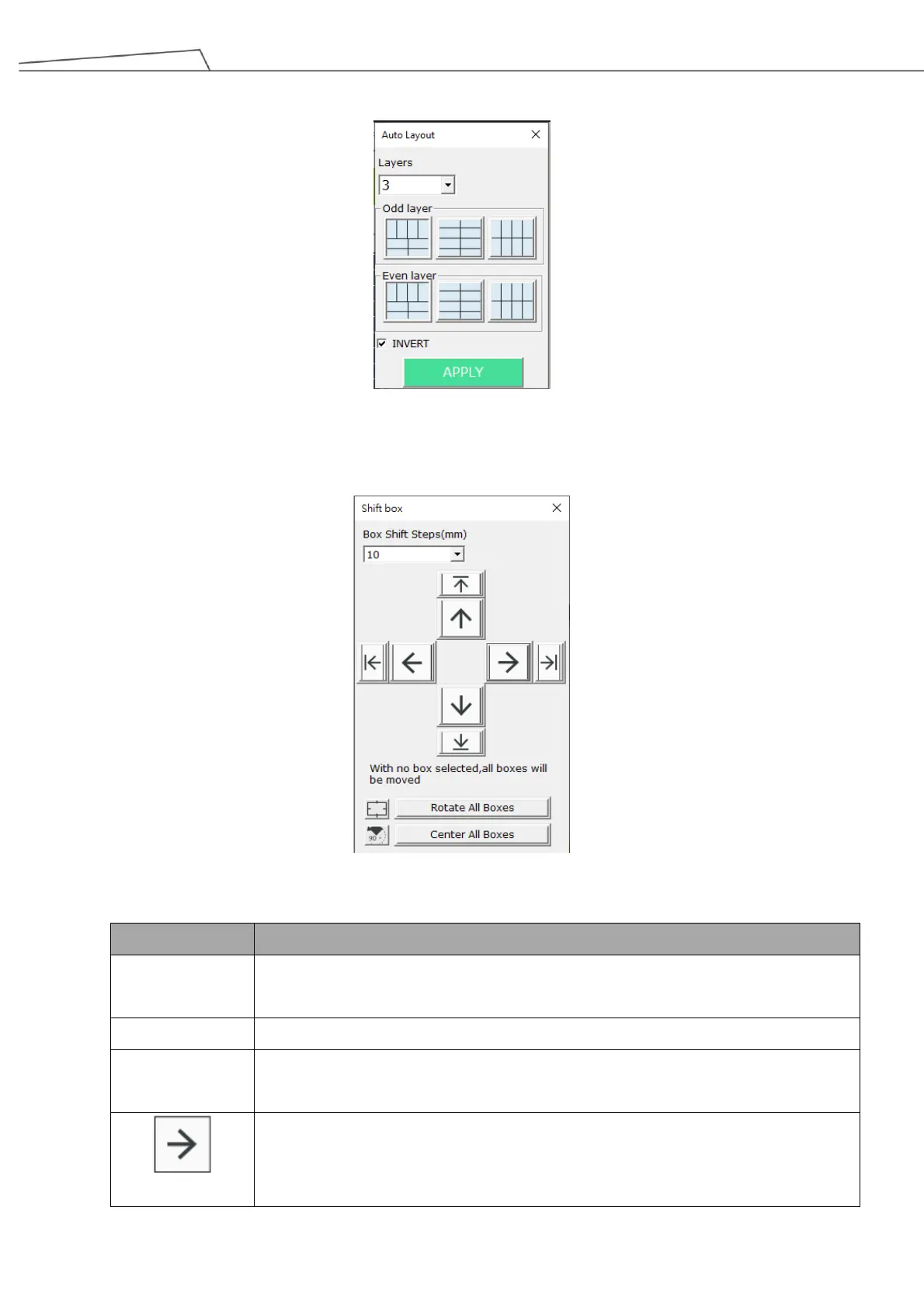
automatic box layout types and their Odd/Even layers.
INVERT indicates the 180 degree discrepancy for even radix.
If users click or tap Shift Box, the boxes can be shifted based on user preferences.
Figure 101: Shift box
Set the shift step for the box. The default is 10mm.
Rotate all boxes by 90 degree
Place all boxes in a centered position (the center position is based on pallet
boundaries and size)
Shift the box(es) to the direction of the Arrow by defined Box Shift Step
If a box is selected, clicking/tapping on this Arrow will shift the selected box by
defined shift step.



 To Next Page