TM Palletizing Operator User’s Manual Product Version: 1.0 / Document Version: 1.0 115
6.4.2 Step 2 – Choose/Set Pallet
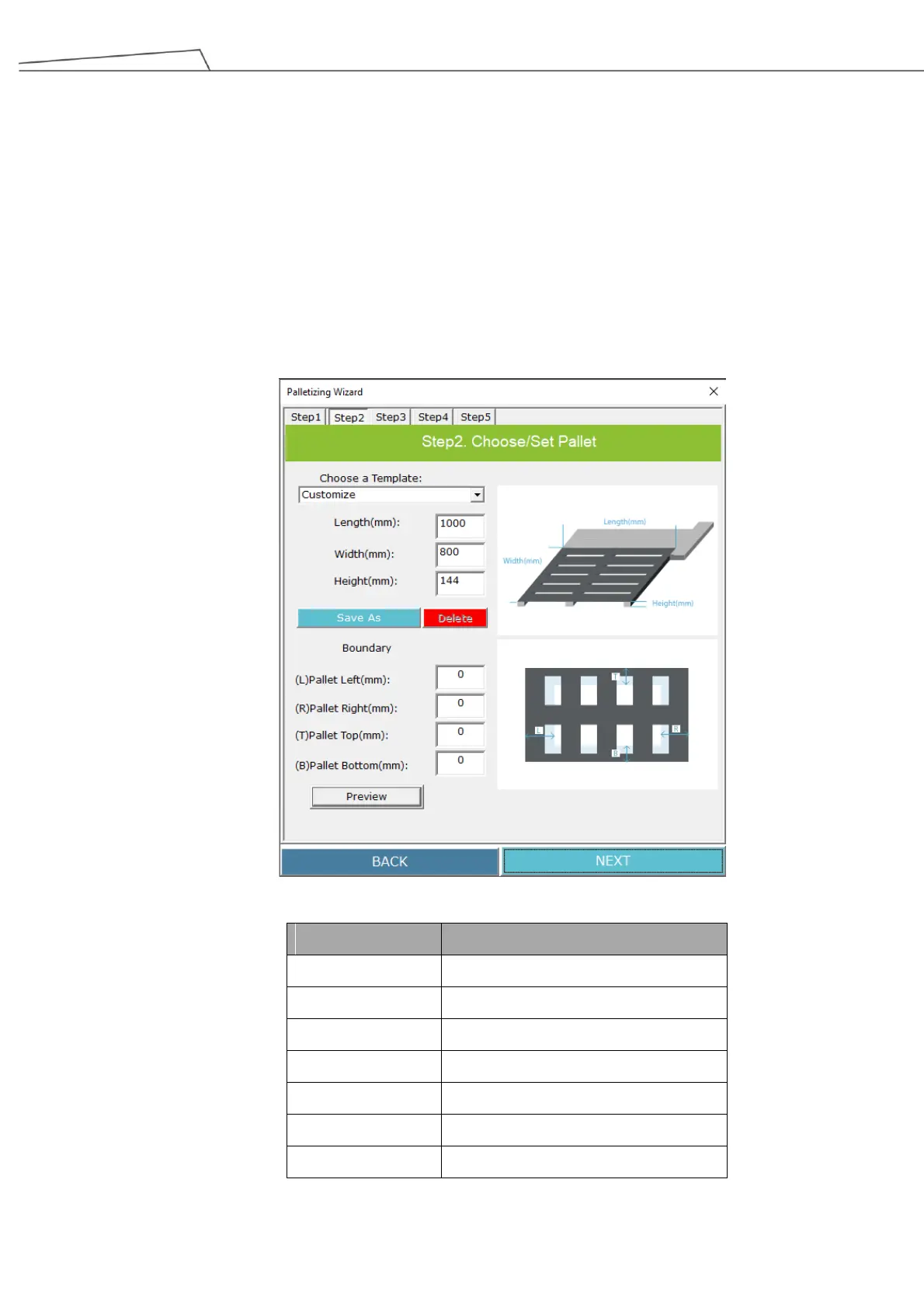
In Step 2, users may select the default pallet templates from the drop-down menu (see the table below) or
set a customized pallet by inputting specific Length (mm), Width (mm), and Height (mm). The boundaries of
each side of the pallet are also configurable. Refer to the image below.
The figure below is based on a customized pallet setting of
Length: 1,000 mm
Width: 800 mm
Height: 144 mm
Users may “Save As” or “Delete” their configurations for the pallet.
Figure 98: Choose/set pallet
Table 24: Default Pallet Templates by drop-down menu



 To Next Page