TM Palletizing Operator User’s Manual Product Version: 1.0 / Document Version: 1.0 125
The [Export] function will not be available if no USB dongle is connected.
Palletizing Simulation cycle time does not include I/O wait-time and gripper suction
time.
The box-grabbing in Palletizing Simulation are closely related to TCO and box center.
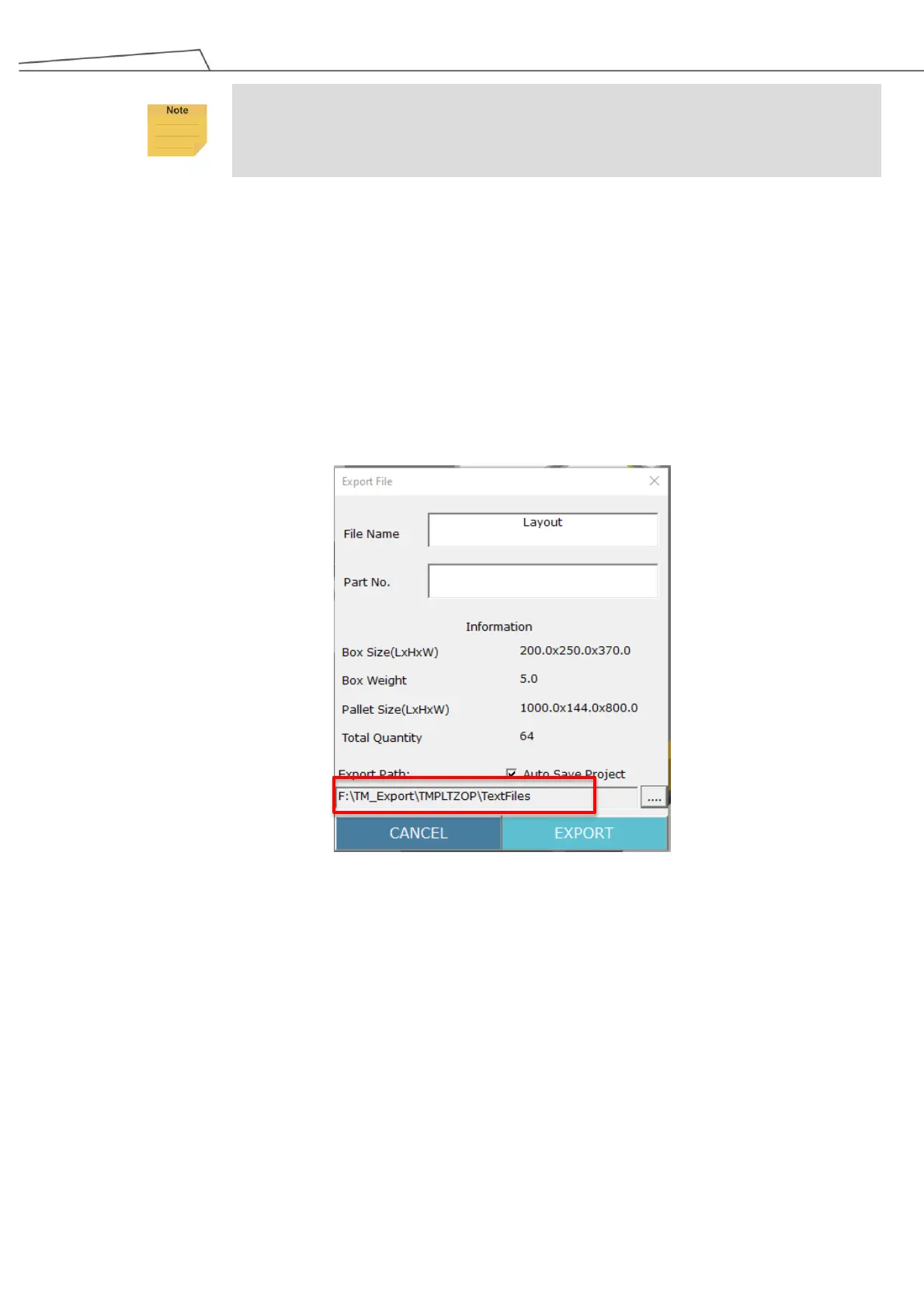
6.4.6 Step 6 – Export File
Click Export to export generated palletizing configuration file, and the recommended Export Path is
TM_Export\TMPLTZOP\TextFiles in your USB drive named TMROBOT (as did in Section 6.3)
Be noted that the default file name is “Layout.txt”. Users may input a file name based on their
preference.
Users may select “Auto Save Project” and export XML file format.
Figure 108: Export file
6.5 Configuring Palletizing Software Components in TMflow
6.5.1 Importing Components and Text File into TMflow
Insert the USB drive named “TMROBOT” into the USB port of the control box (supposedly done during
Chapter 5) and launch TMflow. Then, perform the following steps:



 To Next Page