TM Palletizing Operator User’s Manual Product Version: 1.0 / Document Version: 1.0 128
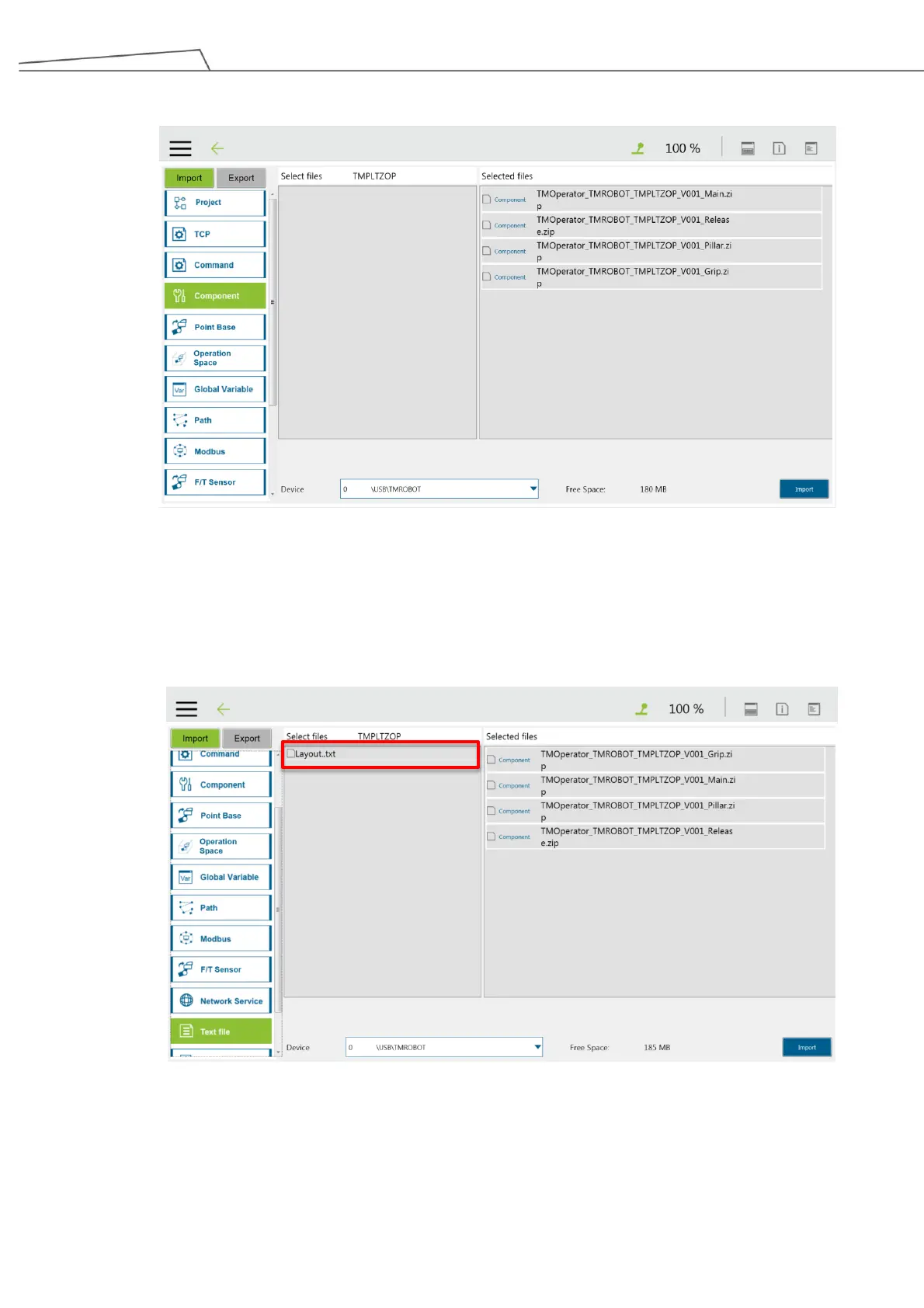
5. Once you have selected all the components, the components will switch to “Selected files” column.
Figure 113: Import completed
6. Next, import “Text File”. The text file (.txt) is generated from “Palletizing Wizard” and will be used to set
palletizing project. Select the “.txt” file and the layout file will be switched to “Selected files”. Then click
“Import”.



 To Next Page