TM Palletizing Operator User’s Manual Product Version: 1.0 / Document Version: 1.0 169
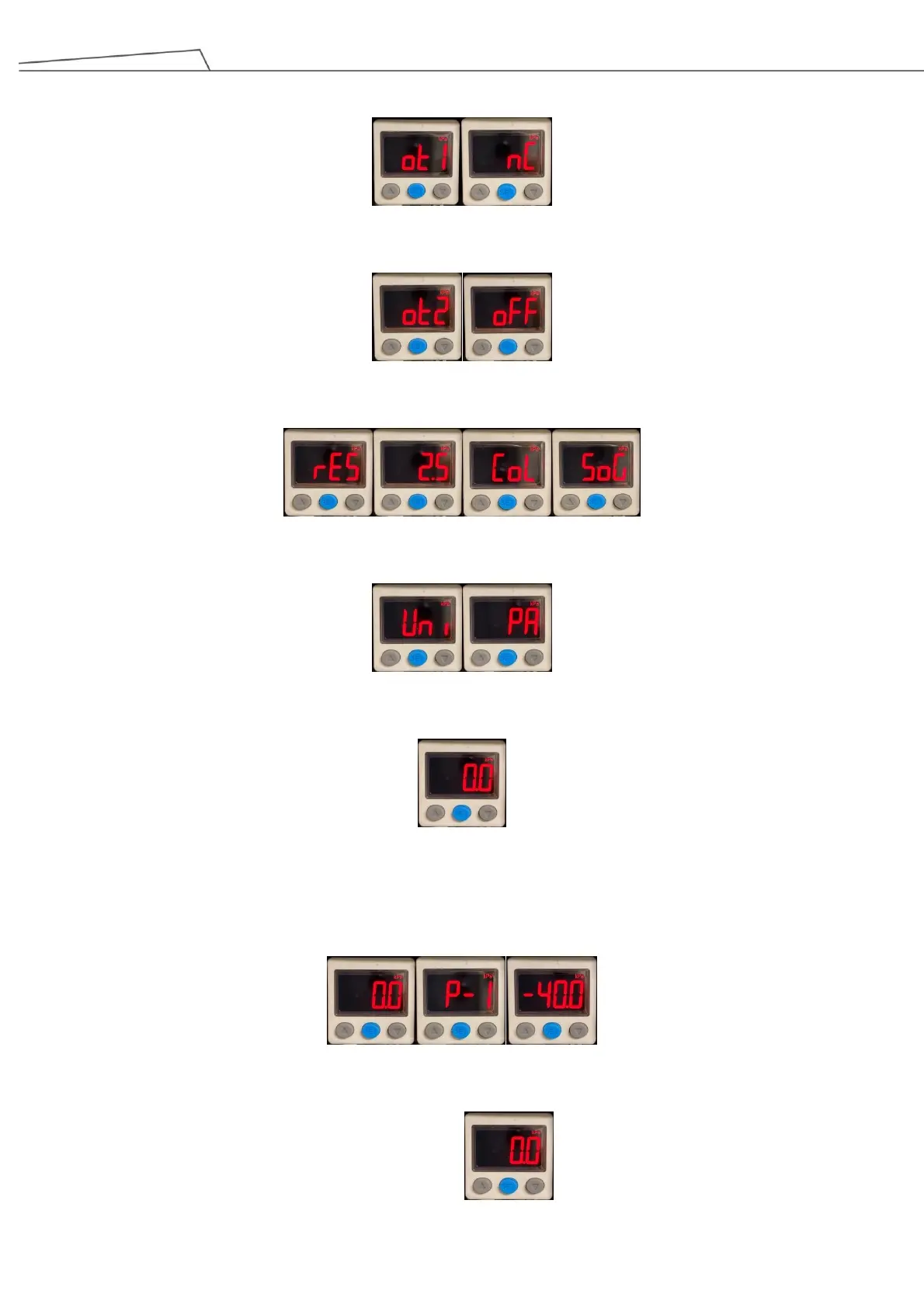
3. Press “Set” button to enter OUT1 setting. Use up and down arrow buttons to select NC (normal close) mode.
4. Press “Set” button to enter OUT2 setting. Use up and down arrow buttons to select OFF mode.
5. Press “Set” button to switch response time sequence: 2.5ms SoG (Backlight Control).
6. Press “Set” button to enter unit setting. Use up and down arrow buttons to select Kpa (default value).
7. Press “Set” button to return to measurement mode
Pressure setting (single-point setting mode)
1. Under measurement mode, press “Set” button to enter P-1, and use up and down arrow buttons to set
pressure value at -40 Kpa (default value).
2. Press “Set” button to return to measurement mode.



 To Next Page