TM Palletizing Operator User’s Manual Product Version: 1.0 / Document Version: 1.0 40
There are input connections in C1 and C2.
C1 is the connection between safety device and controller.
C2 is the internal connection between safety controller and control box of the robot.
C3 represents the output signals for users’ connections.
Discrepancy occurs when the dual-channel inputs are mismatched. For further information about robot
system actions upon discrepancy, refer to next section (Section 3.3)
For C1 discrepancy, make sure the connection is securely connected and it is highly recommended to
re-boot the system. Another way is to ensure the connection are securely connected and re-trigger the
input safety device.
Regarding C2 and C3 discrepancy, ensure the connection is securely connected and reboot the system.
3.3 Explanation of Safety Functions
3.3.1 SF0 Robot Stick Emergency Stop, SF1 Pendant Emergency Stop and SF2 External Emergency
Stop
The SF0 Robot Stick Emergency Stop refers to the built-in Emergency Switch on the Robot Stick of the
TM Robot, SF1 Pendant Emergency Stop refers to the built-in Emergency Switch on the Teach Pendant,
and the SF2 External Emergency Stop refers to the Emergency Stop Port on the safety control unit, which
is applicable to connect additional emergency switches.
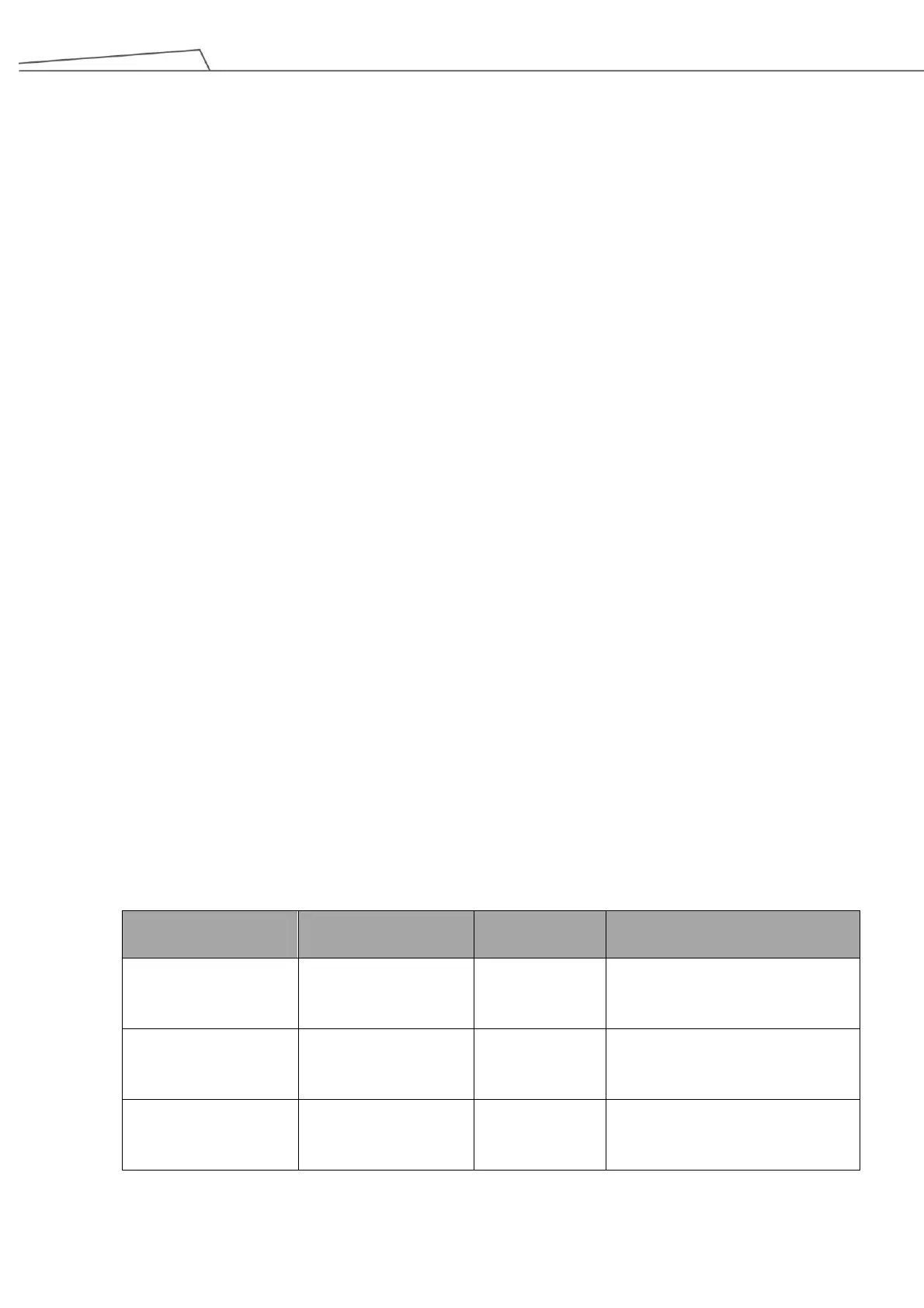
Refer to the table below for the stop category and the reaction of the fault detection of the safety functions.
The functions come with the discrepancy detection to maintain the safety status when detecting different
signals from the dual channel input. When discrepancy occurs, the system will enter and lock in a safety
status. To resume from the safety status, first check the input wiring, correct it, and let the dual inputs open
and close again, to enable the robot system to the resume status of the safety function. When any fault
other than discrepancy detected in the safety functions, the system performs a Cat. 0 stop. When Cat. 0
stop occurs, reboot the robot system to recover from Cat.0 stop status.
Action of
Fault Detection
Robot Stick
Emergency Stop
Discrepancy from Robot Stick
Emergency Stop: Cat.1 Stop
Others: Cat. 0 stop
C1 Discrepancy: Cat.1 Stop
C2 Discrepancy: Cat.1 Stop
Others: Cat. 0 stop
C1 Discrepancy: Cat.1 Stop
C2 Discrepancy: Cat.1 Stop
Others: Cat. 0 stop
Table 8: Stop Category and Action of Fault Detection of SF0, SF1 and SF2



 To Next Page