TM Palletizing Operator User’s Manual Product Version: 1.0 / Document Version: 1.0 108
5.10.4 Reset Button Setting in TMflow
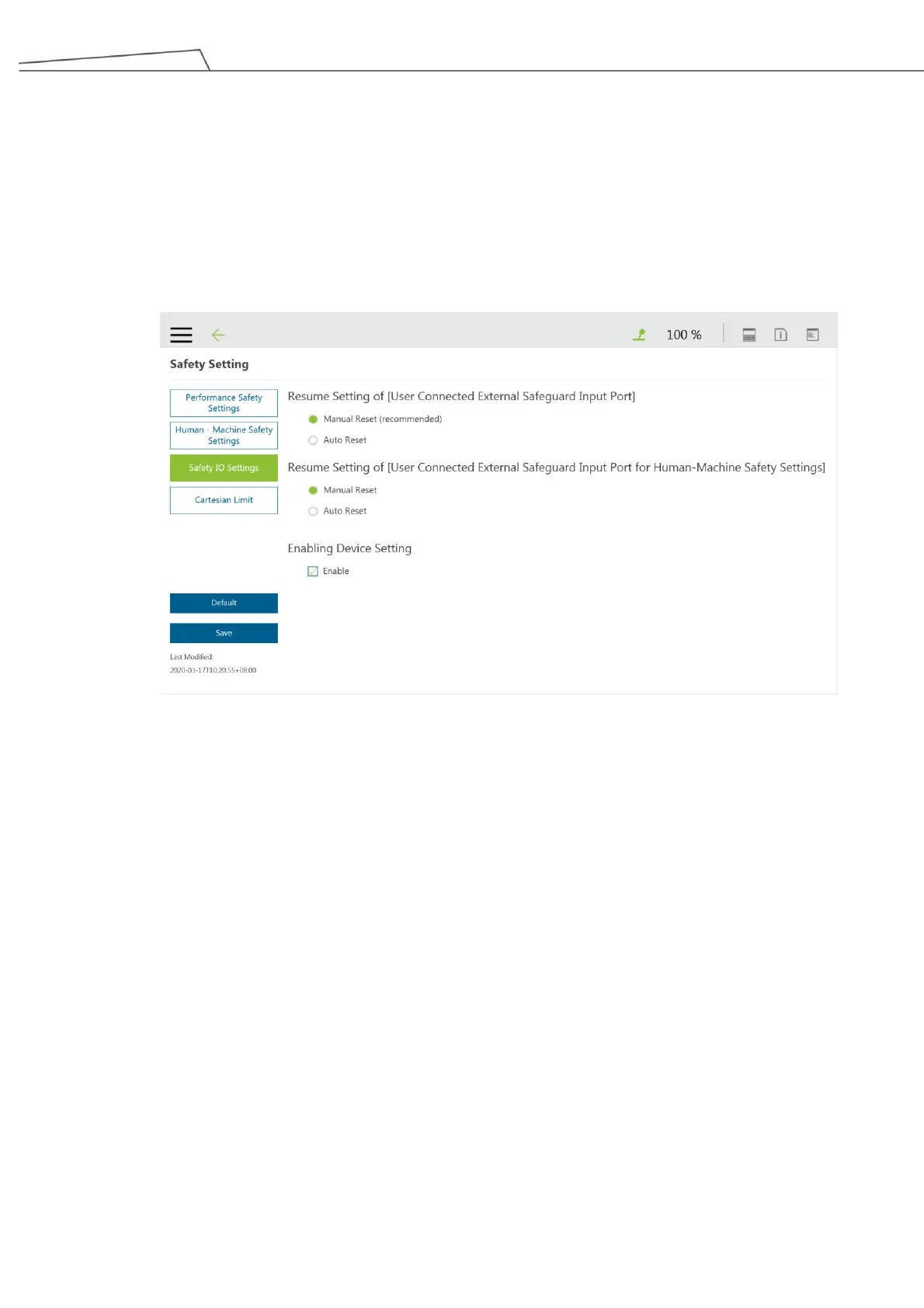
The Reset Button may be configured to Manual Reset or Auto Reset in TMflow.
However, the reset mode for the robot and the system shall be configured separately.
Regarding the safe reset mechanism of SF3 External Safeguard-Pause and SF4 External
Safeguard-Human-Machine Safety Settings, it is recommended to set in Manual Reset as shown in the
image below.
Figure 88: Set Manual Reset
5.10.5 TCP Setting for the Adjustable Flexible Gripper
For safety considerations, it is necessary to set the TCP values for the Adjustable Flexible Gripper due to
safety concerns. To set the TCP values, please see the steps below:
1. Click the Menu and go to “Setting (Robot Setting) “TCP Setting.



 To Next Page