TM Palletizing Operator User’s Manual Product Version: 1.0 / Document Version: 1.0 78
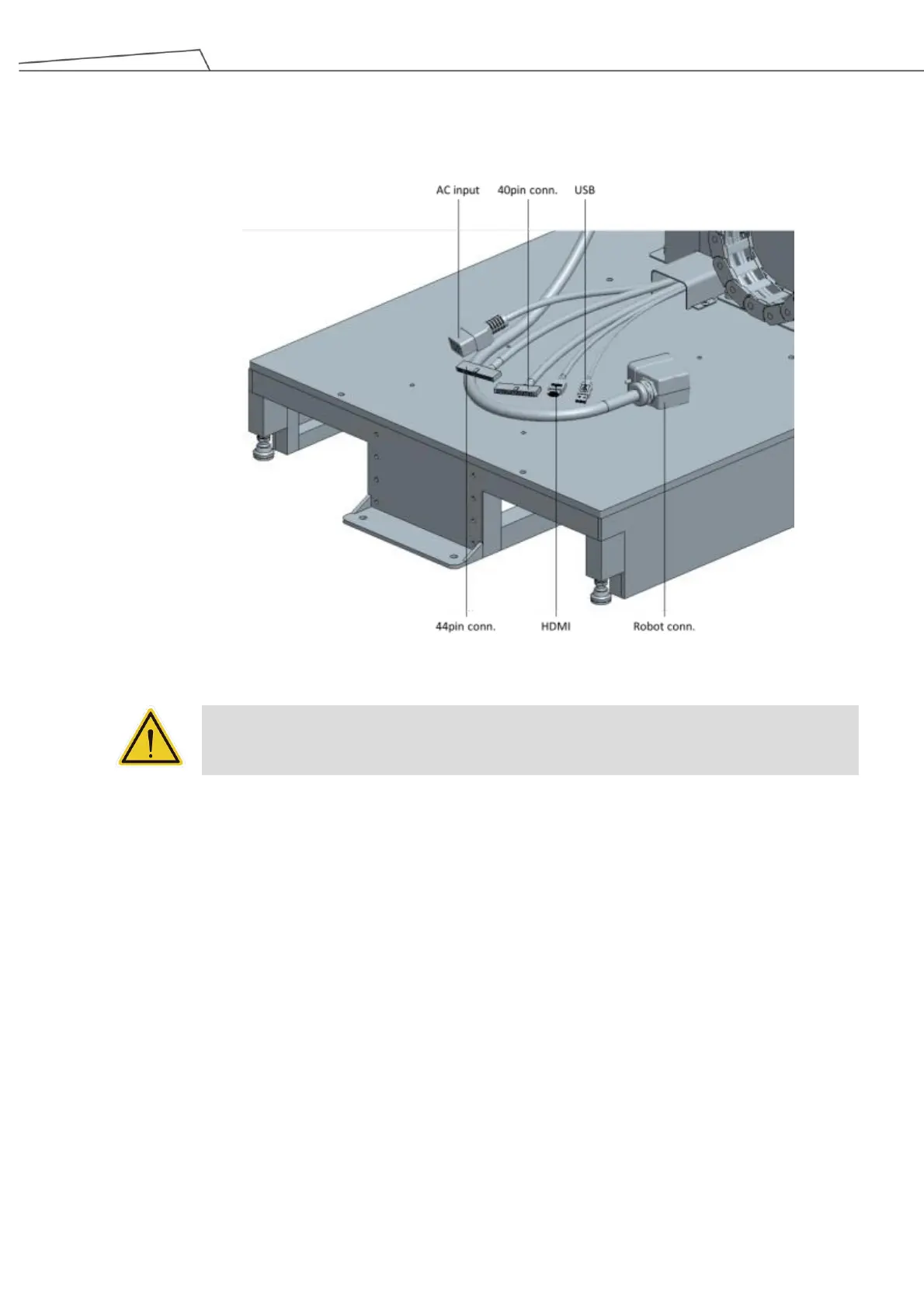
3. Lay the control box down horizontally. Place AC power, 40pin, 44pin, HDMI, and USB cables through
the space between the legs and the brackets to plug into their corresponding connectors.
Figure 42: Proper cable connections
WARNING:
Except for USB ports, other interfaces have to be installed while arm is powered off. Do not
install while arm is on to avoid abnormal shutdown.
4. Note that the robot connector cable does not go through the space between the legs and the brackets.
Simply plug this cable as the shown in the diagram.



 To Next Page