TM Palletizing Operator User’s Manual Product Version: 1.0 / Document Version: 1.0 164
Appendix – A: Troubleshooting and Error Messages
Troubleshooting
Adjusting pillar height
Scenario: How to adjust the pillar height?
Steps:
1) Press the Reset Button when the button light is on.
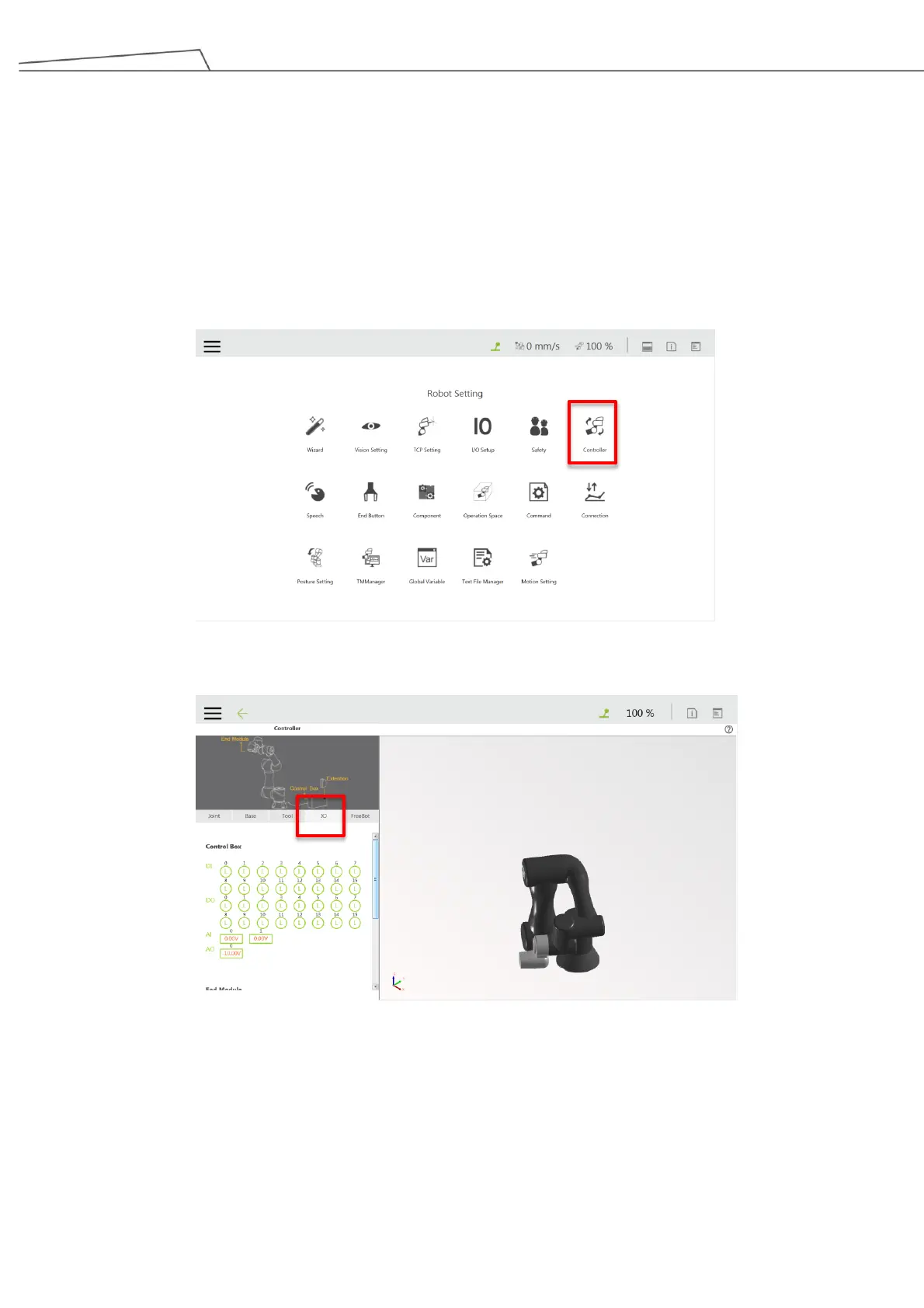
2) In TMflow, go to “Robot Setting” “Controller”
3) Upon entering the Controller screen, click “IO”.
4) Then perform the following configurations
Set DO_6 as “H”(high) about 0.5 second and then set DO_6 as “L”(low)
Set DO_0 as “L” to lower the pillar, or “H” to raise the pillar
Set DO_1 as “H”



 To Next Page