TM Palletizing Operator User’s Manual Product Version: 1.0 / Document Version: 1.0 132
6.5.3 Setting TMOperator_TMROBOT_TMPLTZOP_V001_Pillar
Before initializing your palletizing project, perform pillar calibration first.
*Make sure the USB dongle is connected to the Control Box.
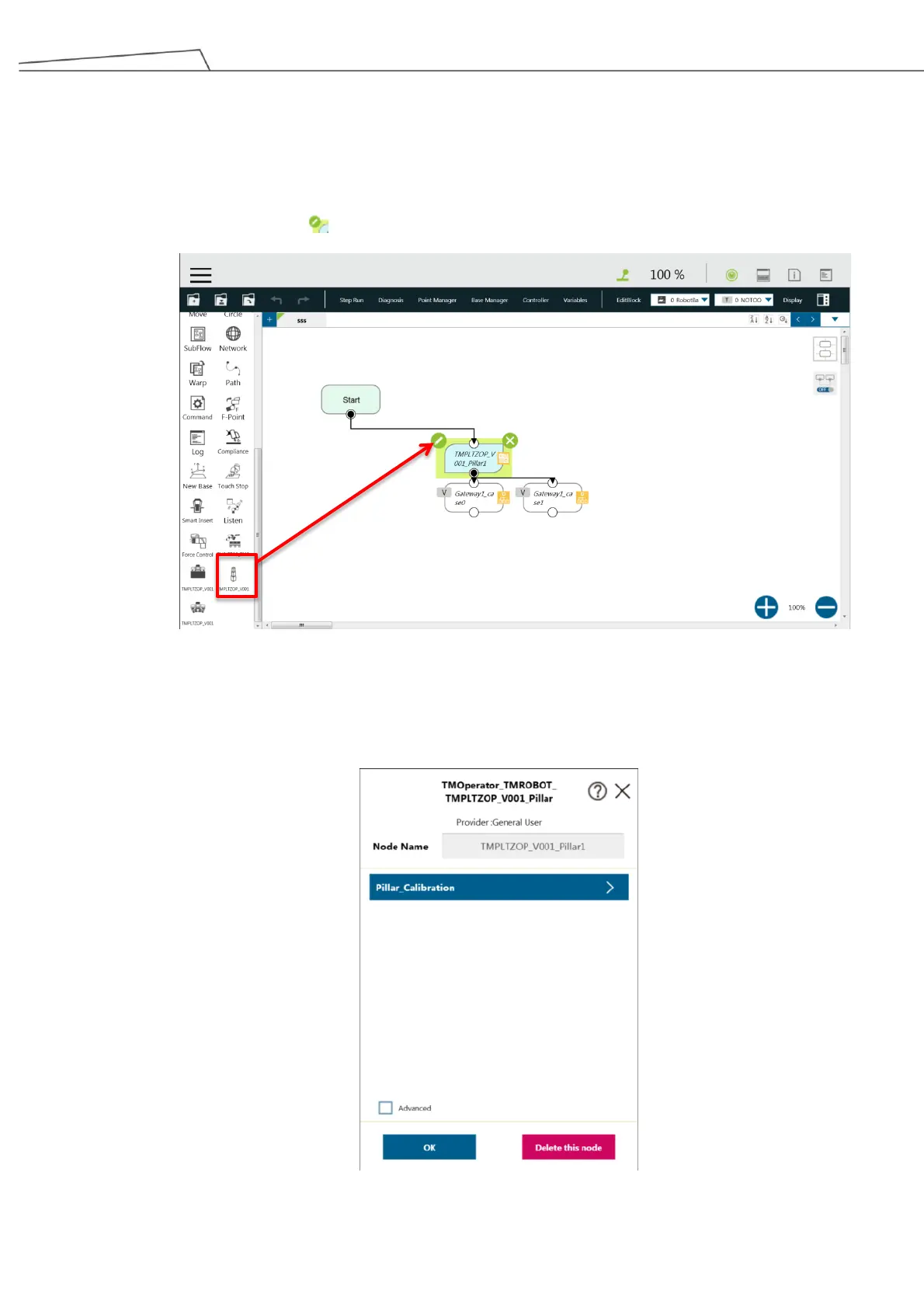
1. Click or tap and drag the TMOperator_TMROBOT_TMPLTZOP_V001_Pillar to the Project screen.
2. Click or tap on the icon to set the nodes
Figure 119: Start using pillar calibration
3. Click or tap on “Pillar Calibration” and “Variables” to access setting options. The Expression Editor
Setting will appear. You may select an Expression item to edit for your preferred applications.
Figure 120: Pillar calibration



 To Next Page