TM Palletizing Operator User’s Manual Product Version: 1.0 / Document Version: 1.0 168
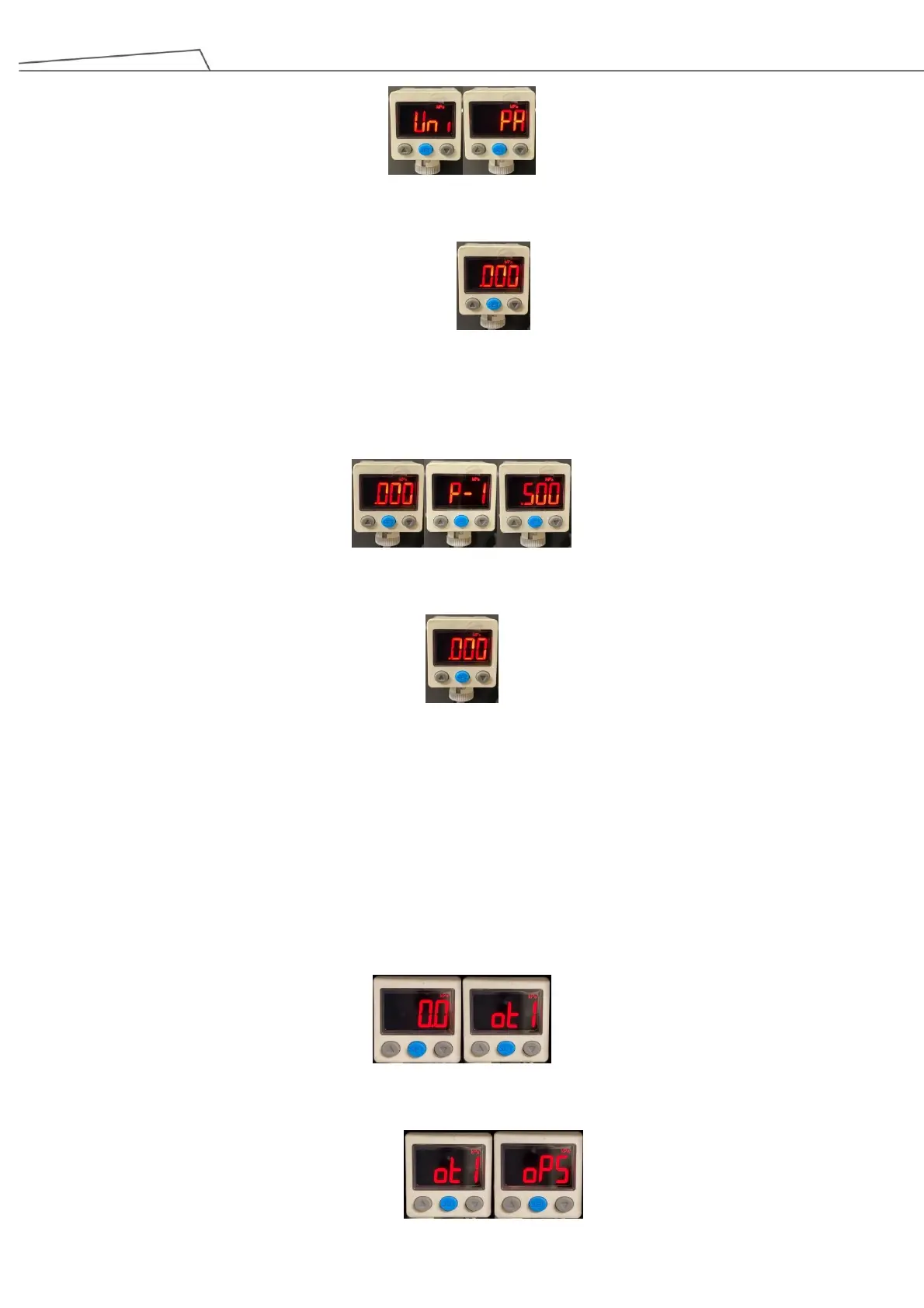
7. Press “Set” button to return to measurement mode.
Pressure setting (single-point setting mode)
1. Under measurement mode, press “Set” button to enter P-1, and use up and down arrow buttons to set
pressure value at 0.5 Mpa.
2. Press “Set” button to return to measurement mode.
3. If the externally supplied compressed air pressure is detected to be lower than 0.5 Mpa, it will cause
system pause
Pressure sensor setup for vacuum suction cup
The following steps are based on MP45C detected connected pressure for the vacuum suction cup
1. Under measurement mode, press and hold “Set” button (the blue button) for approximately 3 seconds to enter
OUT1 operating mode.
2. Under OUT1 operating mode, use up and down arrows to select oPS mode (single-point setting mode).



 To Next Page