TM Palletizing Operator User’s Manual Product Version: 1.0 / Document Version: 1.0 137
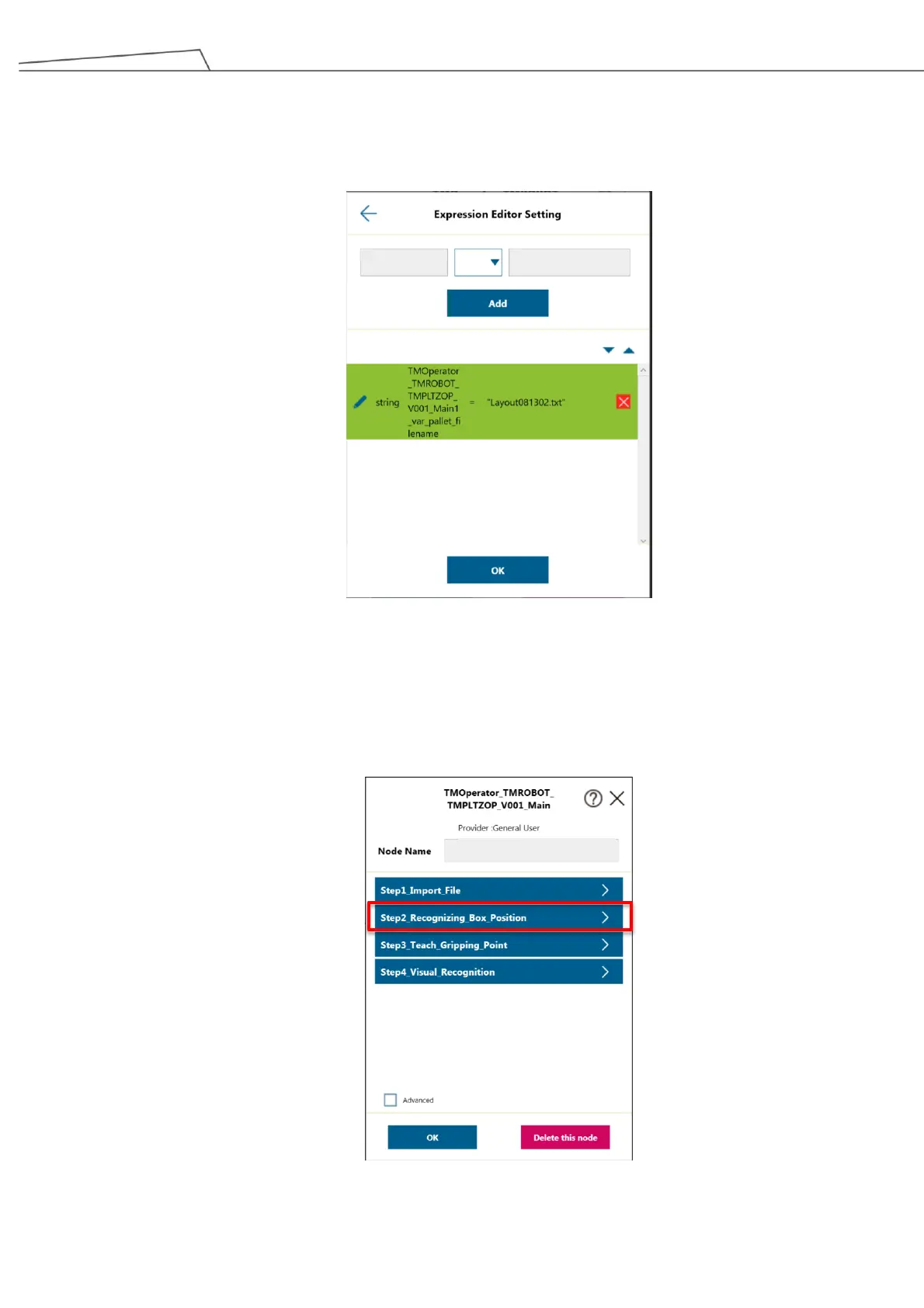
2. The Expression Editor Setting will appear on the screen.
Click the text file you imported in Section 6.3. Check if the filenames are identicial (by default, the
filename is Layout.txt). Then click “OK” to proceed.
Figure 128: Input the file
6.5.4.2 Step 2 – Recognizing Box Position
1. Lower the pillar to the minimum height. For instructions, see 6.5.3.1 Lowering the Pillar Height
2. Go to “Step2_Recognizing Box Positions”.
Figure 129: Go to Step 2



 To Next Page