TM Palletizing Operator User’s Manual Product Version: 1.0 / Document Version: 1.0 145
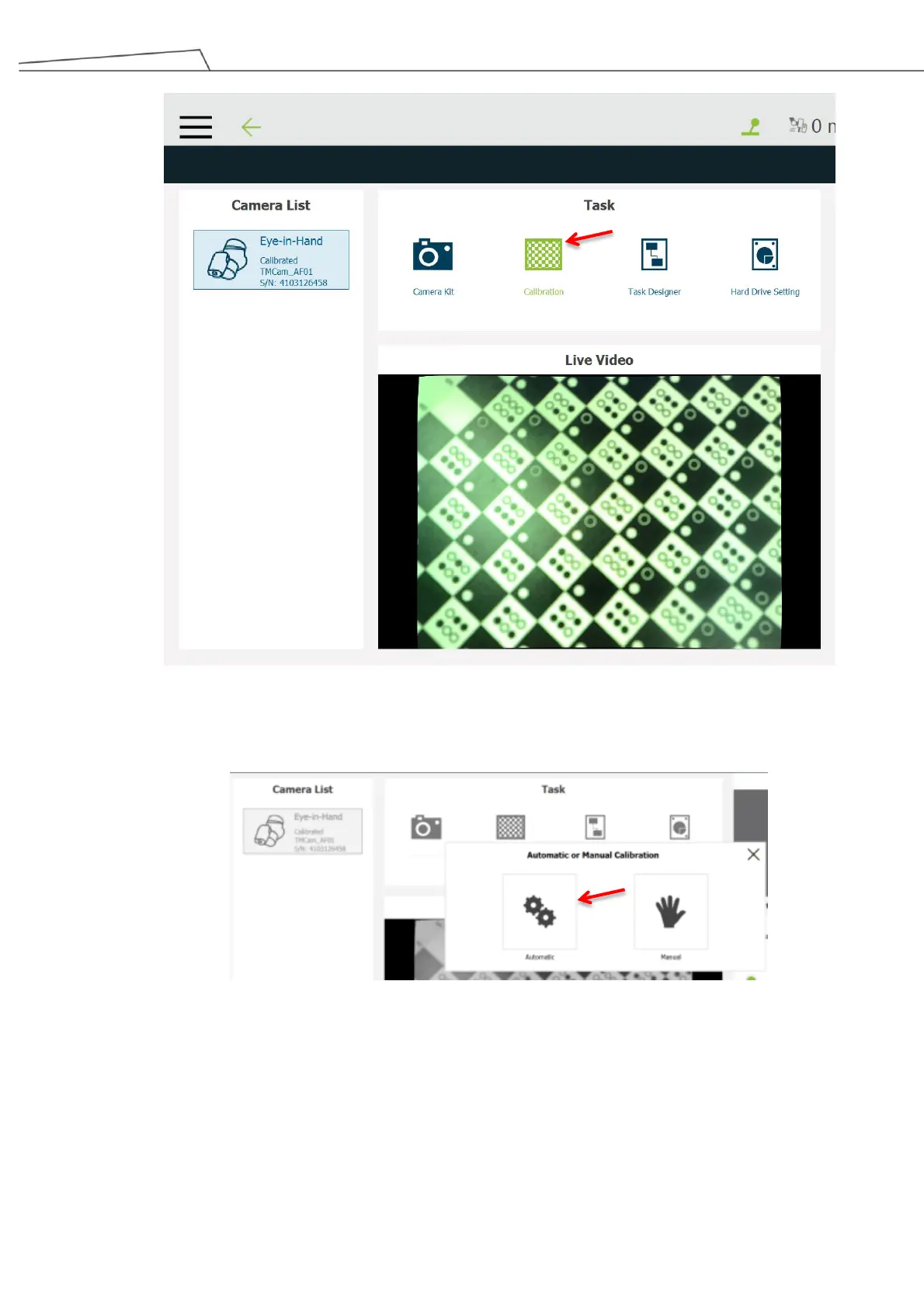
Figure 142: Calibration
4. To shorten the configuration process, “Automatic” is recommended
Figure 143: Calibration by automatic option
5. Click the Camera Parameter Setting icon. Then, set the optimal shutter time, white balance, and
focus based on the surrounding factors or application requirements. To shorten the setting process,
users may click “Auto once” to have the robot set the optimal properties based on its vision detection.



 To Next Page