TM Palletizing Operator User’s Manual Product Version: 1.0 / Document Version: 1.0 107
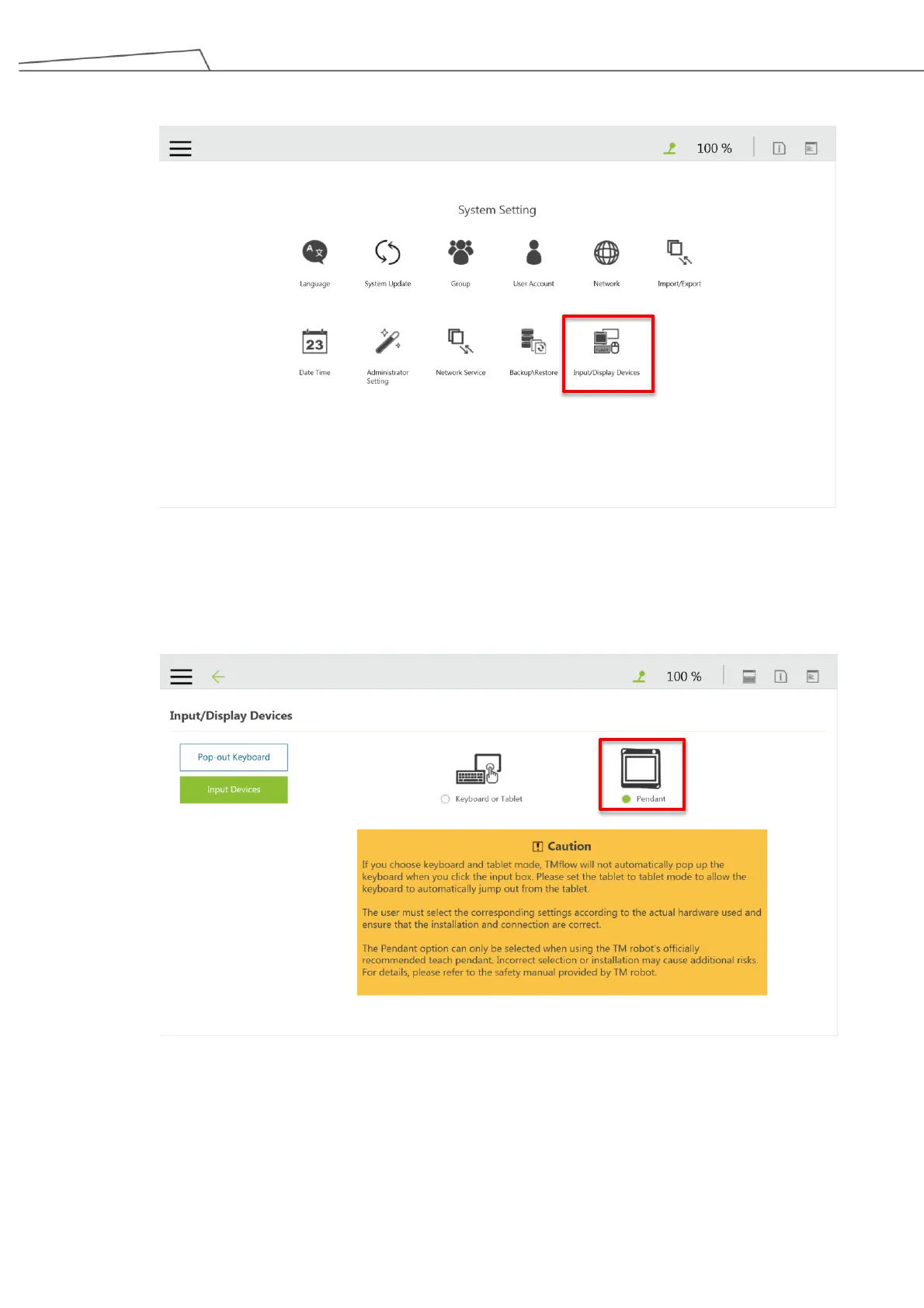
5. Go to “System Input/DisplayDevice”.
Figure 86: Set pendant as display device
6. Select “Pendant” as the input display device.
It is suggested to read the “Caution” before proceeding to next step.
Figure 87: Select “Pendant”
7. It is recommended to test the functions of the Teach Pendant. For example, press the Error Log
button on the pendant and the log history will be displayed on the screen.



 To Next Page