TM Palletizing Operator User’s Manual Product Version: 1.0 / Document Version: 1.0 88
5.2.5.3 Installing the Gripper onto the Robot (for shifted position)
1. Press the Main Switch to power on the Robot.
2. Hand-guide the robotic arm to the appropriate or pre-defined posture.
3. Shut down the palletizing operator and the robot.
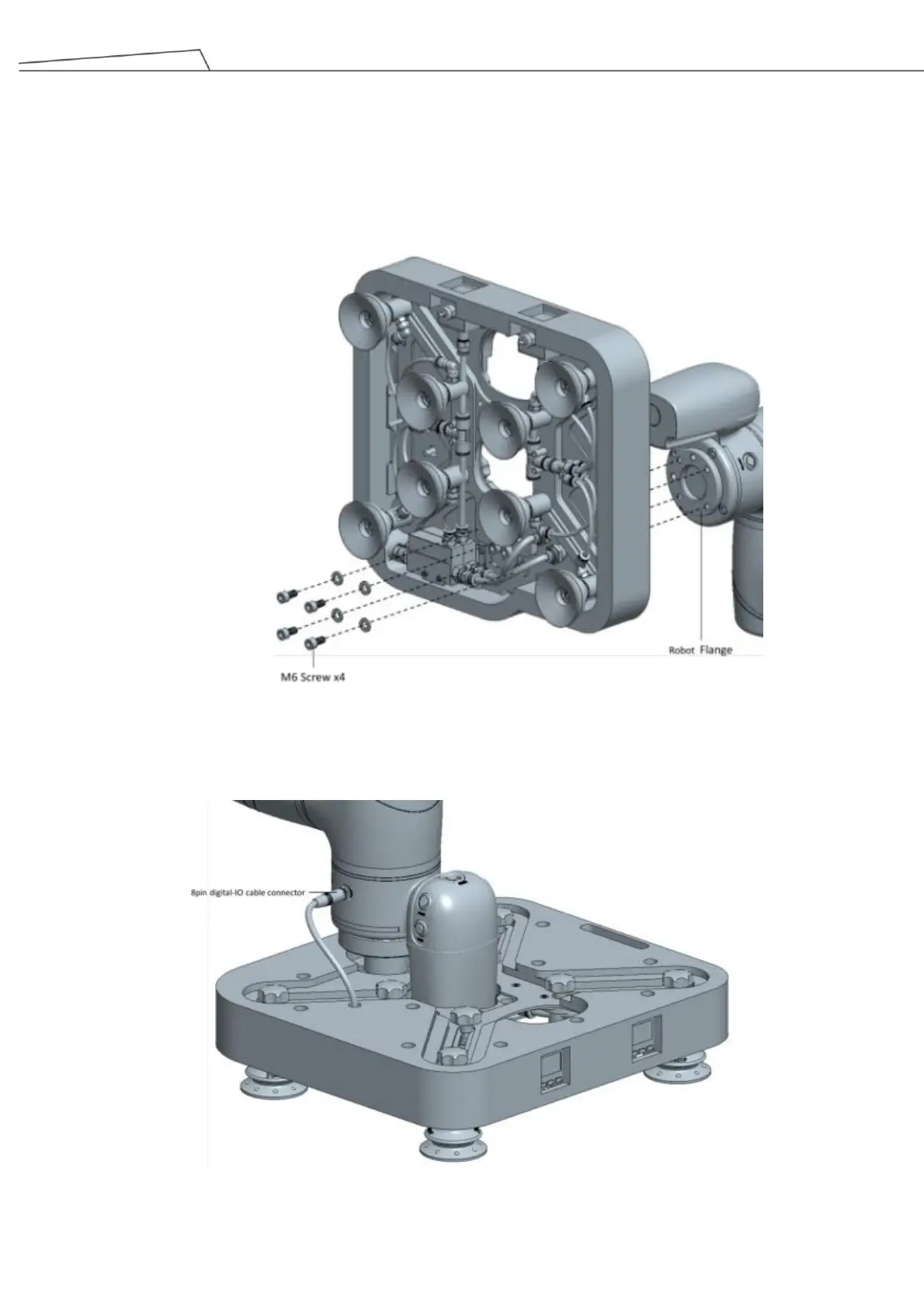
4. Align the gripper flange to the robot flange, and fasten the gripper with four M6x12L screws.
Figure 57: Align gripper and apply screws (for shifted position)
5. Connect the 8-pin gripper cable to the I/O connector on the robot.
Figure 58: Connect 8-pin gripper cable to I/O connector on robot (for shifted position)



 To Next Page