TM Palletizing Operator User’s Manual Product Version: 1.0 / Document Version: 1.0 144
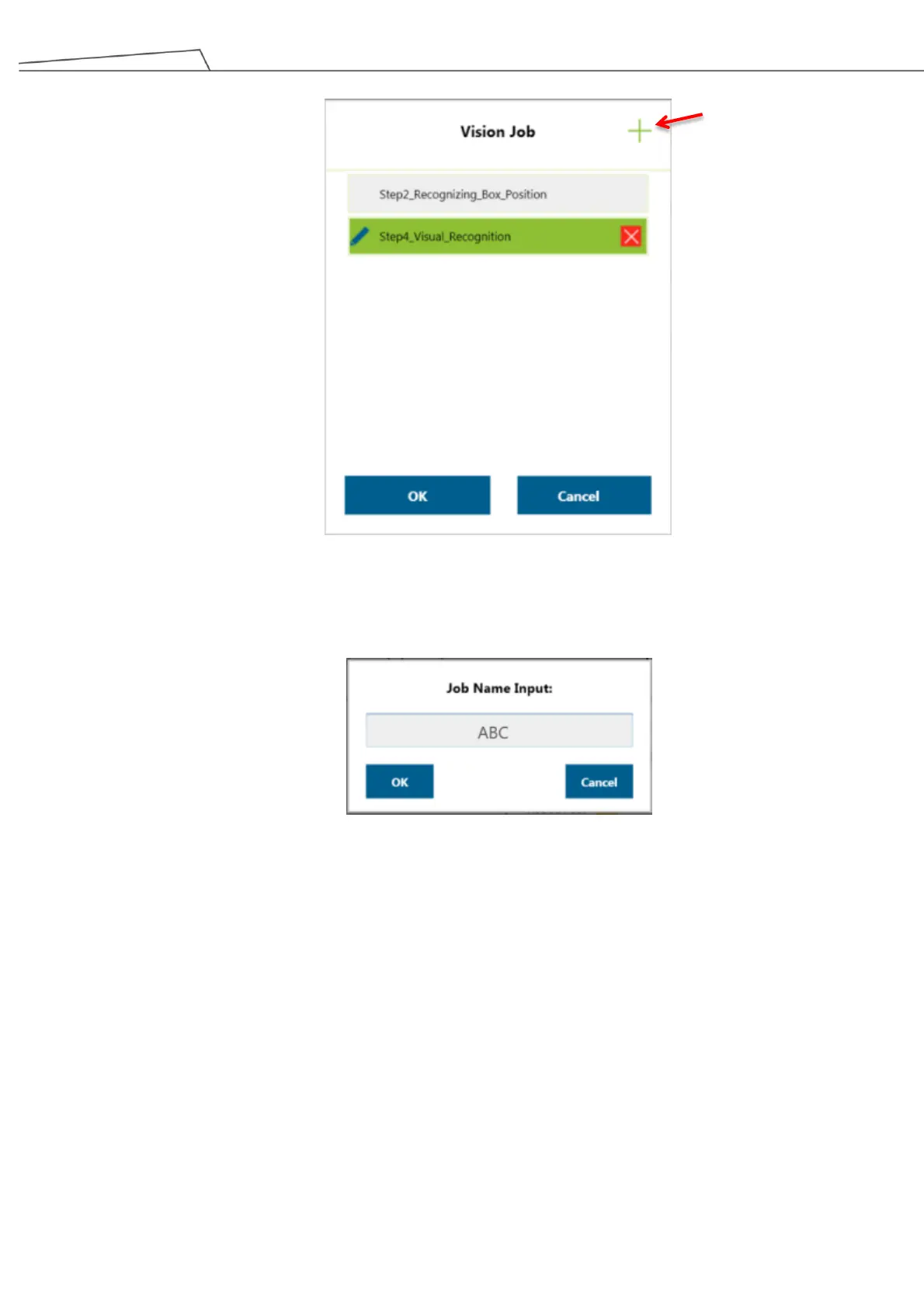
Figure 140: Click “+” for Step4_Visual Recognition
2. Enter a name for “Job Name Input”.
Figure 141: Job Name Input
3. When entering a vision job, place the supplied Calibration Board under the camera lens of the robot
and click “Calibration”.



 To Next Page